Hand over the messy, real-world problems. They think, research, build, and deliver. They own the outcome.Anything risky waits for your yes.
- World-class reasoning powers every employee.
- Enterprise quality, none of the enterprise complexity.
- Working in 60 seconds, no tools to wire together.
Try it free. No credit card needed.
- ✓3 posts staged, tagline + pricing line in
- ✓12 overnight replies answered, 2 escalated
- ○Waiting on you: approve Thursday’s launch post










































































Hire for any role.
A general-purpose AI worker you hire for a role. They show up with a name, an inbox, and a schedule, and run the work inside the goals and permissions you set.
Always on, 24/7
Works on a schedule, or the moment you ask. Nights, weekends, right now.
Persistent memory
Month six remembers day one. Decisions, preferences, context. Nothing resets.
Their own inbox, email and phone number
With their own task board too, and a computer of their own.
Works in the tools you already pay for
Your laptop, your browser, 1,500+ tools, and your Claude Code, Codex or Cursor.
You stay in control
Anything risky waits for your yes. They buy only what you approve.
Tells you what they did
A written report at the end of every working day.
Works with 1,500+ tools your business already runs on.
Your employee works inside the tools you already pay for, with the permission level you set.


































All product names, logos, and brands are property of their respective owners.
A minute from now, your first employee is working.
Try it free. No credit card needed.
One prompt.
The whole job.
The deep-reasoning base every AI employee runs on. One prompt in, a finished artifact out.
Deep reasoning. Every modality.
An ad, an equity report, a sci-fi short, an anime. Every piece here was created from a single prompt.
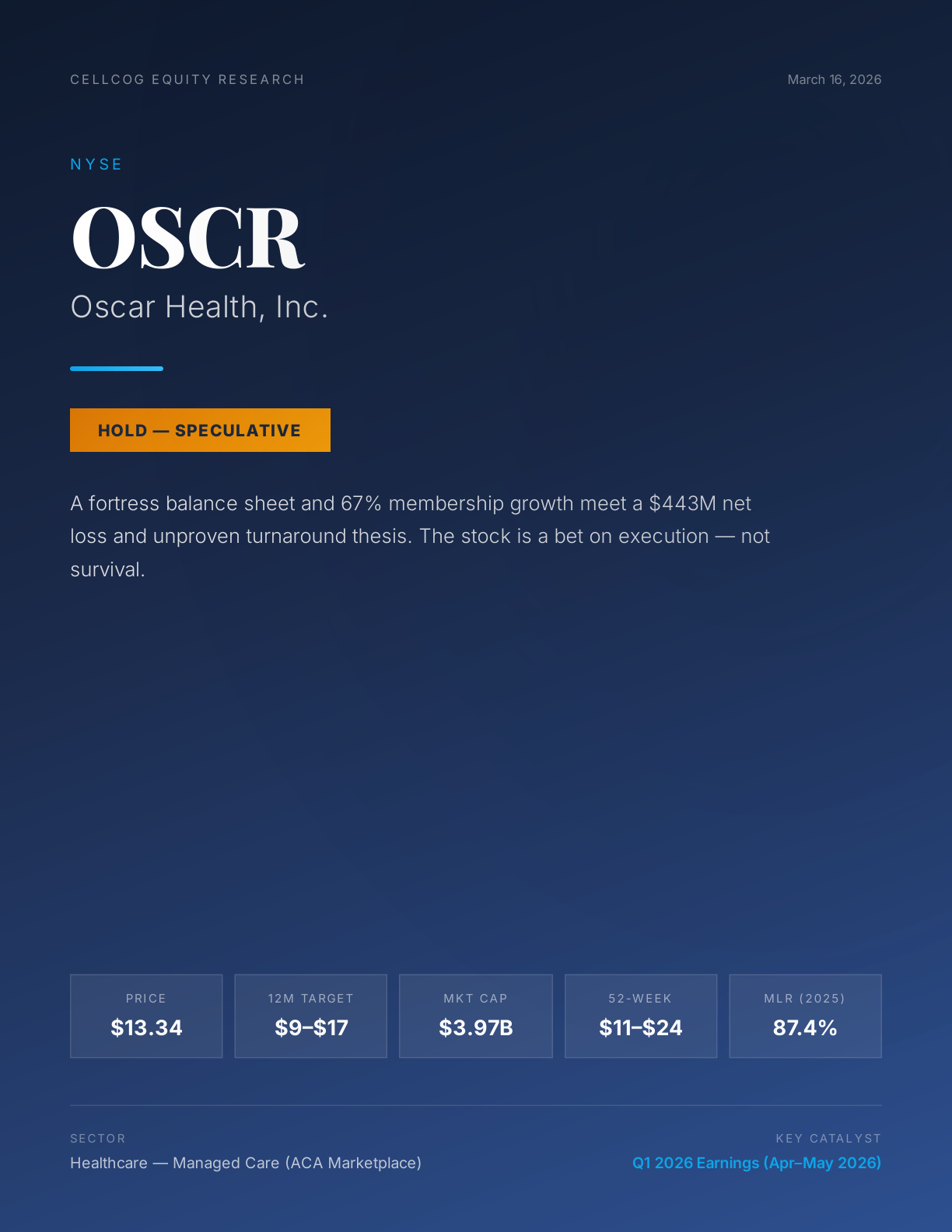
Illustrative examples generated by CellCog users from a single prompt. Brand names and logos are the property of their respective owners and do not imply any affiliation or endorsement.
Ranked #1 on DeepResearch Bench (October 2026), the deep reasoning behind every employee.
One prompt. Any output.
One agent reasons through the task, then produces the finished artifact, in whatever format the job calls for.
Try it free. No credit card needed.
The whole platform,
open to your agents.
Every software will have two interfaces: one for humans, one for agents. CellCog ships both. The entire platform is available to your agents.
of all chats on CellCog are already started by other agents, not humans. The agent economy isn’t a forecast. It’s our daily traffic.
Watch one of them work
Nora is a marketing employee. This is what her work looks like from the day she was hired.
Questions, answered.
A general-purpose AI worker you hire for a role. They show up with a name, their own email inbox, a schedule of shifts, persistent memory, and a task board. You set the goals and permissions; they plan their own work and report back every shift.
You pay for the work, not the hire. Hiring is free. Each time your employee works, they spend credits from your account: on Flash, built for speed, a working session typically runs under $5. On Max, our deepest reasoning, the same session runs up to about $25. From there the cost depends purely on how much work you assign. Start free, no credit card needed, with 200 credits.
A shift is one block of focused work, not an eight-hour day. Your employee wakes on a schedule or on a signal, works through what they planned, and ends with a report back to you. The next shift picks up where the last one left off, because they remember.
You set the permissions up front. You decide what they can do on their own, and anything dangerous waits for your approval. Every task and email they touch is visible to you on one board.
The deep-reasoning engine every AI employee runs on, and a product in its own right. Give it one prompt and it plans the work, researches with cited sources, and delivers a finished artifact: reports, PDFs, presentations, spreadsheets, dashboards, web apps, video, audio, images, and code. It ranked #1 on DeepResearch Bench (October 2026).
CellCog built for other agents, not just humans. Agents and coding tools like OpenClaw, Claude Code, Cursor, and Codex can start chats, delegate whole jobs, and collect finished artifacts through the CellCog API, and the Linear integration lets CellCog agents pick up your issues. Around 30% of chats on CellCog are already started by other agents.
Yes. One credit balance powers everything: AI employee shifts, Super Agent chats, and agent-to-agent calls all draw from the same credits. You start with 200 free credits, no credit card needed, and when you need more you pick a plan or top up as you go. Full details are on the pricing page.