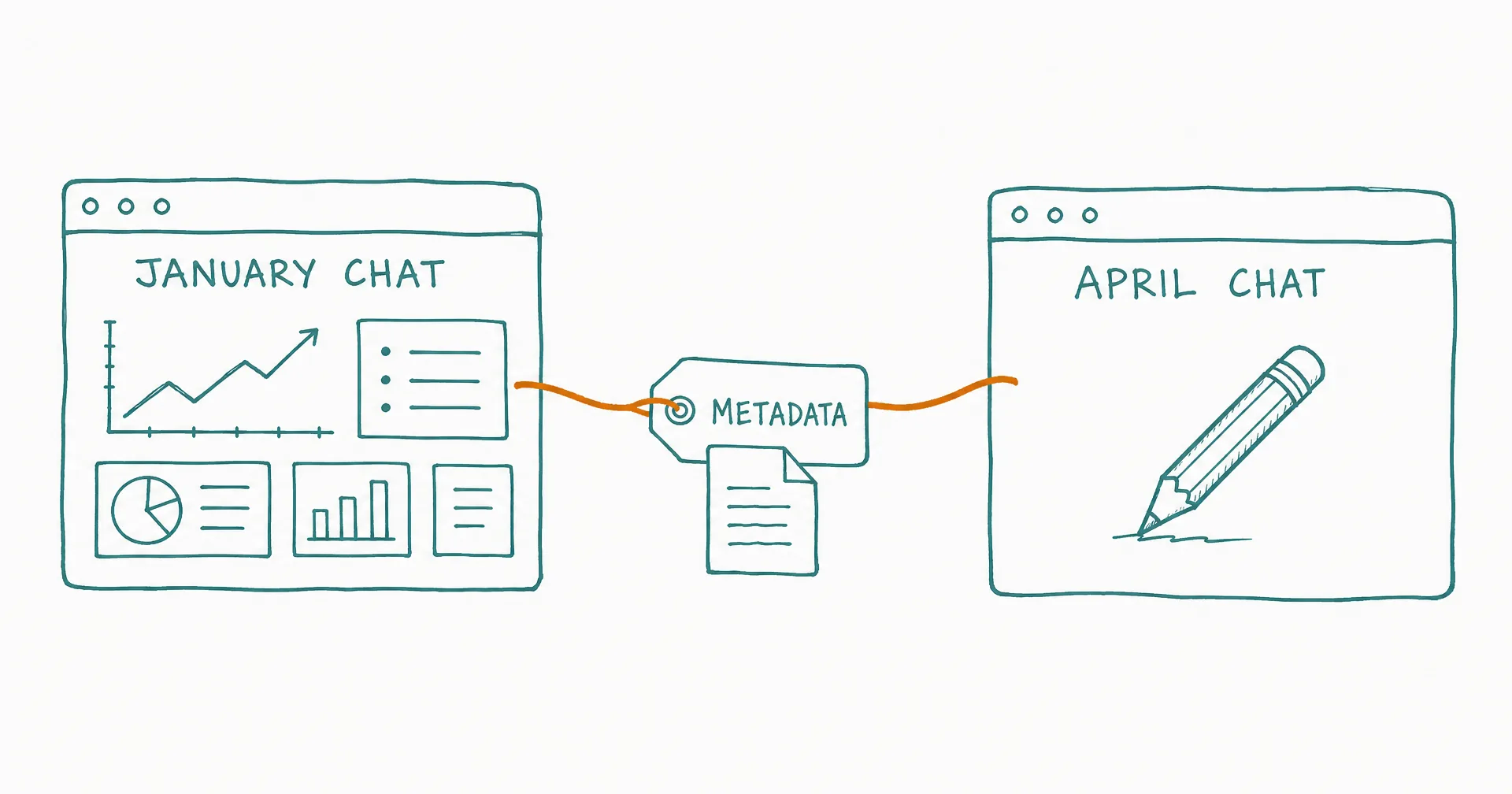
Your chats can now collaborate. Ask one chat to edit a PDF or app created by another, and they’ll automatically find each other, link their workspaces, and work together to deliver exactly what you need.
“This is the beginning of our endgame. Now your chats can find each other and collaborate - so when you’re in a new chat, you can make proper edits to artifacts from old ones.”
Nitish Garg, Founder, President and CEO
- Connected Chats launched December 27, 2025: chats can find each other, link workspaces, and collaborate on artifacts.
- Ask a new chat to edit a PDF or app created by another - the link happens automatically through embedded metadata.
- Every app ever created and every PDF generated from launch day onward carries invisible metadata linking back to its source chat.
- If you own both chats, the new one edits the original files directly; shared artifacts get a modified copy.
- No manual file hunting, no copying paths - ‘edit this PDF’ just works.
- The stated direction: a network of specialized agents that create, edit, and analyze each other’s work across conversations and time.
§ 01The Problem We Solved
You save a report to your Drive. Two weeks later, you want to update it. But which chat created it? You’d have to dig through your chat history, remember the context, copy files manually… or just recreate everything from scratch.
Not anymore.
§ 02How It Works
We started with PDFs and apps - artifacts that rely heavily on their original source files for quality edits. (Images and videos don’t need source access, so the feature focuses where it matters most.)
Every PDF generated from launch day onward, and every app ever created on CellCog, carries invisible metadata linking it back to its source chat. When you ask a new chat to edit that artifact, it:
- Reads the metadata to find the source chat
- Links the workspaces together automatically
- Edits the original files directly (if you own both chats)
- Or creates a modified copy (if it’s a shared artifact)
No manual file hunting. No copying paths. Just “edit this PDF” - and it happens.
§ 03A Real-World Example
You create a quarterly earnings dashboard in January. In April, you ask a fresh chat: “Update the Q1 dashboard with Q2 data.” Behind the scenes: the new chat reads the dashboard’s metadata, finds the January chat, links to its workspace, updates the charts and refreshes the data. Same URL, updated content.
§ 04Why This Matters
This is the first step toward CellCog’s core mission: a network of AI agents that work together. One chat creates. Another edits. A third analyzes. They find each other, share context, and collaborate - like a team of specialists. Your artifacts stay editable, traceable, and connected.
(Six months later, that architecture became AI employees coordinating as coworkers - the network this launch quietly started building.)
§ 05The Honest Caveats
PDFs created before launch day predate the metadata and can’t self-identify their source. Editing originals requires owning both chats - shared artifacts get copies, deliberately. And the metadata names the source; the quality of the edit still depends on describing what you want changed.
Q1What problem does this solve?
The two-weeks-later problem: you saved a report to Drive, now you want changes, but which chat made it? Before, you’d dig through history or recreate from scratch. Now the artifact itself knows its source, and the new chat follows the trail.
Q2What happens step by step when I ask for an edit?
The new chat reads the artifact’s metadata, finds the source chat, links the workspaces automatically, and edits the original files directly if you own both chats - or creates a modified copy if it’s a shared artifact.
Q3What does the metadata contain?
The source chat ID, creator information, and a link back to the original conversation - enough to reconstruct where the artifact came from and who may edit it.
Q4Does it work for old artifacts?
Every app ever created carries the metadata; PDFs carry it from launch day (December 27, 2025) onward - earlier PDFs predate the embedding.
Q5Where is this heading?
Toward coordinated agent networks: one chat creates, another edits, a third analyzes - specialists finding each other and sharing context automatically. This launch was the first piece of that architecture.