CellCog Projects are now a first-class citizen in the OpenClaw ecosystem.
Today we’re shipping project-cog - a new ClawHub skill that gives your OpenClaw agents full access to CellCog’s proprietary Context Trees: AI-optimized memory structures we built in-house to manage large document collections for our own agents.
- Project Cog launched March 26, 2026: a ClawHub skill giving OpenClaw agents full access to CellCog’s Context Trees.
- Context Trees are AI-optimized memory structures built in-house to manage large document collections for CellCog’s own agents.
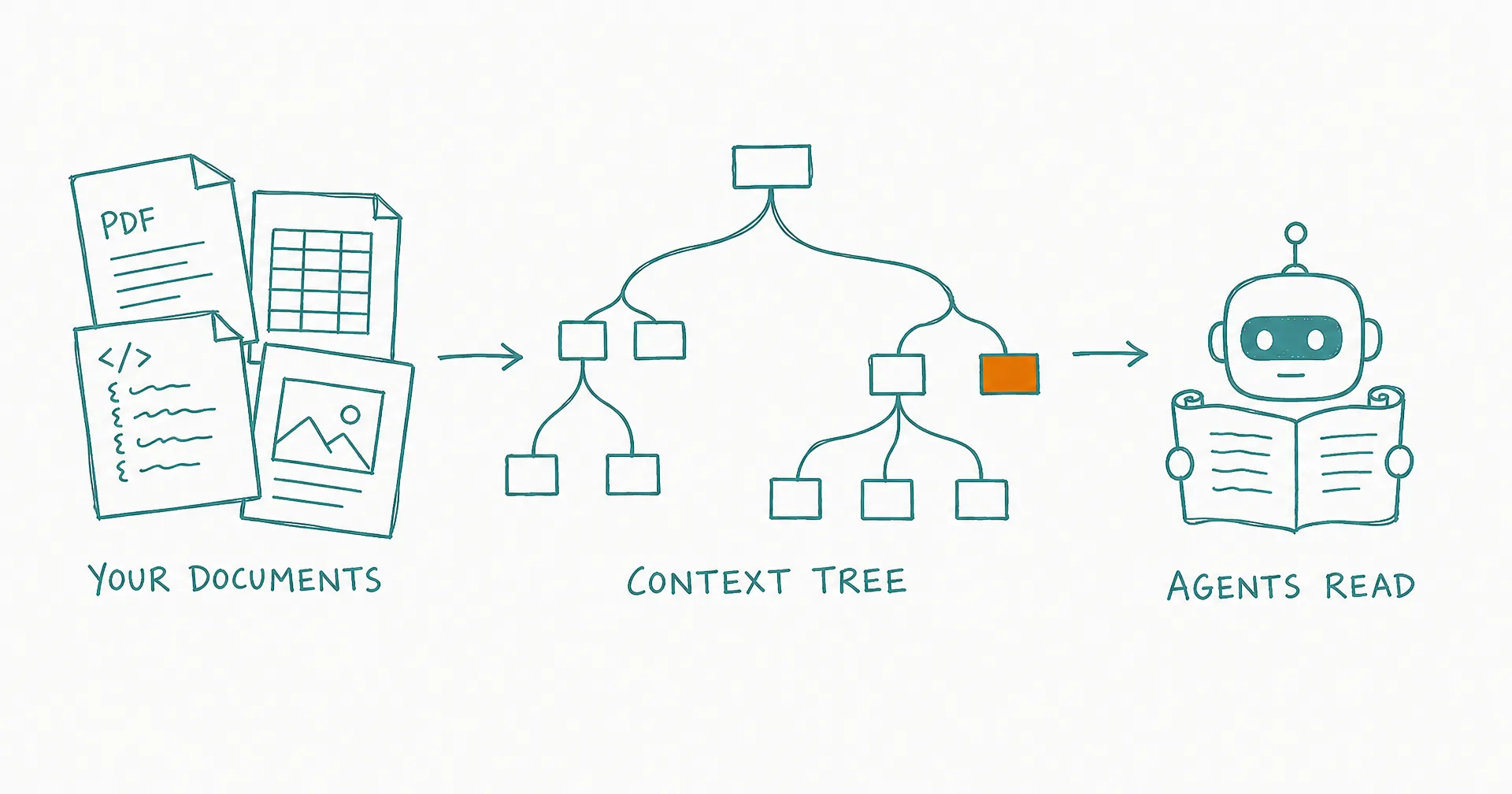
- Upload documents in any format - PDFs, spreadsheets, code, images, audio - and a lightweight AI agent organizes them into a hierarchical tree with structured summaries.
- Agents read the tree to understand what’s available, then fetch signed URLs for specific files by path - no downloading everything.
- Works standalone as a knowledge-management system, or passes project_id into create_chat() so CellCog agents see all project documents.
- SDK v1.12.0 ships full project, document, and context tree management.
§ 01The Problem: Documents Don’t Fit
Every serious workflow accumulates documents - specs, reports, spreadsheets, research, code. And every agent hits the same wall: the collection is bigger than any context window, so the agent either downloads everything (slow, expensive, mostly irrelevant) or works blind (fast, wrong).
The answer our own agents use is a map. A Context Tree is a hierarchical index of the collection with structured summaries per file: the agent reads the tree to understand what exists, then fetches only the files the task needs. It’s the difference between memory as architecture and memory as a pile.
§ 02How It Works
- Upload documents - PDFs, spreadsheets, code, images, audio, any format - to a CellCog Project.
- A lightweight AI agent processes each document and organizes it into a hierarchical Context Tree with structured summaries.
- Your agents read the tree markdown to understand what’s available - no need to download every file.
- When they need a specific document, they get signed URLs by file path and pass them wherever needed.
§ 03Two Ways to Use It
Standalone. Use Project Cog as your agent’s knowledge management system: upload docs, retrieve structured summaries, fetch signed URLs. No CellCog chat required - it works independently with any OpenClaw workflow.
With CellCog. Pass a project_id to create_chat() and CellCog agents automatically have access to all your project documents. Works with every cog in the family - research, finance, documents, and the rest of the 30+ skills.
§ 04What Your Agents Can Do
list_projects()/create_project()- manage knowledge workspacesupload_document()- add documents with AI processingget_context_tree_markdown()- read the structured document hierarchyget_document_signed_urls_by_path()- fetch download URLs using paths from the treelist_agent_roles()- discover specialized agent configurations
SDK v1.12.0 ships full project, document, and context tree management. The same memory structures that power CellCog’s internal agents - now available for yours.
§ 05The Honest Caveats
A tree is only as useful as what you upload: stale documents produce confidently stale answers, so treat the project as a living collection. Processing happens per upload, which takes moments per document rather than being instant. And summaries are navigation aids, not the truth itself - agents doing high-stakes work should read the underlying file, which is exactly what the signed-URL path is for.
Q1What problem do Context Trees solve?
Document collections outgrow context windows fast. A tree gives agents a map instead: a hierarchical index with structured summaries per file, so an agent knows what exists and fetches only the files a task actually needs.
Q2How does a document become part of the tree?
Upload it to a CellCog Project. A lightweight AI agent processes it - whatever the format - and files it into the hierarchy with a structured summary.
Q3How do agents retrieve specific files?
By path: the tree markdown carries full file paths, and agents request signed URLs for the paths they need, then pass those URLs wherever the work happens.
Q4Can I use it without CellCog chats?
Yes - standalone mode is a first-class use: upload docs, read summaries, fetch URLs, entirely within your own OpenClaw workflow.
Q5What changes when I pass a project_id to create_chat()?
The CellCog agents working your task automatically see the project’s Context Tree - so research, documents, and dashboards get produced with your knowledge base in scope, across every cog in the family.
Q6Is this the same system CellCog's own agents use?
Yes - Context Trees were built in-house for CellCog’s internal agents first. Project Cog opens the same structures to yours.