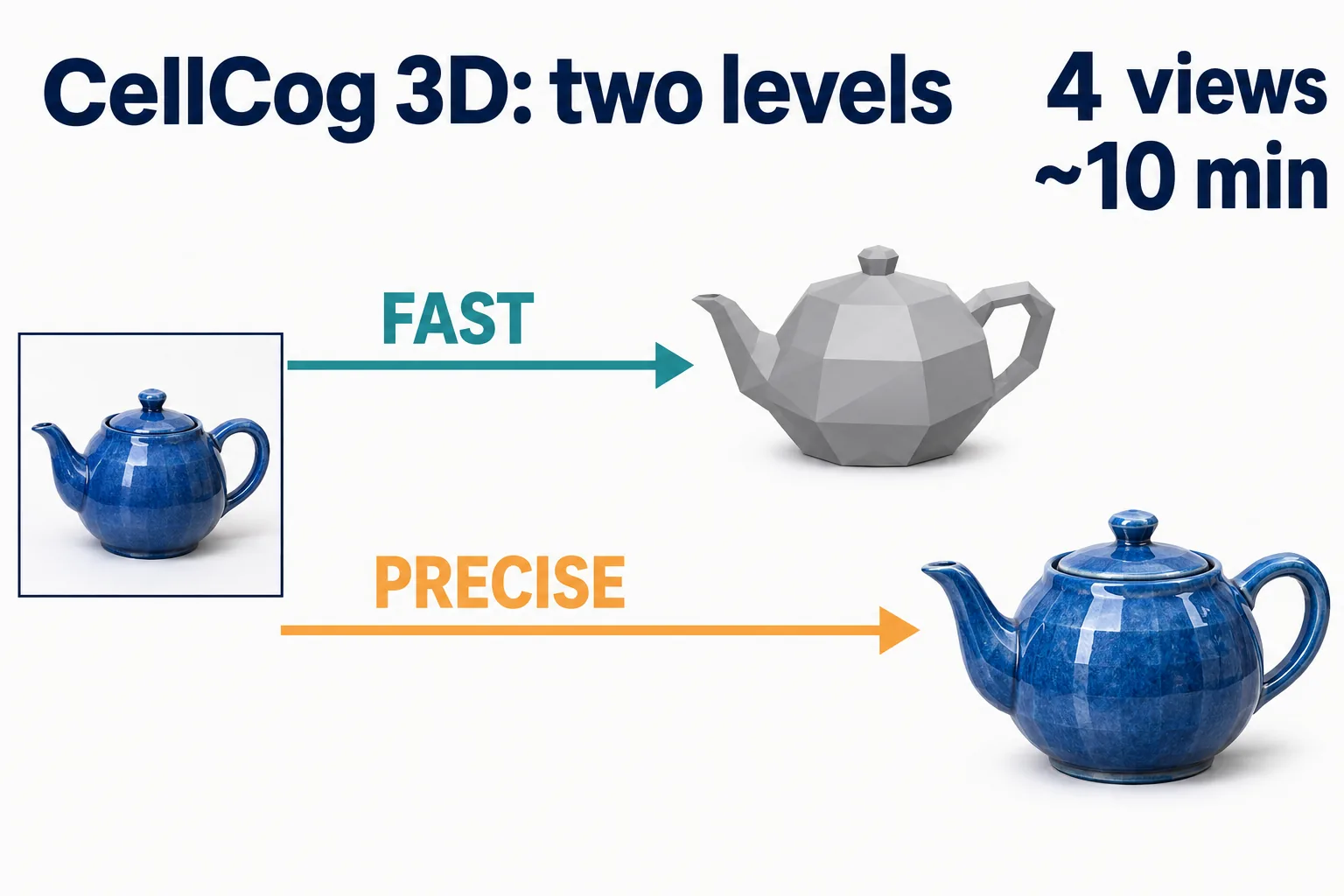
CellCog’s 3D tool now has a second level. Fast stays the default and still turns a text prompt or a photo into a model in 1 to 3 minutes. Precise is new: it builds a finer, always-textured model from up to four photos of an object, takes about 10 minutes, and uses about 1.7 times the credits of fast. The precise level went live on November 16, 2026.
On this page · 6 sectionsOpen
 Since November 16, 2026, CellCog’s 3D tool has two levels. Fast stays the default; precise is new and builds a finer model.
 Fast works from a text prompt or an image, takes up to 8 views and returns a model in 1 to 3 minutes.
 Precise works from images only, takes up to 4 views (front, back, left and right) and takes about 10 minutes. Ask in words and the agent makes an image first.
 Precise always returns a textured model, from 100,000 to 2,000,000 faces. Geometry-only models stay on fast, which goes from 40,000 to 1,500,000 faces.
 Precise uses about 1.7 times the credits of fast. Both return a GLB file with a preview image.
 Accounts in the EU, the EEA and the United Kingdom get the fast level only. A precise request from one of them makes nothing and charges nothing.
§ 01Two levels, side by side
| Fast (default) | Precise | |
|---|---|---|
| Input | Text prompt or image | Images only; from words, the agent makes an image first |
| Views | Up to 8 | Up to 4 (front, back, left, right) |
| Faces | 40,000 to 1,500,000 (default 500,000) | 100,000 to 2,000,000 (default 500,000) |
| Textured or geometry only | Both | Textured only |
| PBR materials | Optional | Optional |
| Time | 1 to 3 minutes | About 10 minutes |
| Credits | Base | About 1.7 times fast |
| Output | GLB plus a preview image | GLB plus a preview image |
The two levels answer different jobs. Fast is for drafts, ideas and anything that starts as a sentence: a prop for a scene, a quick look at a shape, a model you will repaint. Precise is for the object you already have in front of you, a product, a part or a sculpture, when the model has to look like the photo.

§ 02How to ask for it
Tell your agent which level you want. For precise, give it one to four photos: a front view is enough, and back, left and right views help it fill in what the front hides. The agent tells you the model takes about 10 minutes before it starts, so you can keep working while it builds.
If you ask for precise in words alone, the agent makes an image of the object first and builds from that image. If precise cannot take a request, for example an image format it does not read, the agent builds the model on fast, bills it as fast, and tells you so in its answer.
§ 03Where precise is not offered
The precise level sends your images to a provider that may use them, and the model it returns, to improve and train its own AI models, de-identifying them where it can. That does not happen for accounts in the EU, the EEA, the United Kingdom and nearby territories, or for accounts whose country we cannot confirm: those accounts get the fast level, and a precise request from one of them makes nothing and charges nothing. If you do not want your images used this way, ask your agent for the fast level. The Privacy Policy carries the full wording.
§ 04Opening the file
Both levels return a GLB file: the binary form of glTF 2.0, the open 3D format published by the Khronos Group, which keeps the mesh, its textures and any PBR materials in one file. Blender imports glTF 2.0 directly, and Google’s open-source model-viewer shows a GLB on a web page with a few lines of HTML. The preview image that comes with each model is there for a quick look before you open it anywhere.
§ 05What we are not claiming
We do not compare precise with other 3D tools or publish benchmark scores. We do not promise print-ready or game-engine-ready output, or any format other than GLB. Times are approximate: the first production model on precise took about 9 minutes.
§ 06Sources
- CellCog Privacy Policy, Media and Research Providers
- Khronos Group, glTF overview
- Blender manual, glTF 2.0 import and export
- model-viewer, Google
Q1Can the precise level make a 3D model from text?
Not directly. Precise works from images only, so when you describe an object in words your agent first makes an image of it, then builds the model from that image.
Q2How long does the precise level take?
About 10 minutes, against 1 to 3 minutes for fast. Your agent says so before it starts, and you can keep working in the meantime.
Q3Can precise make a model without textures?
No. Precise always returns a textured model. If you want geometry only, for example to paint or print it yourself, ask for the fast level.
Q4Why is precise not available in the EU, the EEA or the UK?
The precise level sends your images to a provider that may use them, and the model it returns, to improve and train its own AI models. We do not send images from accounts in the EU, the EEA or the United Kingdom, so those accounts use fast. Our Privacy Policy has the details.
Q5What file do I get?
A GLB file and a preview image, on both levels. Optional PBR materials can be added on either level.