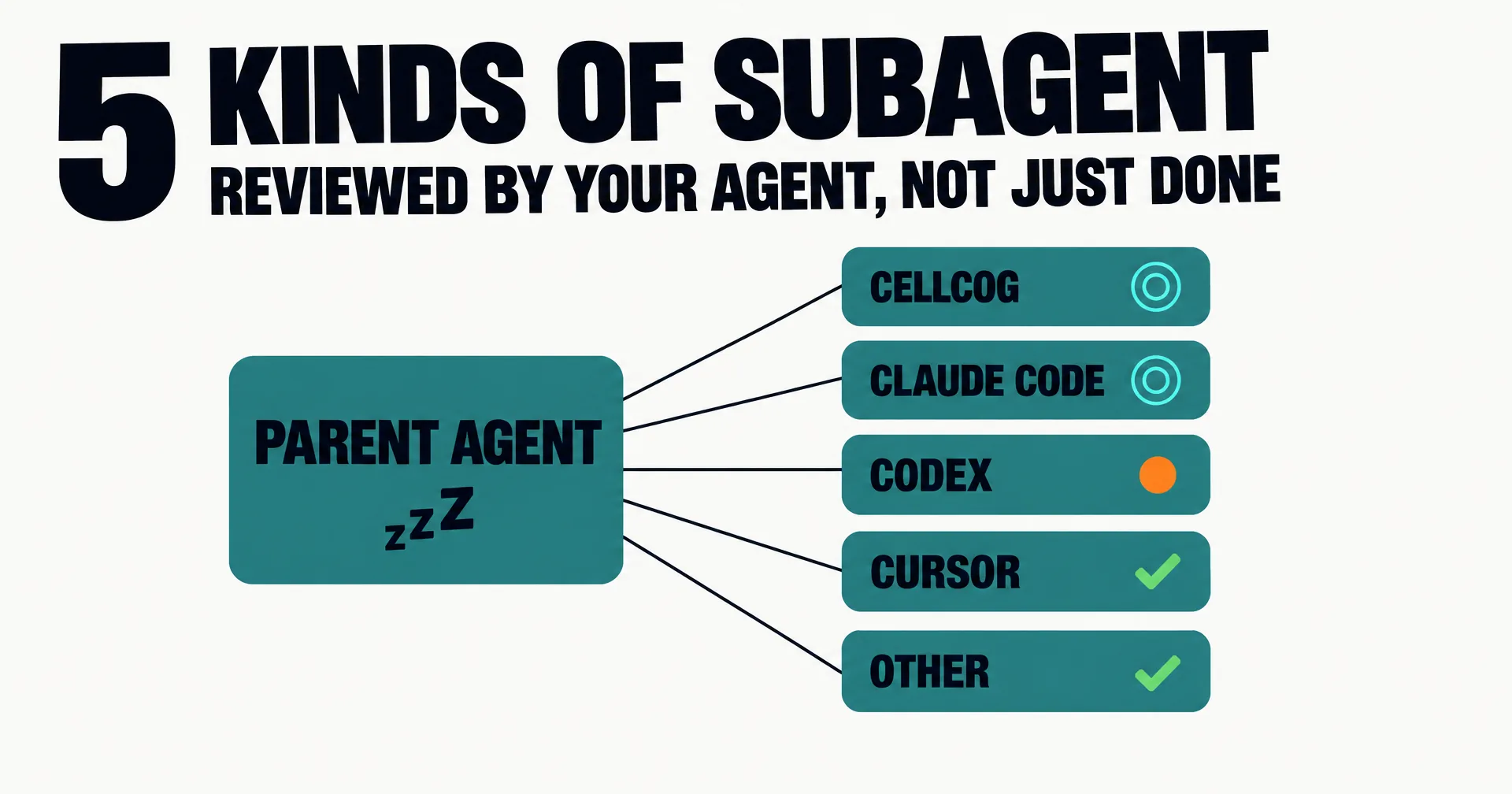
CellCog agents can now hand work to subagents. A regular chat or an AI employee writes a brief, starts a helper agent (another CellCog chat, or Claude Code, Codex or Cursor running on your own computer under your own login), and then rests instead of waiting. When the helper finishes, it calls a wake link, CellCog wakes the parent, and the parent reads the work and marks it reviewed. You can see that last step: every finished subagent carries a small dot until your agent has actually looked at its output.
Subagents shipped in three steps between October 10 and October 12, 2026, and all of it is live. This post covers how a hand-off works, what it costs, when your agent uses a subagent and when it does not, and how other agent products handle the same hand-off, quoted from their own docs.
On this page · 11 sectionsOpen
 A CellCog chat or AI employee can now hand a piece of work to a subagent, rest while it works, and pick up again the moment it finishes. Shipped October 10 to 12, 2026, all live.
 Five kinds: a new CellCog chat, or Claude Code, Codex or Cursor running on your own computer under your own login, or anything that can call a web link.
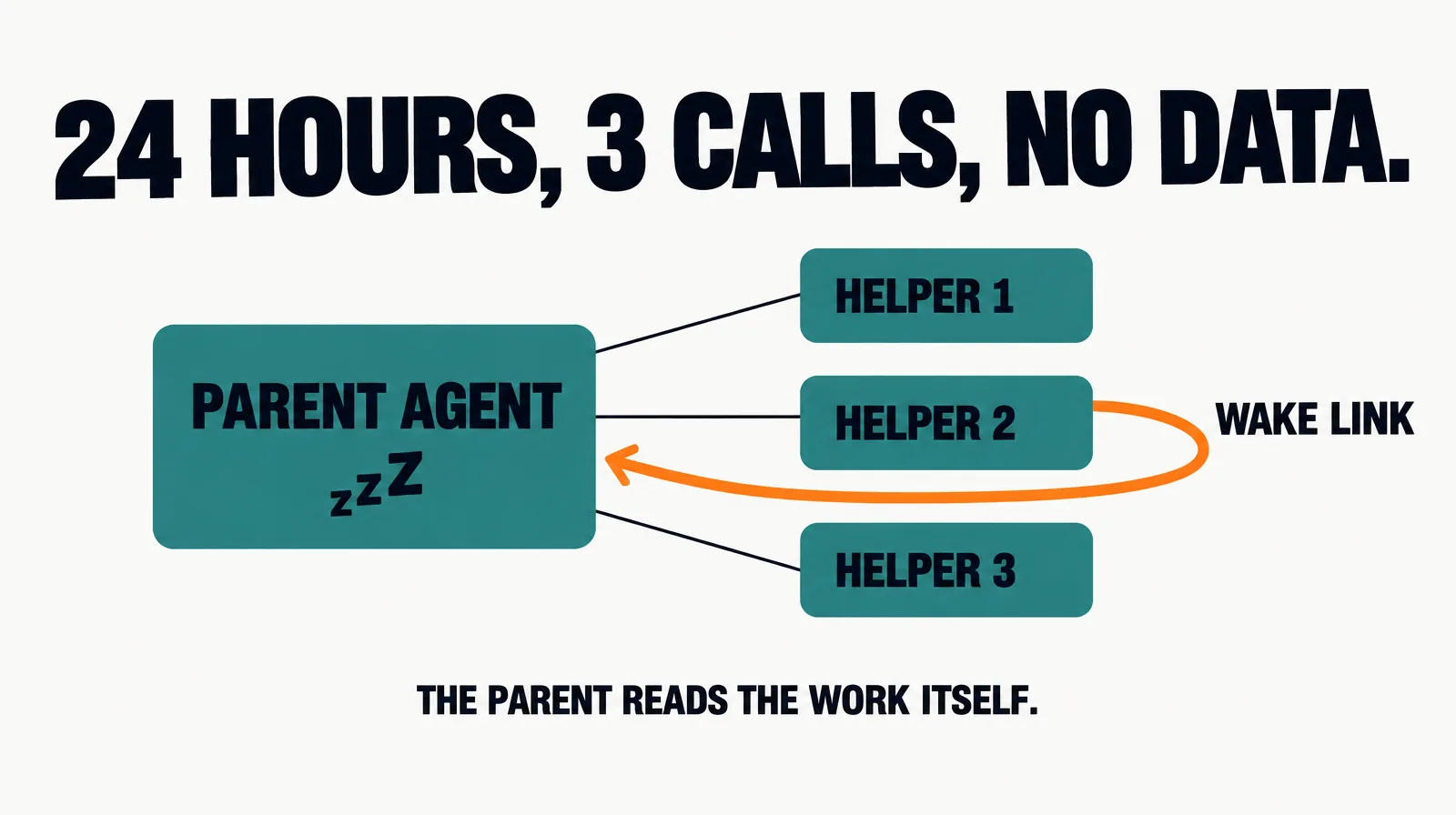
 Each subagent gets a wake link that works 24 hours, allows 3 calls and carries no data. A link that runs out unused wakes the parent once with a never-reported note.
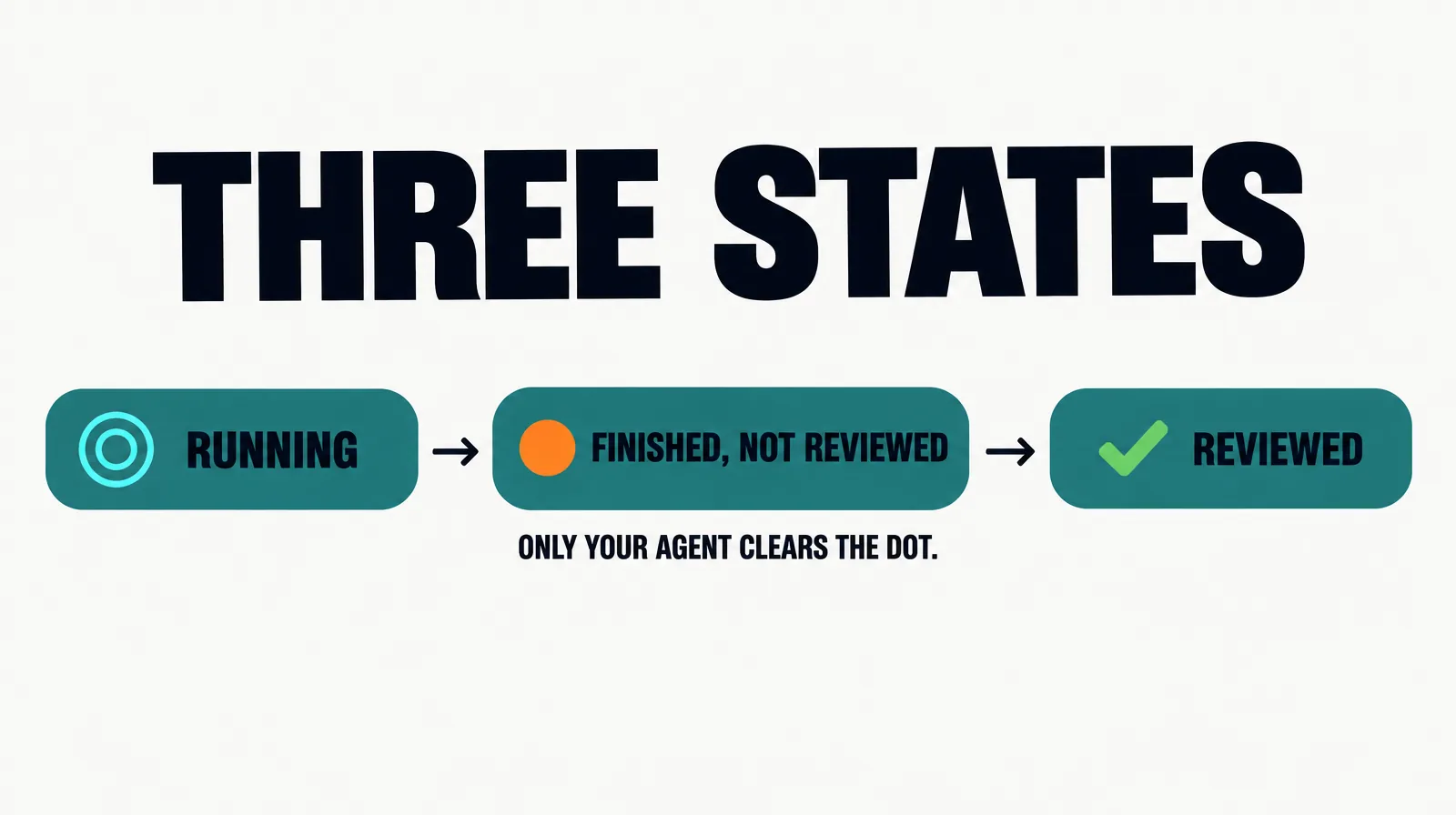
 A finished subagent shows a dot until the parent agent reads its output and marks it reviewed. Opening it yourself never clears the dot.
 Coding subagents use your own Claude, ChatGPT or Cursor plan first; a CellCog subagent uses credits like any chat. You pay for the work, not the hire.
 Your agent launches a subagent with no more access than it has itself. Starting a coding subagent follows your approval level, and anything that needs your approval comes back to you.
§ 01What shipped
| Date | What shipped |
|---|---|
| October 10 | Subagents: a chat or an AI employee starts a child agent and rests until it reports back. Five kinds: CellCog, Claude Code, Codex, Cursor and Other |
| October 11 | The strip above the message box, Check now for your coding tools, usage readings, and the review step |
| October 12 | One state per chip (running, finished, reviewed) and a written test every agent follows for when to use a subagent and when not to |
§ 02Five kinds of subagent
| Kind | Where it runs | What you need |
|---|---|---|
| CellCog | A new CellCog chat, started by the parent | Nothing; CellCog sets it up |
| Claude Code | On your own computer, through Cowork | CellCog Desktop connected; Claude Code installed and signed in |
| Codex | On your own computer, through Cowork | CellCog Desktop connected; Codex installed and signed in |
| Cursor | On your own computer, through Cowork | CellCog Desktop connected; the Cursor command line agent installed and signed in |
| Other | Anything that can call a web link | Whatever that tool needs |
Claude Code, Codex and Cursor run under your own login with those products and use your plan with them. CellCog does not run them in the cloud. Starting one is a command on your computer, so it goes through your approval level like any other Cowork command.
§ 03How a hand-off works
- The parent creates the subagent. CellCog gives it an id such as
SA-7KQ2MXand a wake link. - The parent writes the wake link into the brief, with a plain instruction: call this link when you are done.
- The parent starts the subagent and records where its work will land: a log file, a branch, a chat.
- The parent rests. It is not running, and not spending, while the subagent works.
- The subagent finishes and calls the wake link. CellCog wakes the parent with a short note naming it.
- The parent reads the result itself, from the log, the changes or the CellCog chat, marks it reviewed and carries on.
The wake link works for 24 hours and can be called at most 3 times; every call wakes the parent. It carries no data. It only says “I was called”, and the parent reads the actual work from where the subagent left it, so nothing the helper writes into a link can steer the parent. Long work gets a fresh link for each round.
A subagent can crash, run out of room or hit a plan limit before it reports. If its link runs out unused, CellCog wakes the parent once with a note that the subagent never reported, so the work is never silently lost. The parent can also set an expected time; past it, the note arrives early, and a late call still wakes the parent.
§ 04Reviewed, not just done
The part we care most about is the dot. When a subagent finishes, or never reports, a small dot appears on it in the chat and on the Subagents page. It means “not reviewed by your agent yet.” Only the agent that started it can clear it, by reading the output and marking it reviewed. Opening the subagent, the chat or the Subagents page yourself never clears it, so the dot stays an honest signal that your agent looked at the work before it told you it was done.
In the chat, a thin strip above the message box shows each subagent by name. A logo pulses while it works, a dot appears when it finishes, and a green tick replaces the dot once it is reviewed. The strip goes away when every subagent on it has its tick. If the same subagent reports again, the dot comes back until that round is reviewed too.
Here is an illustrative case. An AI software engineer is asked to upgrade a payments library across a large codebase. First a CellCog subagent reads the library’s changelog and lists the breaking changes. Then Claude Code and Codex each migrate a separate set of modules, each in its own working copy so no two edit the same files, while the engineer rests. Last, a fresh-eyes review subagent reads the combined diff. As each one reports, the engineer reads its output, marks it reviewed, and only then tells you the upgrade is ready.
§ 05When your agent uses one, and when it does not
Subagents are not a feature where more agents means better work. Every CellCog agent now carries the same written test.
| Use a subagent | Do it yourself |
|---|---|
| The work splits into pieces that each return a small, checkable result | The work is sequential or tightly coupled |
| A long build, test run or wait can run while the parent rests | It is the decision itself |
| Noisy reading (logs, a codebase, many sources) has a one-page answer | The plan is still moving |
| A fresh-eyes review of finished work | The brief would take as long as the change, or two writers would touch the same file |
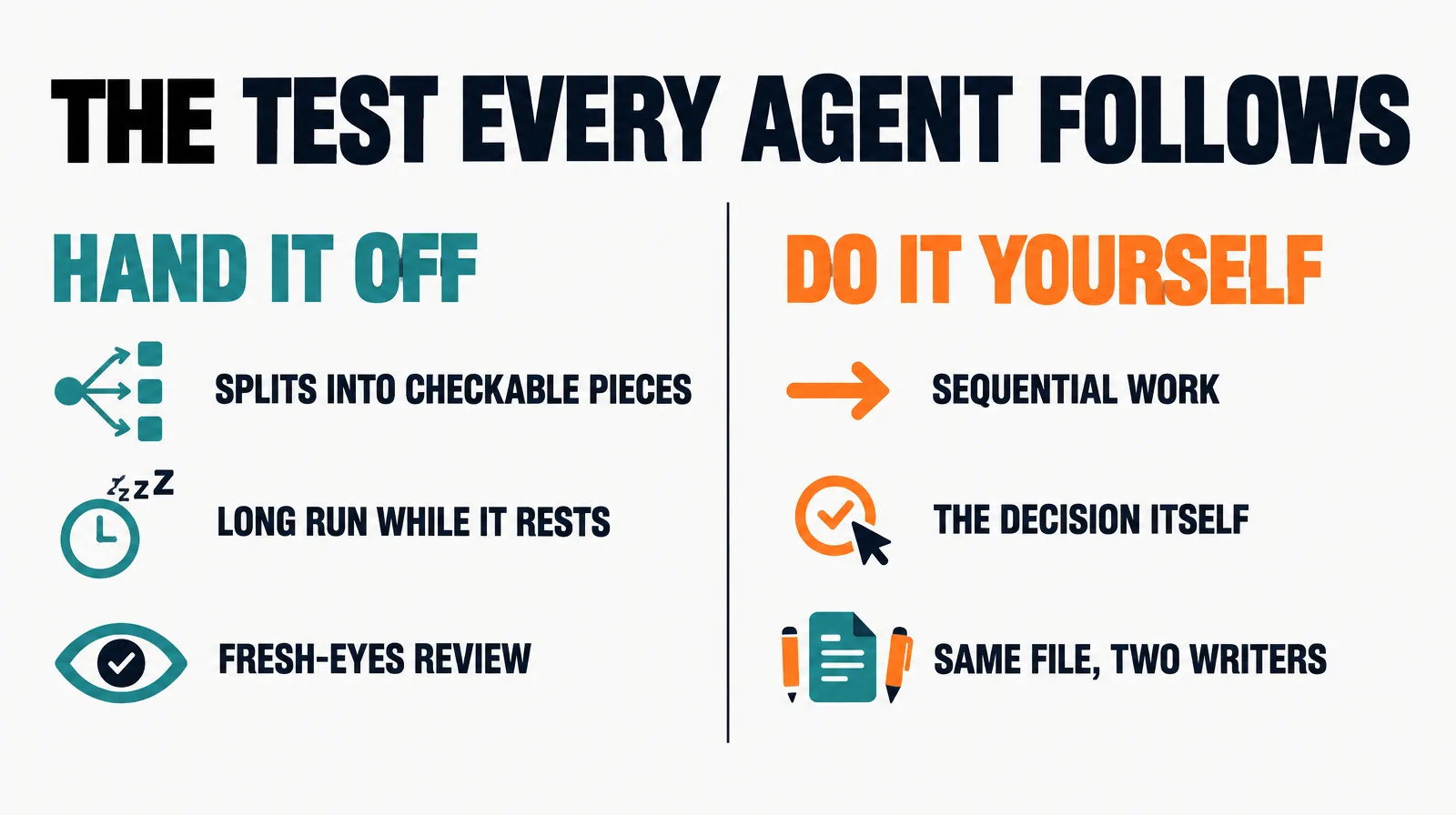
The parent decides and integrates; the child executes inside a fence. Decisions, design and anything that needs your approval stay with the parent.
§ 06Your plans and your keys
Open Subagents under Apps in the sidebar. A strip at the top shows whether each kind is ready: your computer, CellCog, Claude Code, Codex and Cursor. Click a coding tool for its four setup steps. Check now runs a short, read-only check on your computer for all three tools at once: whether each is installed, whether you are signed in, and whether an API key is set in your terminal. The key never leaves your computer.
A subagent uses your plan first, your Claude, ChatGPT or Cursor subscription. A key set in your shell profile can quietly take over from a plan and bill your API account instead, so for a subagent’s process that key is set aside. If you have both, a switch, Use my API key when my plan’s limit is reached, decides what happens at the limit. It is off at first: the subagent stops and your agent tells you, waits for the reset or uses another kind.
Before choosing a tool, your agent reads each one’s newest usage reading, how much of the plan’s limits was in use as the tool itself reported it, so your agent can pick a tool with room left. Claude Code reports it in its own run output and Codex through Check now; Cursor publishes no usage data.
For CellCog subagents, the first one creates an API key named Subagents for you in that organization. It shows on your API keys page and under Connectors, can be rotated but not deleted, and does not count toward your active-key limit. Your agent uses it from its own workspace and never sees or prints it.
§ 07What it costs
You pay for the work, not the hire; the cost depends purely on how much work you assign. A CellCog subagent is a CellCog chat and uses credits like any chat. Claude Code, Codex and Cursor use your own plan with those products, not CellCog credits. Each time a subagent wakes the parent, the parent does a normal run, paid by the account that owns the chat or the AI employee. Current plans are on the pricing page.
§ 08How other agent products hand off work
Several agent products now let a parent agent hand work to helpers. Here is how each describes the moment a helper finishes, in its own docs.
| Product | What the parent hands work to | Where the helpers run | When a helper finishes |
|---|---|---|---|
| CellCog | CellCog chats, or Claude Code, Codex and Cursor under your own login | CellCog, or your own computer | It calls a wake link; the parent reads the work and marks it reviewed, and you see a dot until it does |
| Claude Code | Its own subagents, each with its own context window | Inside one Claude Code session | The subagent returns a summary to the main conversation |
| Codex | Parallel subagents | The Codex app and CLI | The main thread collects the results; you can open each agent thread |
| Devin CLI | Its own subagents, in the foreground or background | Inside the Devin CLI | The parent reads the result and summarizes it for you |
| Manus Wide Research | Many parallel agents, one item each | Its page does not say | The main agent collects and assembles the results |
| Grok Bot | Cursor Cloud Agents, for coding work | Separate computers under Cursor’s Cloud Agent controls | The Bot attaches the files cited in the Cloud Agent’s final report to its reply |
Each one does something well. Anthropic’s page explains the core value plainly: a subagent takes a noisy side task, “does that work in its own context and returns only the summary.” It also marks every returning report so that “instructions or approval claims inside the report are the subagent’s words and carry no authority from you.” OpenAI is candid that “Subagent workflows consume more tokens than comparable single-agent runs.” Devin comes closest to our review step: “When a subagent finishes, the parent agent reads the result and summarizes the key findings and actions for you.” xAI’s Grok Bot hands coding work to Cursor: “Grok Bot can delegate coding tasks to separate computers under your existing Cloud Agent controls.”
Where CellCog differs is in three places. Its helpers include the coding tools you already pay for, running on your own computer under your own login. The parent rests until a wake link calls it back instead of holding a session open. And whether the parent has reviewed each helper’s work is something you can see, not something you take on trust. None of the five pages we read describes a review mark like the dot.
§ 09Built for an organization of AI employees
An AI employee’s subagents belong to the employee, not to one conversation. If the employee has started a fresh working session since launching them, the note still reaches it. The Subagents page groups every chat and AI employee that started subagents in your current organization, newest first, with each subagent’s status, what the parent recorded about it, and when it last reported. A waiting subagent has a Cancel button, and cancelling stops its wake links at once.
Your agent launches a subagent with no more access than it has itself. Starting a coding subagent is a command on your computer and follows your approval level; what it may do after that is set when your agent launches it, and anything beyond that comes back to your agent, and to you when it needs approval.
§ 10The honest caveats
- Claude Code, Codex and Cursor subagents need the CellCog Desktop app connected and the tool installed and signed in. They run only while your computer is awake; one that stops before reporting sends the never-reported note.
- Codex’s usage reading has not yet been proven against a live install, and Cursor publishes no usage data at all.
- The wake link carries no data and allows 3 calls, so multi-round work needs a fresh link per round.
- The safety model is your approval level plus the doctrine above, not a lock in the code. On machines that hold credentials, our agents are told to launch coding tools with a clean environment and a sandbox, and to ask the parent for anything beyond that box.
- Subagents are visible to the agent that started them and on the Subagents page of the current organization.
§ 11Sources
- CellCog, Subagents Guide, read October 12, 2026.
- Anthropic, Claude Code subagents, read October 12, 2026.
- OpenAI, Codex subagents, read October 12, 2026.
- Cognition, Devin CLI subagents, read October 12, 2026.
- Manus, Wide Research, read October 12, 2026.
- xAI, Grok Bot files and results and Grok Bot for teams and enterprises, read October 12, 2026.
Q1Do I have to do anything when a subagent finishes?
No. CellCog wakes the parent and it continues on its own. If a chat parent needs your input, it asks you as usual.
Q2Does a subagent use CellCog credits?
A CellCog subagent is a CellCog chat and uses credits like any chat. Claude Code, Codex and Cursor use your own plan with those products. Each wake is a normal run for the parent. Plans are on cellcog.ai/pricing.
Q3Can an AI employee use subagents?
Yes. An AI employee’s subagents belong to the employee, so a note reaches it even if it has started a fresh working session since launching them.
Q4What if my computer is off?
Claude Code, Codex and Cursor subagents need your computer on and CellCog Desktop connected to start, and keep running only while it is awake. If one stops before reporting, the parent gets the never-reported note.
Q5Can a subagent do more than the agent that started it?
Your agent launches a subagent with no more access than it has itself. Starting a coding subagent is a command on your computer and follows your approval level; what it may do after that is set at launch, and anything beyond that comes back to your agent, and to you when it needs approval.