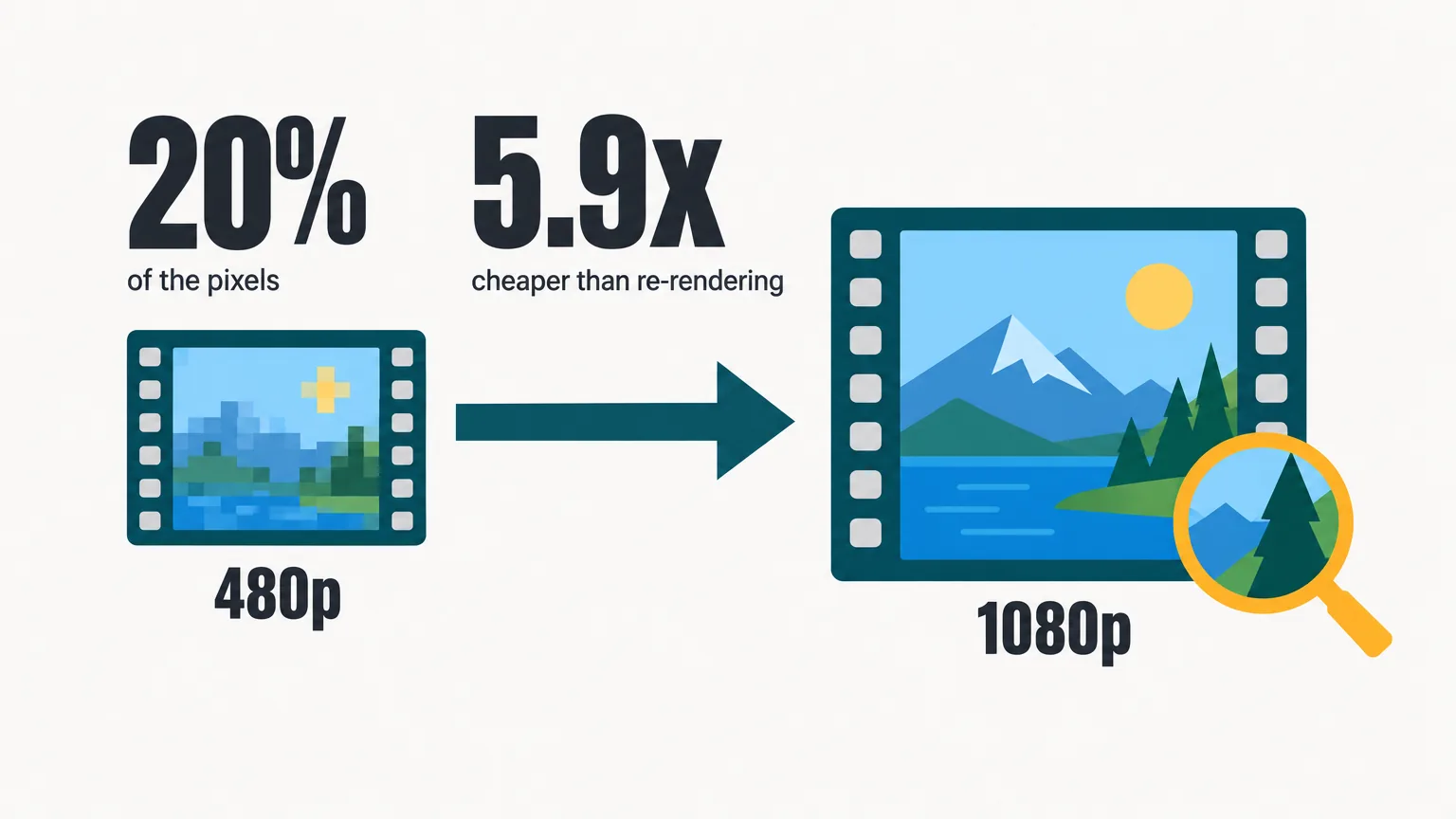
Rendering AI video at 1080p costs about five times as much per second as rendering it at 480p. So there are two ways to turn an approved 480p draft into a finished 1080p shot: finish the same shot at full resolution through the model’s draft mode, or hand the draft to an upscaler, a second model that enlarges the frames you already have.
We tested the second path. We rendered three 5-second clips at 480p and ran each through four upscalers. Then we compared every result frame for frame with the same shot rendered natively at 1080p. In short: faithful upscalers sharpen what is in the frame, and generative ones rebuild what is missing. Rebuilding is where both the wins and the failures happen.
On this page · 12 sectionsOpen
- Why upscale at all
- Draft mode: the native render is the same shot, finished
- Faithful and generative: two families
- The four upscalers we tested
- How we tested
- Text: only the generative two fixed the sign
- The face: FLUX held identity, Starlight aged her
- Fast motion: close across the board
- The cost math
- Which path for which shot
- What this test does not show
- Sources
 We rendered three 5-second AI clips at 480p, ran each through four upscalers (ByteDance, Topaz Precision, FLUX precise, Topaz Starlight) and compared every result frame for frame with the same shot finished natively at 1080p through the model’s draft mode.
 A 480p frame holds about 20% of a 1080p frame’s pixels. The other 80% comes either from neighboring frames (faithful upscalers) or from a learned prior (generative upscalers).
 On a chalkboard already garbled at 480p, the faithful upscalers kept the wrong letters, only sharper. Only the two generative upscalers rebuilt FRESH BREAD DAILY correctly, and they guessed it rather than recovered it.
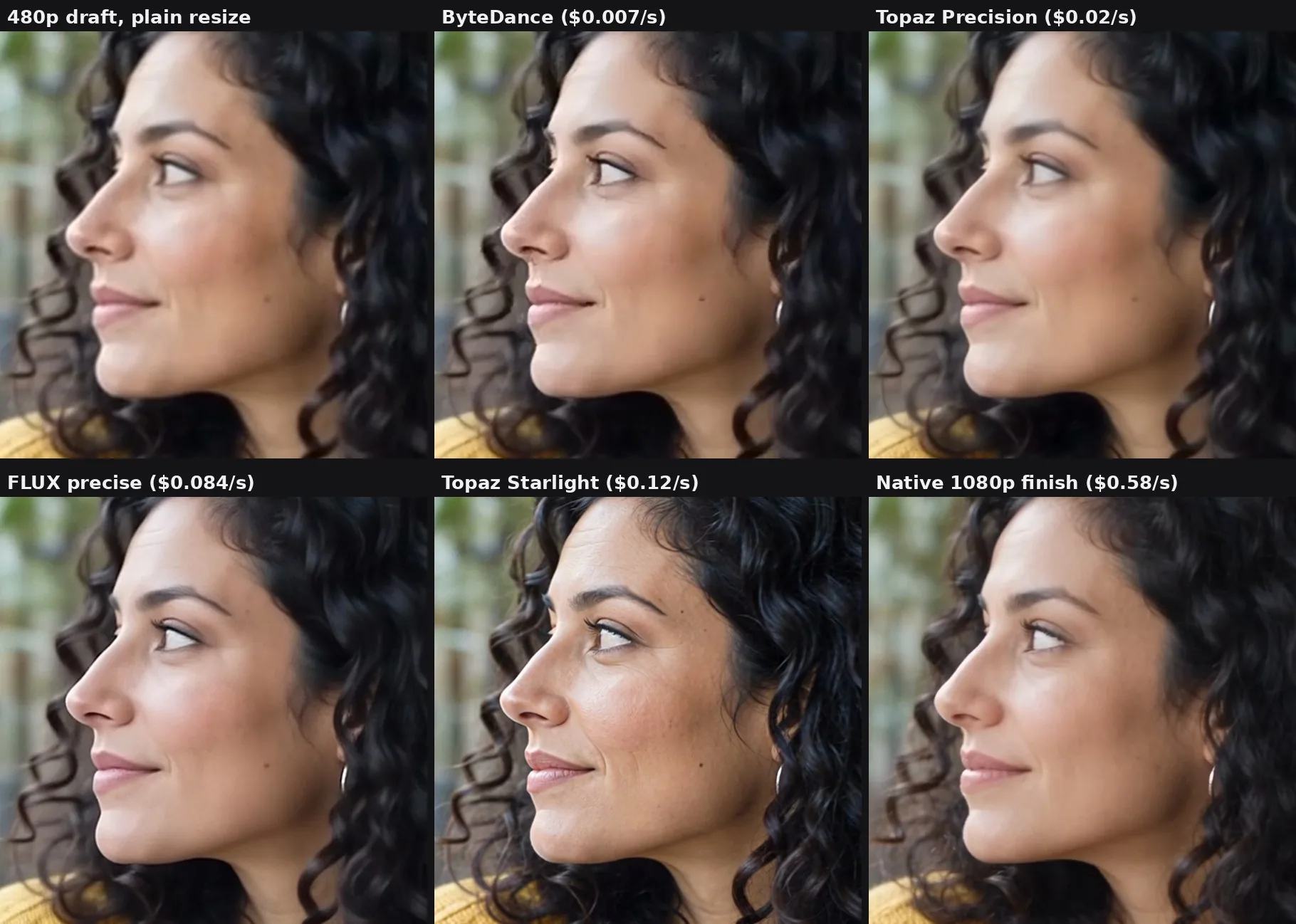
 On the face, FLUX precise stayed faithful to the native render. Topaz Starlight was the sharpest but added wrinkles that aged her, which becomes identity drift across a series of shots.
 At list prices, draft plus ByteDance costs $0.117 per second of 1080p against $0.690 for draft plus a native render: 5.9x cheaper. FLUX precise lands at $0.194, 3.6x cheaper.
 Our pick: a faithful upscale for b-roll and motion, a generative one for shots with readable text, and a native render when a face or product must match its reference.
§ 01Why upscale at all
Our clips came from ByteDance’s Seedance 2.5. At the API list prices we paid in October 2026, it cost roughly $0.11 per second for a 480p draft and roughly $0.58 per second for the same shot at 1080p. The usual workflow is to iterate on cheap drafts, then finish the approved one at 1080p.
An upscaler costs far less than that second render. The question is what it gives up. A 480p frame (854x480) holds about 20% of the pixels of a 1080p frame (1920x1080). The detail in the other 80% has to come from somewhere: either from neighboring frames that caught it more clearly, or from the upscaler’s learned idea of what such things usually look like.
§ 02Draft mode: the native render is the same shot, finished
Seedance 2.5 has a draft mode built in. A 480p draft comes back with a draft id. Sending that id back asks the model to finish the same task at 1080p: same prompt, same reference images, same seed, same length and framing. It is not a new render from the still, and it is not an upscale. That is why the composition, motion and audio carry over and only the resolution changes.
Three rules come with it. A draft lasts 7 days, only the provider that made it can finish it, and any change to the prompt, length or framing needs a new draft. The finish costs the same as rendering the shot directly at 1080p, and the draft costs about a fifth of that. So when the first draft is the keeper, draft plus finish costs about a fifth more than a direct 1080p render. As soon as one take is rejected, drafting first is cheaper.
§ 03Faithful and generative: two families
Faithful (restoration) upscalers reconstruct a larger version that stays close to the input. Research designs such as BasicVSR (CVPR 2021) and RealBasicVSR (CVPR 2022) align neighboring frames and pass features forward and backward through the clip, so a detail that is sharp in one frame can help the frames around it. They sharpen and clean. They rarely add structure the input does not support.
Generative (diffusion) upscalers use a learned prior. Many sharp frames fit one soft frame, and a generative model picks a plausible one. SeedVR2 (ICLR 2026) restores video in a single diffusion step. FlashVSR (CVPR 2026) aims at real-time streaming.
The distinction that matters: producing detail is not recovering it. When several frames genuinely contain a detail, combining them across time can recover it. When no frame contains it, a generative model has to infer it. A plausible letter is not proof that the letter was there.
| Failure | What it looks like | Documented in |
|---|---|---|
| Temporal flicker | Detail generated slightly differently in each frame shimmers in playback | Upscale-A-Video, CVPR 2024 |
| Over-detailing | Lightly degraded input comes out with invented detail | SeedVR2 authors, ICLR 2026 |
| Identity drift on faces | Wrinkles, eye shape or nose shape changed, or varying across frames | Wang et al., CVPR 2025 |
A 2026 study of diffusion video upscalers (Herb et al., QoMEX 2026) found that automatic video quality metrics are not a reliable substitute for watching the output. AI-generated video also has no high-resolution original to score against. So we judged by eye, on fixed crops of the same frame.
§ 04The four upscalers we tested
| Upscaler | Family | 1080p, per second | 4K, per second | Limits |
|---|---|---|---|---|
| ByteDance upscaler, standard tier | Faithful | $0.0072 | $0.0288 | Outputs up to 8K; no length cap stated |
| Topaz Precision (Proteus) | Faithful | $0.02 | $0.06 | No cap stated |
| FLUX Video Upscale, precise mode | Generative | $0.084 | $0.33 | 20 s and 50 MB per job; factors 1.5x, 2x and 3x only |
| Topaz Starlight Precise 2.6 | Generative | $0.12 | $0.26 | No cap stated |
In Starlight Precise, “Precise” is only the variant name; the model is still diffusion. FLUX precise mode runs 4 steps and is meant to keep identity. Its creative mode (8 steps, $0.12 per second at 1080p) can change identity and was not part of this round. Neither was ByteDance’s pro tier ($0.072 per second).
None was slow at this length. Per 5-second clip, in single runs with queue time included, Topaz Precision took roughly 46-57 seconds, Starlight 98-114, ByteDance 93-160 and FLUX precise 54-241. FLUX varied the most. The Seedance drafts and native finishes took about 2 minutes each.
§ 05How we tested
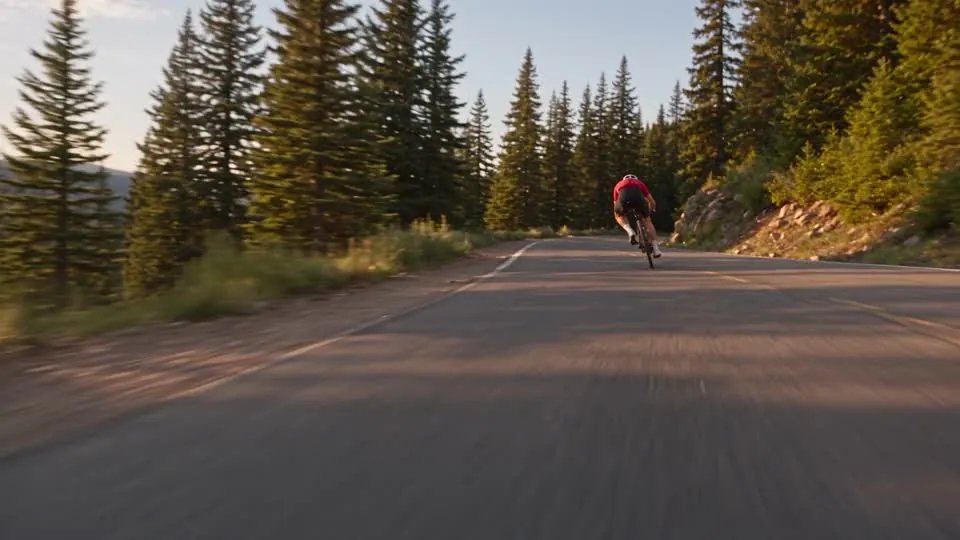
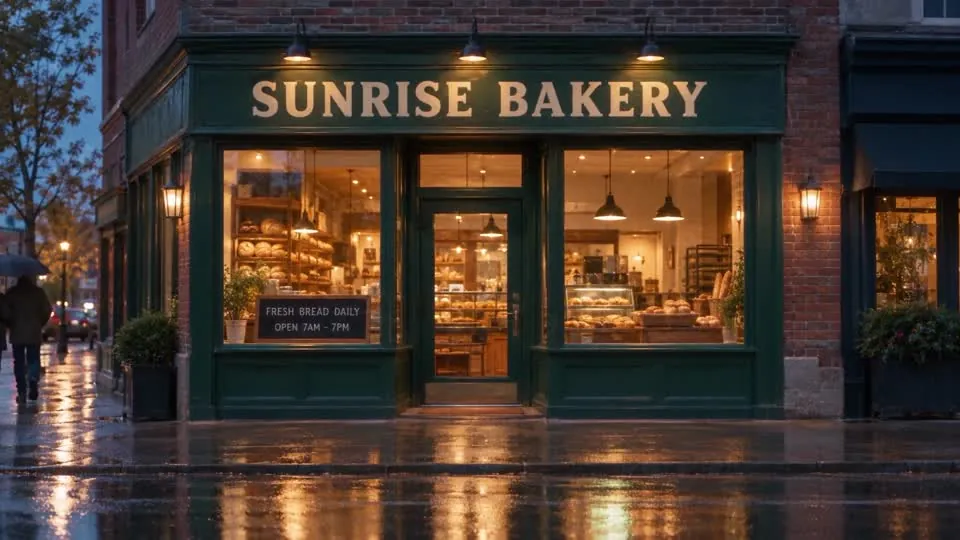
- We picked three reference stills, each chosen to stress something upscalers get wrong. The first was a face: a medium close-up of a woman in a café. The second was fast motion: a cyclist sprinting down a mountain road. The third was on-screen text: a bakery storefront with a large sign and a small chalkboard reading FRESH BREAD DAILY / OPEN 7AM - 7PM.
- We turned each still into a 5-second Seedance 2.5 draft at 480p (854x480, 24 fps), with a short motion prompt: she looks up and smiles; he leans into a curve and sprints past; a slow dolly toward the shop in light drizzle.
- We finished each draft natively at 1920x1080 through draft mode. This is the reference.
- We ran each 480p draft through the four upscalers to roughly 1080p.
- We took the frame at 4.9 seconds from all six versions of each clip (the plainly resized draft, four upscales, native 1080p), cropped the same region, and enlarged it.

One practical finding: FLUX rejected a 2.25x factor (854x480 to 1920x1080) with a generic error on all three clips. Black Forest Labs’ docs list only 1.5x, 2x and 3x. At 2x the output is 1708x960, so a production pipeline needs one final resize to reach true 1080p.
§ 06Text: only the generative two fixed the sign
At 480p the chalkboard was already garbled, reading FNESH BREAD DULY and OFEN 7AM. ByteDance and Topaz Precision kept the garble, only sharper. The correct letters were not in the frame, so a faithful model had nothing to sharpen them from. FLUX precise and Starlight both produced clean, correct lettering, crisper than the native 1080p render itself.
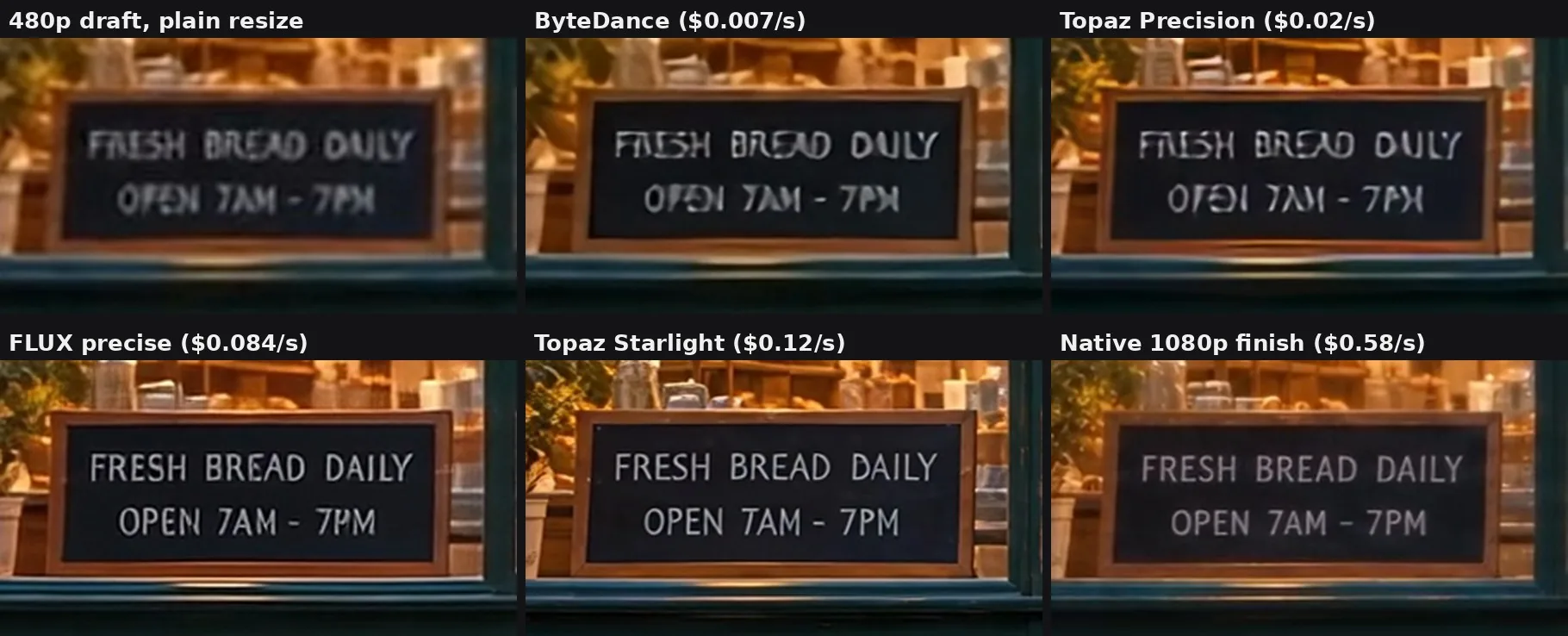
This is the win that needs the most care. FLUX did not read the sign; it guessed it. It guessed right because FRESH BREAD DAILY is what bakery chalkboards say. A shop name or a price would be a guess with nothing to check it against. Text a viewer must read belongs in post, composited, and should never be left to any model.
§ 07The face: FLUX held identity, Starlight aged her
FLUX precise stayed faithful: the same woman as in the native render, slightly cleaner. Starlight was the sharpest of the four, but it added wrinkles and skin texture that made her look older. On one clip that reads as detail. Across a series of shots of the same character, it is identity drift. ByteDance was decent but slightly plastic, and Topaz Precision was soft.
§ 08Fast motion: close across the board
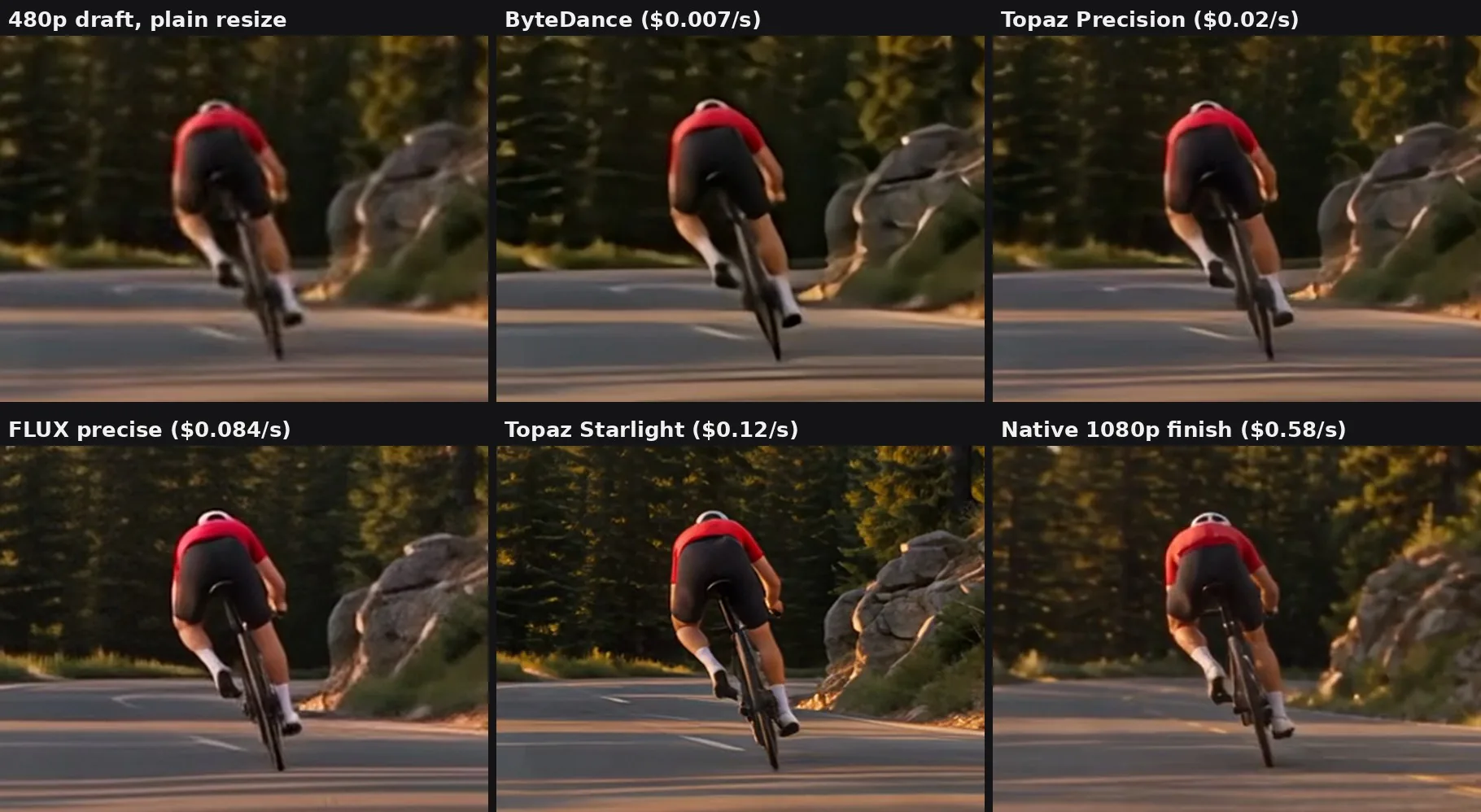
All four were close. Starlight was the crispest, and FLUX and ByteDance were fine. Motion blur hides a lot, which is why a faithful upscale is enough for most moving b-roll.
§ 09The cost math
Per second of finished 1080p video, at list prices, here is what the draft plus the second step costs.
| Path to 1080p | Cost per second | vs draft + native |
|---|---|---|
| Draft + native 1080p render | $0.690 | 1x |
| Draft + Topaz Starlight Precise 2.6 | $0.230 | 3.0x cheaper |
| Draft + FLUX precise | $0.194 | 3.6x cheaper |
| Draft + Topaz Precision | $0.130 | 5.3x cheaper |
| Draft + ByteDance standard | $0.117 | 5.9x cheaper |
Two things stand out. First, the draft is most of the bill on the cheap paths: ByteDance adds 6.5% to the cost of the draft, while FLUX adds 76%. Second, every upscale path costs far less than a native render. So the real question is not whether to upscale, but which shots must be rendered natively. At 4K, which the video model does not render at all, upscaling is the only path: $0.029 to $0.33 per second on top of the draft.
Two caveats. These are list prices, not measured spend. And Topaz and ByteDance quote their prices at 30 fps. Topaz bills by frame rate, so on our 24 fps clips its real cost is likely about 20% lower. ByteDance outputs 30 fps by default, so its listed price applies as is.
§ 10Which path for which shot
| Shot | Path | Why |
|---|---|---|
| Wide shots, motion, scenery, b-roll | Faithful upscale (ByteDance) | Cheapest; good enough where nothing small must be legible |
| Readable text, or detail worth rebuilding | Generative upscale (FLUX precise) | Rebuilt the lettering correctly and stayed faithful on the face |
| A face or product that must match its reference | Native 1080p render | The only path that does not guess |
| Anything over 20 s on FLUX | Split at shot boundaries, upscale, rejoin | FLUX caps each job at 20 s |
Shots that warrant a native render include a recurring character’s face in close-up, a product or logo that must match its reference, small text the model rendered in the shot, hero shots for large screens, and fine macro textures. A faithful upscale is enough for wide shots, fast motion, video watched on phones, volume work such as variants and A/B tests, and 4K delivery. In a typical 60-second ad, we would expect 2 or 3 shots out of 10 to need a native render.
§ 11What this test does not show
Our grids are still frames, and a generative upscaler can redraw detail differently from frame to frame. So we also ran a short AI review of the generative clips in motion. Letters stayed stable in every clip. FLUX showed slight texture crawl on fine patterns (the sweater knit, hair edges, brick mortar). We did not see flicker on Starlight, and its aging held steady through the clip rather than drifting. These are 5-second clips and a small sample, so watch your own shots in motion before deciding.
This is a research note, not a product launch. We have not built an upscaler into CellCog, and the choice is still open.
§ 12Sources
- Chan et al., BasicVSR, CVPR 2021, and RealBasicVSR, CVPR 2022.
- Wang et al., SeedVR, CVPR 2025, and SeedVR2, ICLR 2026.
- Zhuang et al., FlashVSR, CVPR 2026.
- Zhou et al., Upscale-A-Video, CVPR 2024.
- Wang et al., Efficient Video Face Enhancement with Enhanced Spatial-Temporal Consistency, CVPR 2025.
- Herb et al., How Accurate are Video Quality Models for Diffusion-Based Video Super-Resolution?, QoMEX 2026.
- The vendors’ model pages for the ByteDance upscaler, Topaz Precision, Topaz Starlight and FLUX Video Upscale (prices and limits, read October 23-24, 2026), and Black Forest Labs’ FLUX Video Upscale docs (modes, steps, factors).
- Our own test: three clips, six versions each.
Q1What is the difference between a faithful and a generative video upscaler?
A faithful upscaler enlarges what is in the frames and borrows detail from neighboring frames, so it rarely invents structure. A generative upscaler uses a learned prior to paint in plausible detail, which can fix what the input lost and can also invent things that were never there.
Q2Can an upscaler fix garbled text in AI video?
Sometimes, and only the generative kind. In our test FLUX precise and Topaz Starlight turned FNESH BREAD DULY into FRESH BREAD DAILY. They inferred the words; they did not read them. Text a viewer must read should be composited in post.
Q3Is upscaling cheaper than rendering AI video at 1080p?
Yes. At October 2026 list prices, a 480p draft plus a ByteDance upscale costs about $0.117 per second of 1080p, against about $0.690 for a draft plus a native 1080p render.
Q4When should you render natively instead of upscaling?
When identity must hold: a recurring character’s face in close-up, a product or logo that must match its reference, or small text the model drew in the shot. For wide shots, motion and b-roll, a faithful upscale is usually enough.
Q5What is draft mode in AI video?
Some video models, including ByteDance’s Seedance 2.5, render a cheap 480p draft first and can then finish that same draft at 1080p with the same prompt, references and seed. The composition, motion and audio carry over; only the resolution changes. It is a re-render, not an upscale.
Q6Does CellCog upscale video today?
Not as a built-in step. This is research from our engineering team; we have not shipped an upscaler and the choice is still open.