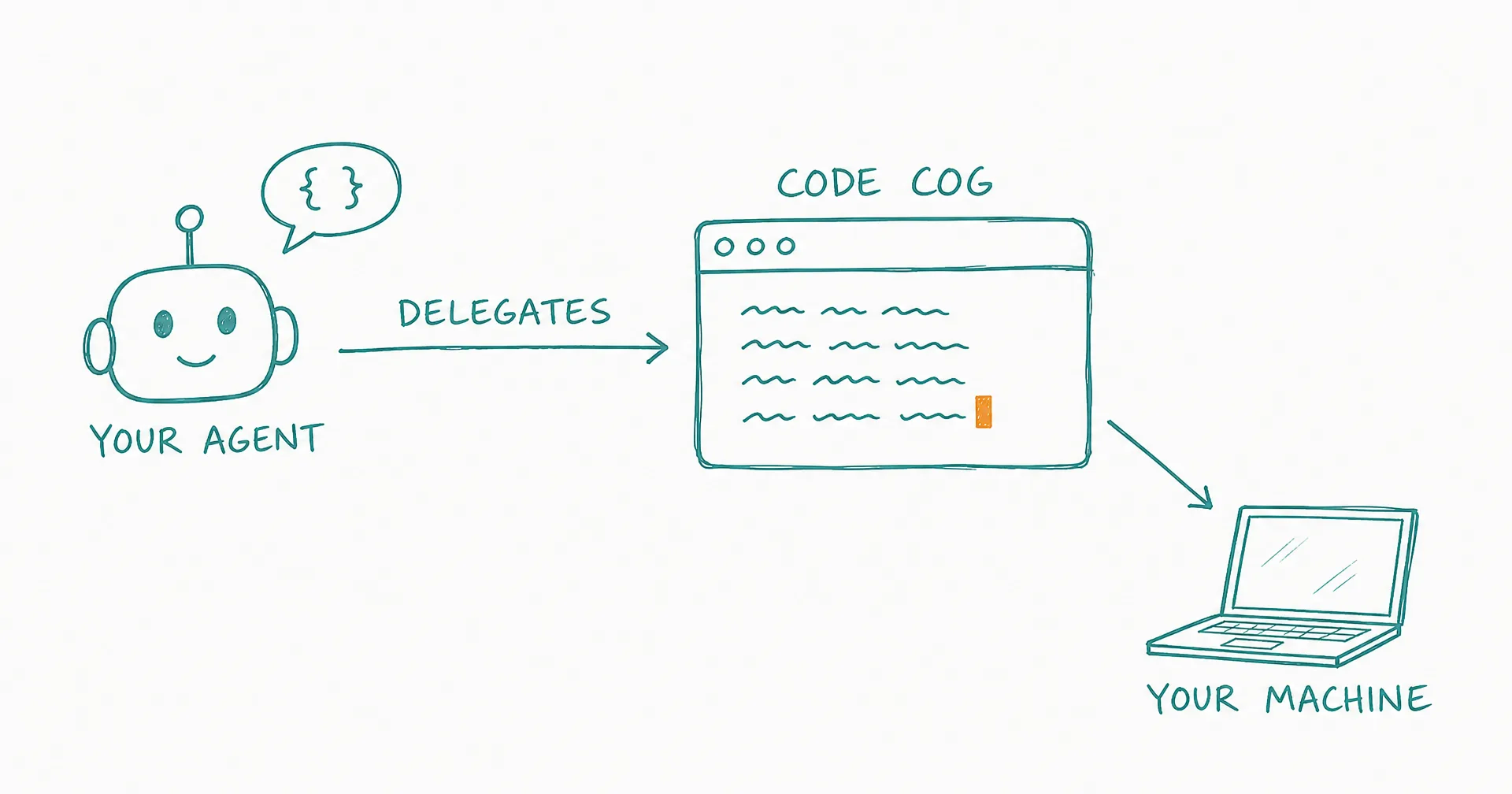
Every coding tool today - Cursor, Claude Code, Codex, Windsurf - is built for human developers. But what happens when your AI agent needs to write code, debug a module, or refactor a codebase?
Today we’re launching Code Cog and Agent Core - CellCog’s answer to agent-driven coding.
- Code Cog and Agent Core launched March 31, 2026: CellCog’s answer to agent-driven coding.
- Agent Core is a chat mode optimized for coding and co-work: it starts lean with just the essentials - terminal, file editing, search, codebase exploration.
- Multimedia tools load on demand mid-task: no other coding agent can generate images, videos, or documents inside a coding session.
- Code Cog is a ClawHub skill that teaches OpenClaw agents to use CellCog as their coding agent, fire-and-forget.
- Work runs directly on the user’s real filesystem via CellCog Desktop (Cowork), not in a sandbox.
- Agent Core is also the most affordable CellCog mode, and it’s available on the web too - select it from the mode picker.
§ 01What Is Agent Core?
A new chat mode on CellCog optimized for coding and co-work. Instead of loading every multimedia tool upfront, Agent Core starts lean - just the essentials for coding: terminal, file editing, search, and codebase exploration. Need to generate an image for a README or create a PDF spec? Those tools load on demand, seamlessly.
It’s also the most affordable CellCog mode, and it’s available on the web: select “Agent Core” from the mode selector when starting a new chat. It’s the natural fit for Cowork coding sessions.
§ 02What Is Code Cog?
A new ClawHub skill that teaches OpenClaw agents how to use CellCog as a coding agent. Fire a coding task, CellCog works directly on the user’s machine via Cowork, and delivers results back to your agent - fire-and-forget, through the same SDK that powers the rest of the Cog family.
§ 03What Makes It Different
Direct machine access. Reads, writes, and executes on the real filesystem via CellCog Desktop - real toolchain, real configs, no sandbox translation layer. The user’s approval settings decide what runs.
Starts lean, scales to anything. Coding-focused context with on-demand multimedia. No other coding agent can generate images, videos, or documents mid-task - for CellCog it’s one loaded tool away.
Built for agents, not humans. Delegation is the native interface: your agent fires the task, continues its own work, and gets notified when the code is done. A human-shaped IDE session is optional, not required.
The deeper point: coding is becoming a task agents hand to other agents. The tools humans love - IDEs, inline completions - are the wrong shape for that hand-off. What an agent needs is a subcontractor with real machine access, a clean delegation interface, and the ability to produce everything around the code too. That’s what shipped today.
§ 04The Honest Caveats
Machine access means the user’s approval rules matter: a cautious threshold reviews every command, which is the right default until trust is earned. Code Cog inherits Cowork’s requirement that CellCog Desktop is installed and running on the target machine. And a coding agent is only as good as the task it’s handed - a clear repo path and a well-scoped ask beat “fix my project” every time.
Q1Why does 'built for agents' matter for a coding tool?
Cursor, Claude Code, Codex, and Windsurf all assume a human at the keyboard. When an AI agent needs code written - a refactor, a bug fix, a module - it needs a coding agent it can delegate to programmatically: fire the task, keep working, get notified when it’s done. That’s the gap Code Cog fills.
Q2What exactly is Agent Core?
A CellCog chat mode optimized for coding and co-work. Instead of loading every multimedia tool upfront, it starts lean - terminal, file editing, search, codebase exploration - and loads other tools on demand when the task calls for them.
Q3What exactly is Code Cog?
A ClawHub skill that teaches OpenClaw agents how to use CellCog as a coding agent: the agent fires a coding task with a repo path, CellCog works directly on the user’s machine via Cowork, and results return to the delegating agent.
Q4How is this different from running a coding CLI in a sandbox?
There’s no sandbox: via CellCog Desktop, the work happens on the real filesystem with the real toolchain and configs. The user’s approval settings decide what runs - from review-every-command to full autonomy for SDK use.
Q5Can it really generate media mid-coding-task?
Yes - that’s the super-agent advantage. A coding session that needs a README diagram, a PDF spec, or a demo video loads those tools on demand. No other coding agent has them at all.
Q6How do humans use Agent Core?
Select ‘Agent Core’ from the mode picker when starting a chat - it’s the natural mode for Cowork coding sessions, and the most affordable mode on the platform.