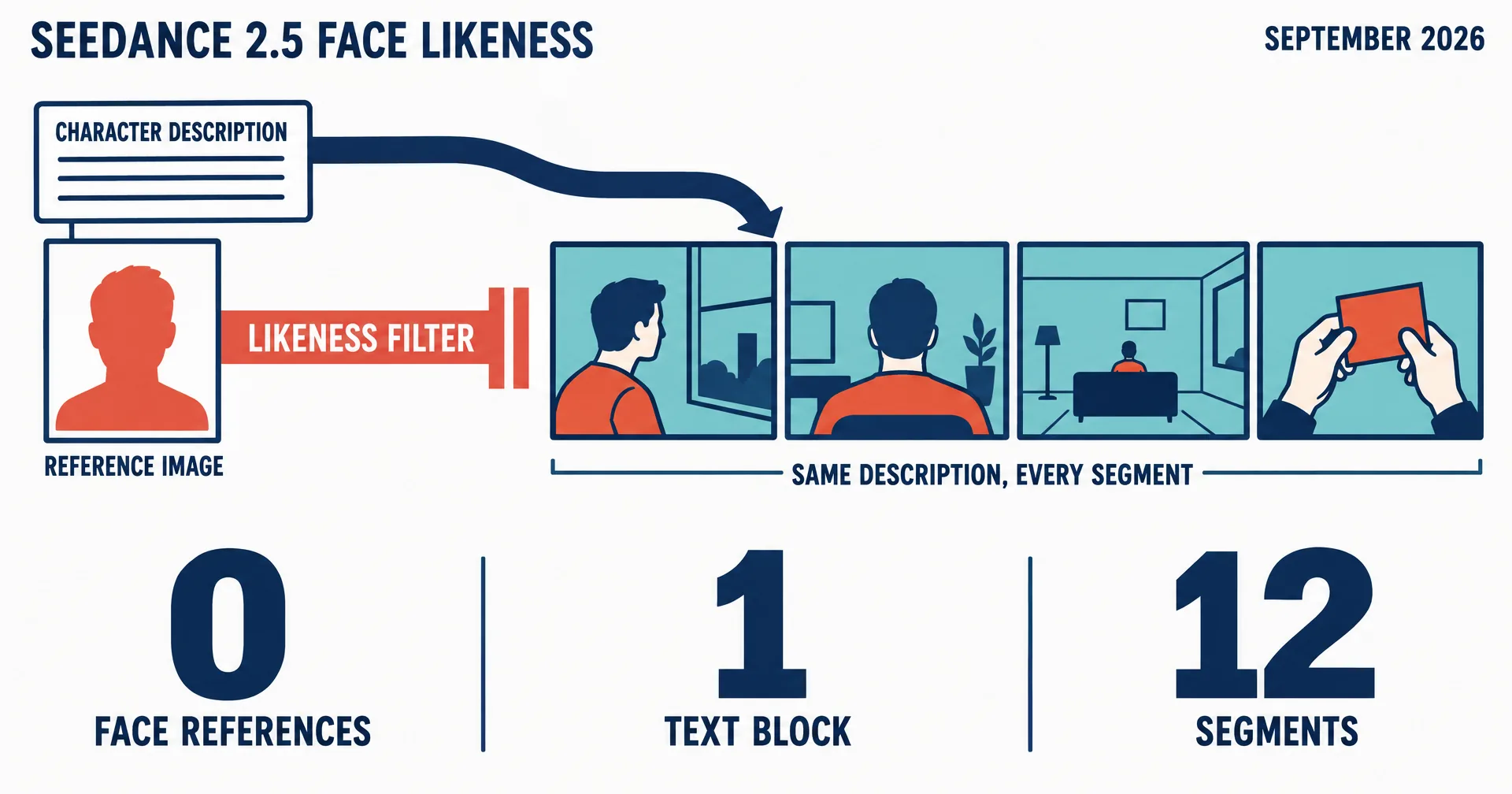
Seedance 2.5 will not take a reference image that contains a realistic human face. Not a photograph, not a painted portrait, not a 3D render with realistic features, and not a frame the model itself returned a minute earlier. The error reads the same every time: the images may contain likenesses of real people. If you are trying to keep one person consistent across a video longer than a single generation, this is the wall you hit first, and the published advice on character consistency (pass the same character reference to every segment, chain the last frame) assumes a reference you are not allowed to give.
We hit it in August while building a 90-second character-driven brand film on Seedance 2.5 (the same model that can produce a full multi-minute film from one prompt): twelve generated segments, one recurring person in nine of them. What follows is what worked instead, verified across that build and re-verified this week: a locked text description in place of an identity reference, face-free references for everything else, and a shot list that keeps the face where the model cannot betray it.
One distinction first, because it decides how much of this you need. If a person is on screen for thirty seconds or less inside one generation, you can skip almost all of it.
On this page · 9 sectionsOpen
- What the filter refuses, and what it does not
- Two regimes: under thirty seconds, and everything else
- The text block is the identity
- Framing decides whether the face reads as footage
- Face-free references still carry the world
- Reference dominance: what the model will not un-see
- Run a motion test before the film
- The honest caveats
- The checklist
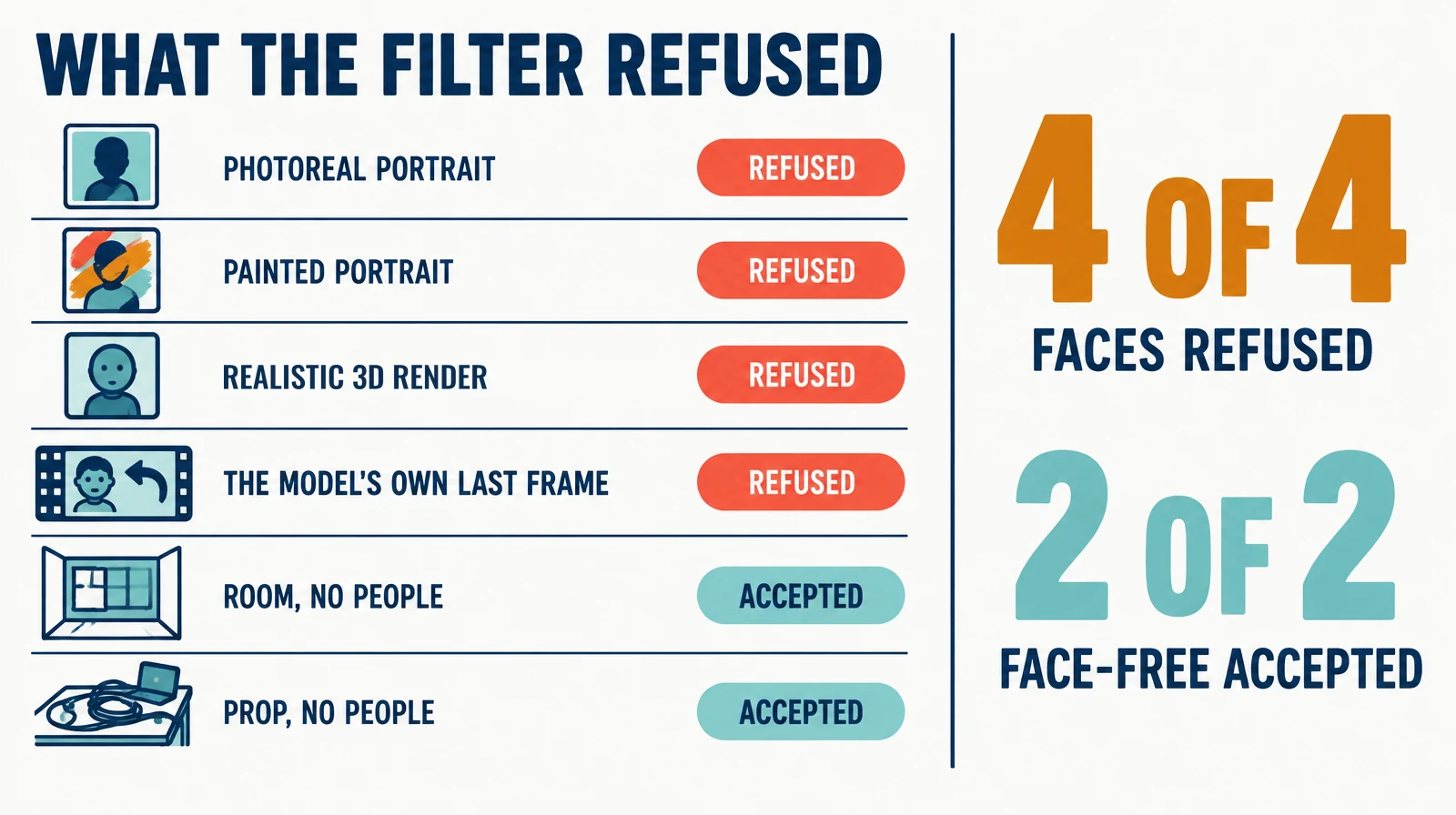
 Seedance 2.5 refuses any reference image or video that contains a realistic human face: photographs, painted portraits, 3D renders with realistic features, and frames the model itself returned a minute earlier. Clearly stylized cartoon characters can pass. The error names no file and does not lift on retry.
 Generating a face is not gated. Describe a person in the prompt and the model renders one without complaint. Every consistency method here is built on that asymmetry.
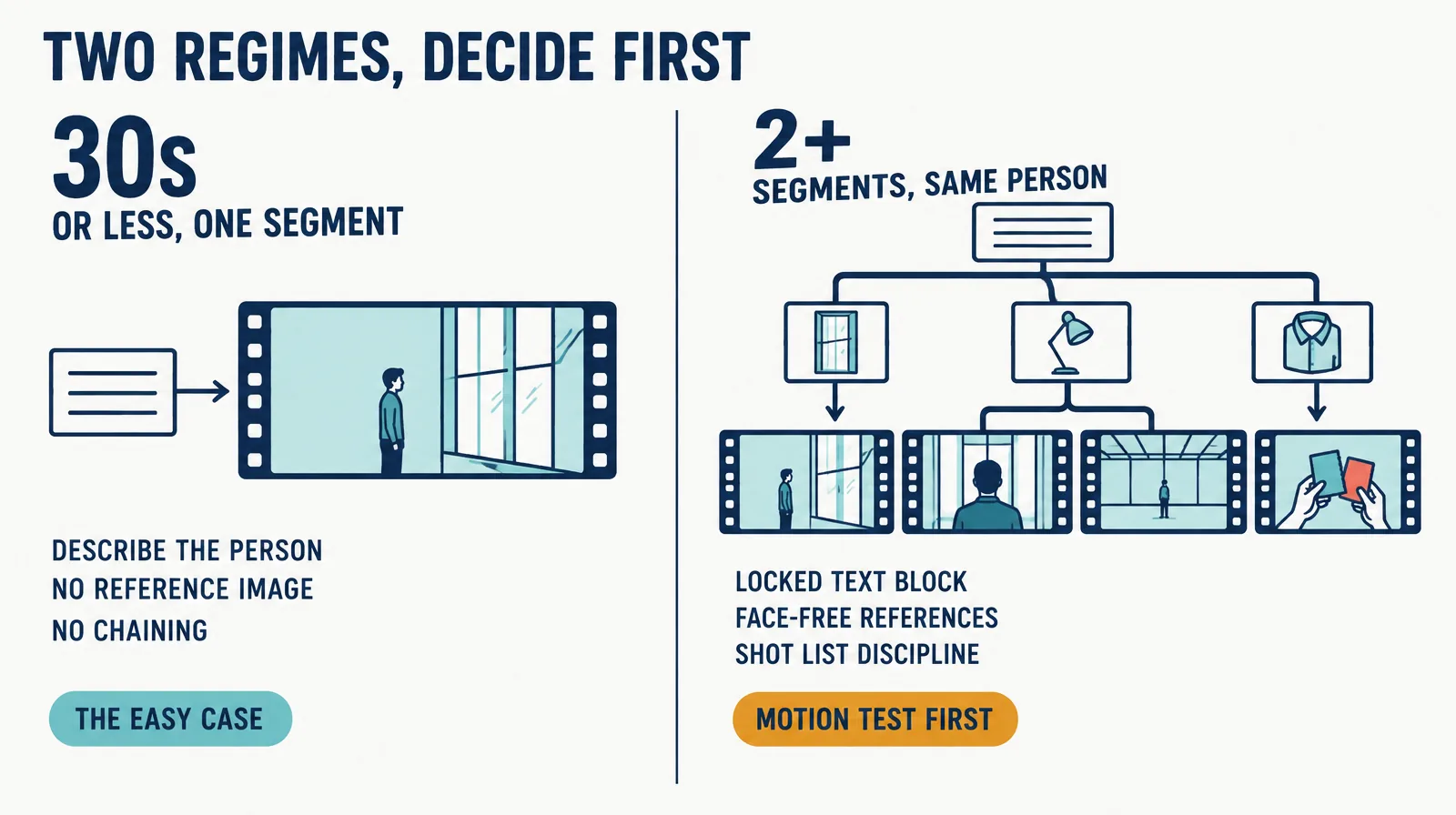
 Decide which regime you are in first. A person on screen for thirty seconds or less inside one generation needs no reference, no identity kit and no chaining. Only a recurring character across several segments needs the discipline.
 For a recurring character, one locked text description, pasted verbatim into every prompt, is the identity. Change action, setting and camera; never paraphrase the person. Hair, build and wardrobe held across twelve segments on text alone.
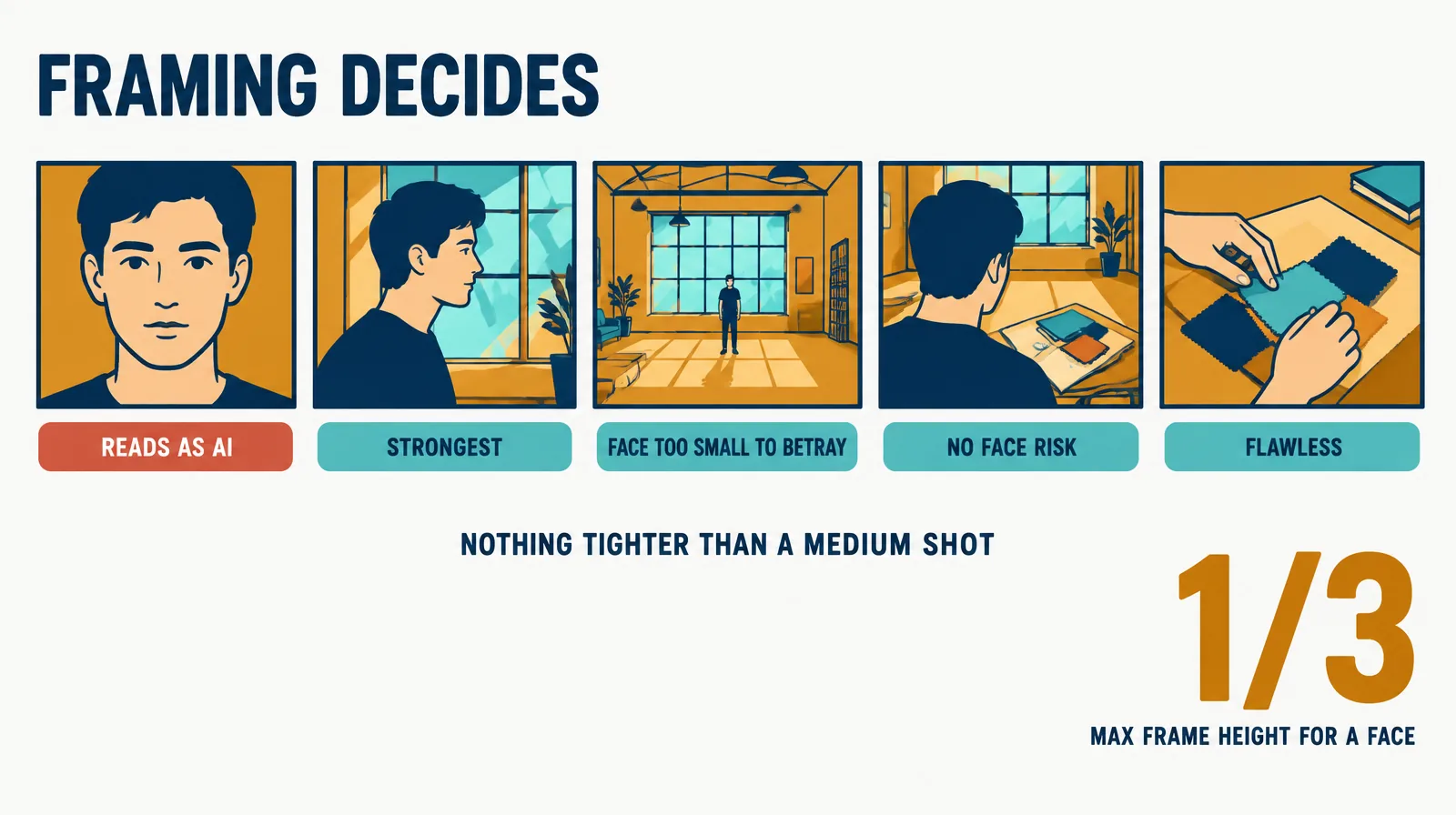
 Framing decides whether a described human reads as footage. Side profile, medium-wide, over-the-shoulder and hands-only shots pass; a static straight-on close-up reads as AI on sight. Nothing tighter than a medium shot.
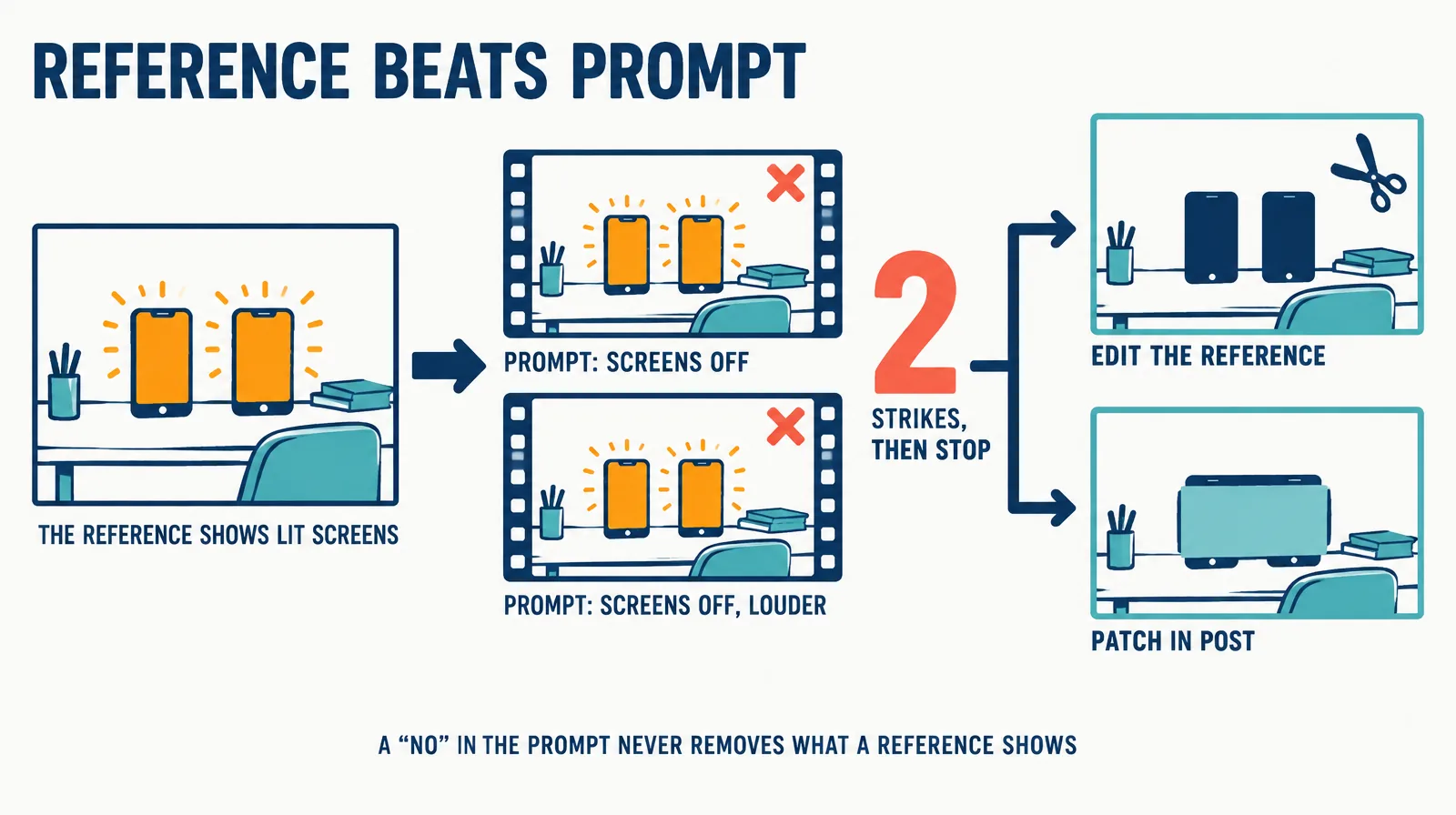
 Anything visible in a reference beats any ‘no X’ in the prompt. If a negative constraint fails twice, stop re-rolling: edit the element out of the reference or patch it in post.
§ 01What the filter refuses, and what it does not
We ran the refusal down before designing around it. Each of these was submitted on its own, as the only reference in the request.
| Reference submitted | Result |
|---|---|
| Photoreal portrait made with an image model | Refused |
| Painterly digital painting of the same character | Refused |
| 3D render of the same character, realistic human features | Refused |
| The last frame Seedance 2.5 returned from its own previous segment, face visible | Refused |
| Environment plate of the room, no people | Accepted instantly |
| Prop close-up (a desk of tangled cables), no people | Accepted instantly |
| Clearly stylized soft-3D cartoon character (October 2026) | Accepted |
ByteDance’s launch post for Seedance 2.0 states the policy in a single line: using real human portraits as subject references requires identity verification or prior legal authorization. The public API most people reach the model through has no verification path, so in practice a face in a reference is a refusal. The filter does not distinguish a real person from a realistic painting or render of one, and it does not care that the face came out of the same model a moment ago.
Three more things about the filter, all learned the expensive way:
- It never names the offending file. With several references in one request, remove them one at a time to find the culprit.
- It false-positives on some face-free scenes. Rain on a window pane was refused twice for us, with and without bokeh circles. Regenerating a variant of the same scene does not help; generate that segment from text alone, or animate the still itself with a slow push-in.
- Nothing you do on the request side clears it. Re-sending is deterministic. Painting or rendering a realistic face is refused. A stronger prompt is irrelevant because the check runs on the reference, not the text.
If your character is a cartoon, the job is simpler: a clearly stylized character can go in as a reference, and passing that same reference to every segment is what keeps it from drifting across a long film. The rest of this post is about realistic people.
What is not gated is generating a face. Describe a person in the prompt and the model renders one without complaint. That asymmetry is the whole method.
§ 02Two regimes: under thirty seconds, and everything else
Most video requests are the easy case, and it costs nothing to check which one you are in before you build anything.
| You need | Do this |
|---|---|
| A person on screen for thirty seconds or less, inside one generation | Describe them in the prompt. No reference image, no identity kit, no chaining. There is no second segment to stay consistent with, so the model’s one imagined version is the character. |
| The same person across two or more segments (any film over thirty seconds with a recurring human) | The locked description in every prompt, face-free references for the world, and the framing discipline below. Run one short motion test of the hardest human shot before the film. |
The first row covers a surprising amount of real work: a fifteen-second product moment with a presenter, a single reaction shot, a thirty-second one-take monologue. People reach for a reference image out of habit and hit the filter for a problem they never had.
§ 03The text block is the identity
For a recurring character, write one description and treat it as a production asset. Ours read, in full:
Alex, a man in his late thirties, lean build, short dark hair with a little grey at the temples, close-cropped beard, navy linen shirt with the sleeves rolled to the elbow, dark trousers. He does not speak and makes no vocal sound.
Then three rules:
- Cover what drifts. Apparent age, build, hair including parting and grey, facial hair, skin, wardrobe down to the sleeves and shoes, one or two distinguishing marks. Lower-body clothing is regenerated wrong more often than anything else, so name the trousers and shoes even when the shot will not show them.
- Paste it verbatim into every prompt. Change only action, setting and camera. Never paraphrase the person. “Dark hair” is not “brown hair”; a synonym is a new character, and the model will oblige.
- Version it. If the description changes, every segment already generated is now a different person. A character swap after generation is a full re-shoot of every scene they appear in.
The last line of our block is there for a reason: the model adds unrequested vocal sounds (a sigh, a throat clear) to characters who are supposed to be silent, and the only reliable fix is to say so.
Google’s own Veo best-practice guidance recommends exactly this discipline for text-driven characters: name the character, describe body, hair, face and voice, and copy the complete description unchanged into every scene prompt. Seedance 2.5 makes it mandatory rather than optional.
Across our twelve segments, build, hair and wardrobe held on text alone. Where the face sat small in frame or turned away, nobody watching the film could tell you the person was described rather than photographed. That is not an accident of the description; it is the shot list.
§ 04Framing decides whether the face reads as footage
Same model, same prompt quality, same character block. The shot decides whether a generated human looks like a person or like a rendering.
| Shot | Verdict |
|---|---|
| Static straight-on medium close-up or close-up | Reads as AI: smoothed skin under direct light, rigid finger grips, warping where hands meet objects. Our one such shot was rejected on sight as “very AI-ish” by the person reviewing the first cut. |
| Side profile, side-lit | Strongest human shot. Reads as filmed footage. |
| Medium-wide, subject at most a third of the frame height | The face is too small to betray itself. |
| Over-the-shoulder, shallow depth of field | The character is present with no face risk. |
| Hands and objects only | Flawless, and often the most cinematic frame in the film. |
The rules that fall out of that table: nothing tighter than a medium shot on a described human; cut human beats against object shots; keep hand-to-object contact slow and simple, because it is the model’s most fragile motion. This is normal premium-brand-film grammar anyway. The difference is that here it is also what keeps the character consistent. Drift shows in the face first, so the film never dwells there.
§ 05Face-free references still carry the world
Losing the identity reference does not mean losing references. Everything that is not a person still gets one, and those anchors are what make a described character feel like they live somewhere real.
- Environment. Generate the location once with an image model and pass it as the environment reference in every scene set there. Same room, same light, same window, film after film.
- Props. The object that carries a story beat (for us, a desk strung with cables) gets its own reference so it looks the same every time it appears.
- Wardrobe. A flat-lay of the clothing, with no body in it, passes the filter and pins colour and fabric more tightly than words.
- Palette or style frame. One image that defines the grade.
Declare each reference’s single job in the prompt (this image is the room; this image is only the desk) or the model will let a wardrobe image restyle the whole scene. The human rides on text inside a reference-anchored world.
§ 06Reference dominance: what the model will not un-see
Anything visible in a reference beats any “no X” in the prompt. A prop shot rendered its phone screens lit four generations running because the environment plate showed them lit, and each prompt said “screens off” more forcefully than the last. Constraints that add something absent from the reference are honoured; constraints that remove or invert something visible in the reference lose, silently, every time.
Two strikes, then stop re-rolling. Either edit the offending element out of the reference image and regenerate, which is the reliable fix and the one we found last, or accept the segment and patch the region in post. For a locked-off shot with nothing passing over the region, a measured matte is invisible by construction and deterministic where a fifth roll is not.
§ 07Run a motion test before the film
Before building anything, generate one short clip, six to eight seconds, of the hardest human shot in the film. A still cannot answer the questions that matter: does the character move believably, does the face hold at that framing, does the world read as real. Show that clip to whoever signs off on the visual language and get the verdict there, when changing the character costs one prompt. After twelve segments it costs twelve.
§ 08The honest caveats
- This is a September 2026 description of one model’s filter. Filters move. The refusals above are what we measured on Seedance 2.5 through its public API; a different surface for the same model may have an authorized-likeness path, and a future version may lift the restriction.
- You cannot show anyone the actor in advance. A described character has no locked look until the first generation. The motion test is the substitute.
- Other models differ. Veo takes up to three reference images of a person and Kling binds multi-image character elements, so both can lock identity from images. The Sora API blocks human-likeness uploads much as Seedance does. The text-and-framing discipline transfers anywhere; the refusal is model-specific.
- 720p is the ceiling on Seedance 2.5. Anything you composite over the footage (captions, panels) should be rendered at twice the size and downsampled; soft type reads as cheap, soft footage reads as grade.
- Dialogue works with a described character, but the voice is new on every generation. For a speaking character across segments, establish a voice sample from a short described clip first and pass it as an audio reference.
§ 09The checklist
- Under thirty seconds in one segment? Describe the person and stop here.
- Write the character block. Cover age, build, hair, facial hair, skin, wardrobe to the shoes, one distinguishing mark. Add the silence line if they do not speak.
- Generate face-free references for the environment, props, wardrobe and palette. Declare each one’s job in every prompt.
- Run a six-to-eight-second motion test of the hardest shot. Get the verdict on visual language before segment one.
- Paste the block verbatim into every prompt. Change only action, setting and camera.
- Frame every human beat in profile, medium-wide, over-the-shoulder or hands only. Never a static frontal close-up.
- If a “no X” fails twice, edit the reference or patch in post. Never a fifth roll.
- Never pass a returned frame with a face in it as a reference. Write down where the segment ended instead.
Q1Does Seedance 2.5 accept AI-generated faces as reference images?
Not realistic ones. We tested a photoreal image-model portrait, a painterly digital painting, a 3D render with realistic human features, and a frame Seedance 2.5 had itself returned a minute earlier. All four were refused with the same error. A clearly stylized cartoon is different: in an October test, a soft-3D cartoon character passed as the only reference on the first try.
Q2Why did a reference image with no face in it get rejected?
The filter false-positives on some face-free scenes. We have seen rain on a window pane refused, with and without bokeh. The error never names the offending file, so with several references remove them one at a time to find it, then generate that segment from text alone or use the still itself as the shot.
Q3Can I chain the last frame of one segment into the next for continuity?
Only when the frame contains no face. A returned frame with the character’s face in it is refused exactly like an uploaded portrait. Continuity for a person comes from the verbatim text description plus the same environment reference and a written description of where the previous segment ended.
Q4How do I keep a character consistent across a two-minute video?
Treat the description as a production asset: version it, never paraphrase it, paste it into every prompt. Anchor the world with face-free references. Frame the person in profile, medium-wide, over-the-shoulder or hands-only, and cut human beats against object shots so the face never sits in a close-up long enough to drift.
Q5Does this apply to Kling, Veo or Sora?
Not directly. Veo accepts up to three reference images of a person and Kling binds multi-image character elements, so they can lock identity from images. Sora’s API blocks human-likeness uploads much as Seedance does. The text-description and framing discipline transfers to any model; the refusal itself is Seedance-specific as of September 2026.