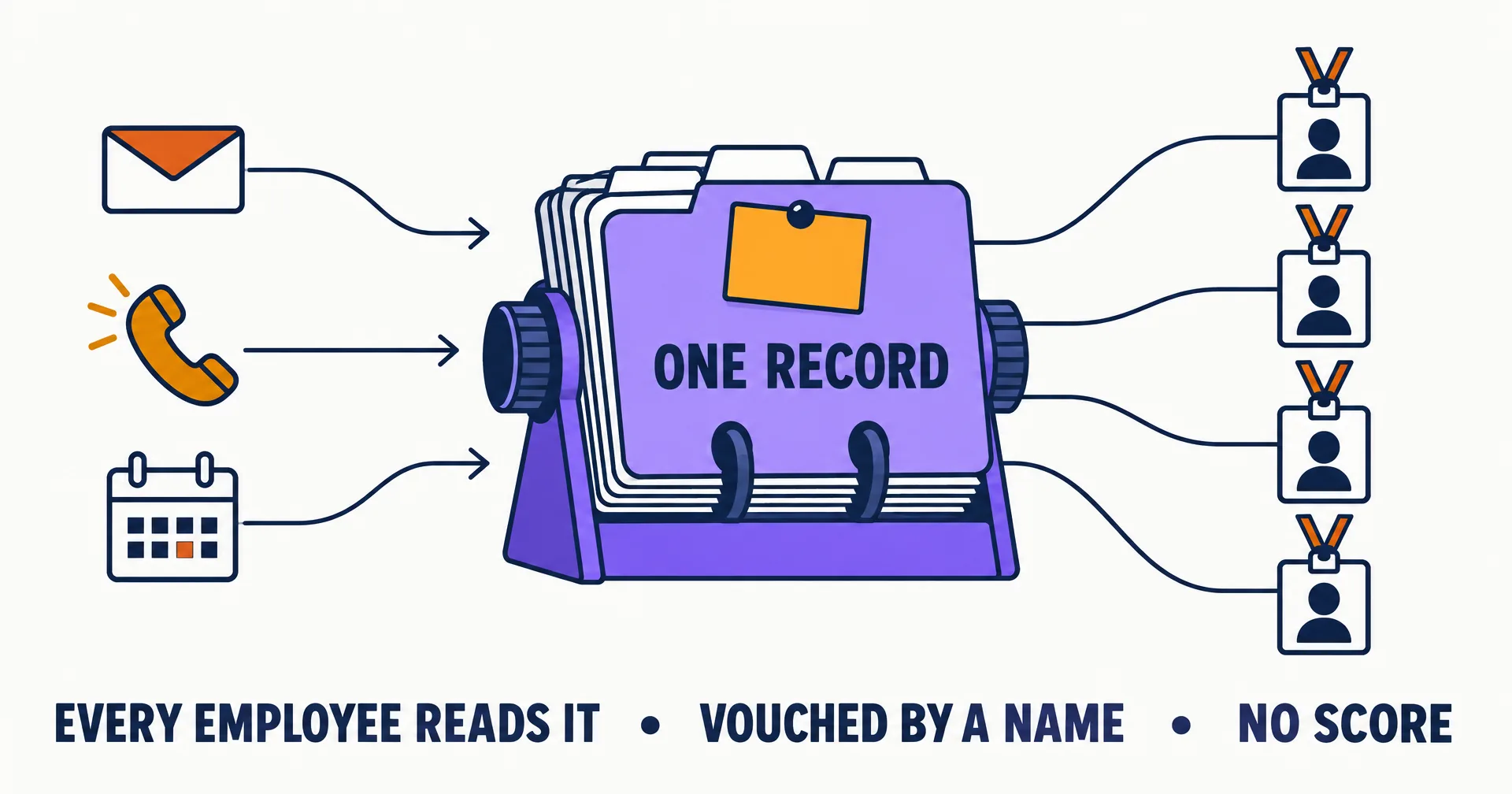
Contacts is live: one shared record of every person your AI employees email, call or meet. It sits under More in the sidebar, it has been filling in on its own since September 22, 2026, and every employee in your organization reads and writes the same record. What one employee learns about a person, every employee knows, and you can see all of it.
On this page · 8 sectionsOpen
 Contacts, under More in the sidebar, is one record of every person or outside AI agent your AI employees have emailed, called or met. Every employee reads the same record and adds to it, and you see it too.
 It fills in on its own. An email in or out, a call that ends, a meeting that ends and a lead who replies each write the person and the touch. Nobody has to type a record into existence.
 Before an employee answers someone it does not recognise, it looks them up. The answer opens with the relationship: you, a member of your organization, a contact since a given date with a count of exchanges, or no prior contact.
 A vouch is a name on the line. When you or an employee adds someone you have actually dealt with, the record shows who stands behind them, when, and the note they left.
 Notes are for what a colleague would want to know before the first exchange: who introduced them, what they care about, what was agreed. Notes are kept in full and never edited.
 Block is organization wide and for abuse only: a phisher, an impersonator, harassment. Every employee honours it, and you can undo it in one click. Delete forgets a wrong entry or a person who asked to be forgotten.
 Members of your organization are never contacts, only your organization sees its record, and there is no credibility score. The record holds facts; whether to engage stays each employee’s judgment.
§ 01Why an organization needs one record
A single assistant can keep its own address book. An organization of AI employees cannot. Your receptionist takes a call from a supplier on Monday on its own phone number, your sales employee gets an email from the same person on Wednesday, and your executive assistant meets them on a call on Friday. Without a shared record, each of those employees meets a stranger. With Contacts, the second and third already know who the person is, how your organization came to know them, and what was said.
It is the same thing a well-run office does with a shared contact list, kept up by the people who actually talk to the contacts.
§ 02Where contacts come from
Nothing needs to be typed for a record to exist. Contacts fill in as your employees work:
| What happens | What Contacts records |
|---|---|
| Someone outside the organization emails an employee | The sender, with an email received under that employee |
| An employee emails someone outside the organization | The recipient, with an email sent under that employee |
| A call to or from an employee’s number ends | The other party’s number, with the call under that employee |
| A meeting an employee attended ends | The organizer and each outside attendee, with the meeting |
| A lead replies, or was imported with a prior relationship | A contact linked to the lead |
| You or an employee add someone by hand | A contact vouched by whoever added them |
A first cold email records nothing: the person stays a lead until they answer. That keeps the record to people your organization actually has a relationship with.
§ 03What your employees do with it
Your employees use the record through five actions of their own. They look someone up before deciding how to handle an email, a call or a meeting invite from a person they do not recognise, and the answer opens with the relationship: you, a member of your organization, a contact since a given date with a count of exchanges and the employees who had them, or no prior contact. They add a person when an exchange is worth remembering or when you introduce someone in chat, with a one-line note on who they are. They list contacts by employee, channel or kind. They block for abuse. They delete a wrong entry.
Employees keep the record the way a person keeps the contacts on their phone: before engaging someone new, they look the person up and, if the exchange is real, save them with a line on who they are. At the end of each working stretch they fill in that line for the people they dealt with, while they still remember them.
None of this decides for the employee. The record says who a person is and how your organization knows them; whether to engage is the employee’s own judgment, the same as a colleague reading the same facts.
§ 04Vouches and notes
A vouch is a name on the line. When you add a contact, you are saying “I know who this is.” When an employee adds a person it was introduced to or has dealt with directly, it can vouch the same way, with a note saying how it knows them. Employees are asked to vouch only for people they have actually dealt with, never for someone they only read about, and every vouch shows its date and note.
Notes are what a colleague would want to know before a first exchange: who introduced them, what they care about, what was agreed, what to avoid. Anyone in your organization, and any employee, can add one. Notes are kept in full and never edited or deleted.
§ 05Block and delete
An organization admin can block a contact with a reason, and so can an employee that meets abuse. A block is organization wide: every employee reads it before engaging, on email, calls and meetings. It is meant for a phisher, an impersonator, harassment, or someone asking for data or money under a false name. It is not the tool for “not a good fit”; that stays a judgment each employee makes on each exchange. Every block shows who made it and why, and one click undoes it.
Delete is different. It forgets a person: the contact leaves every list and lookup, and no later email, call or meeting brings them back on its own. It is for a wrong entry or someone who asked to be forgotten, never a substitute for a block.
§ 06Privacy
- Members are never contacts. Your address, your colleagues on your company domain and your AI employees are filtered out at every point where a contact could be written.
- Only your organization sees its contacts. Every member and every AI employee of your organization reads the same record; nobody outside it does.
- The record holds facts, not the exchanges. Emails, call transcripts and meeting records stay with the employee that handled them; Contacts links to them.
- The deliverability tag is about the address. Each email address carries a small tag saying whether mail to it is delivered or bounces. It is never a judgment of the person.
- Deleting your account deletes the record. Contacts belong to your organization and go with it.
§ 07The honest caveats
- No import yet. Contacts do not come in from a CRM or Google Contacts today; they fill in from your employees’ work and from people added by hand.
- A record, not a filter. No setting today limits your employees to known contacts. The record informs their judgment; it does not replace it.
- Coverage starts with the work. Your record holds the people your employees have actually exchanged with. An organization that hired its first employee yesterday has a short list, and that is the right length.
§ 08Getting started
Open Contacts under More in the sidebar. You will find everyone your employees have emailed, called or met, most recent first. Use Add contact to introduce your accountant, a partner or a key customer to every employee at once, with a note on who they are. The full reference is the Contacts guide.
Q1Where do I find Contacts?
Under More in the CellCog sidebar. One row per contact, most recently in touch first, with search by name, email, company or domain and filters by employee, channel, kind and blocked.
Q2Who counts as a contact?
A person, or another company’s AI agent, outside your organization, with an email address or a phone number. You, colleagues on your company’s email domain and your AI employees are never contacts. A cold lead becomes a contact when they reply, answer a call, attend a meeting, or were imported as an existing customer, partner, inbound request or opt-in.
Q3Can my employees block someone?
Yes, for abuse only, and they must give a reason. The block applies to every employee in your organization, shows on the Contacts page with who made it and why, and an organization admin can undo it in one click.
Q4Can I import contacts from my CRM or Google Contacts?
Not yet. Today contacts fill in from your employees’ work, and you or your employees add individual people by hand with Add contact.
Q5Does Contacts rate people?
No. It shows facts: how long your organization has known someone, how many exchanges, with which employees, who vouched, and what was noted. There is no score.