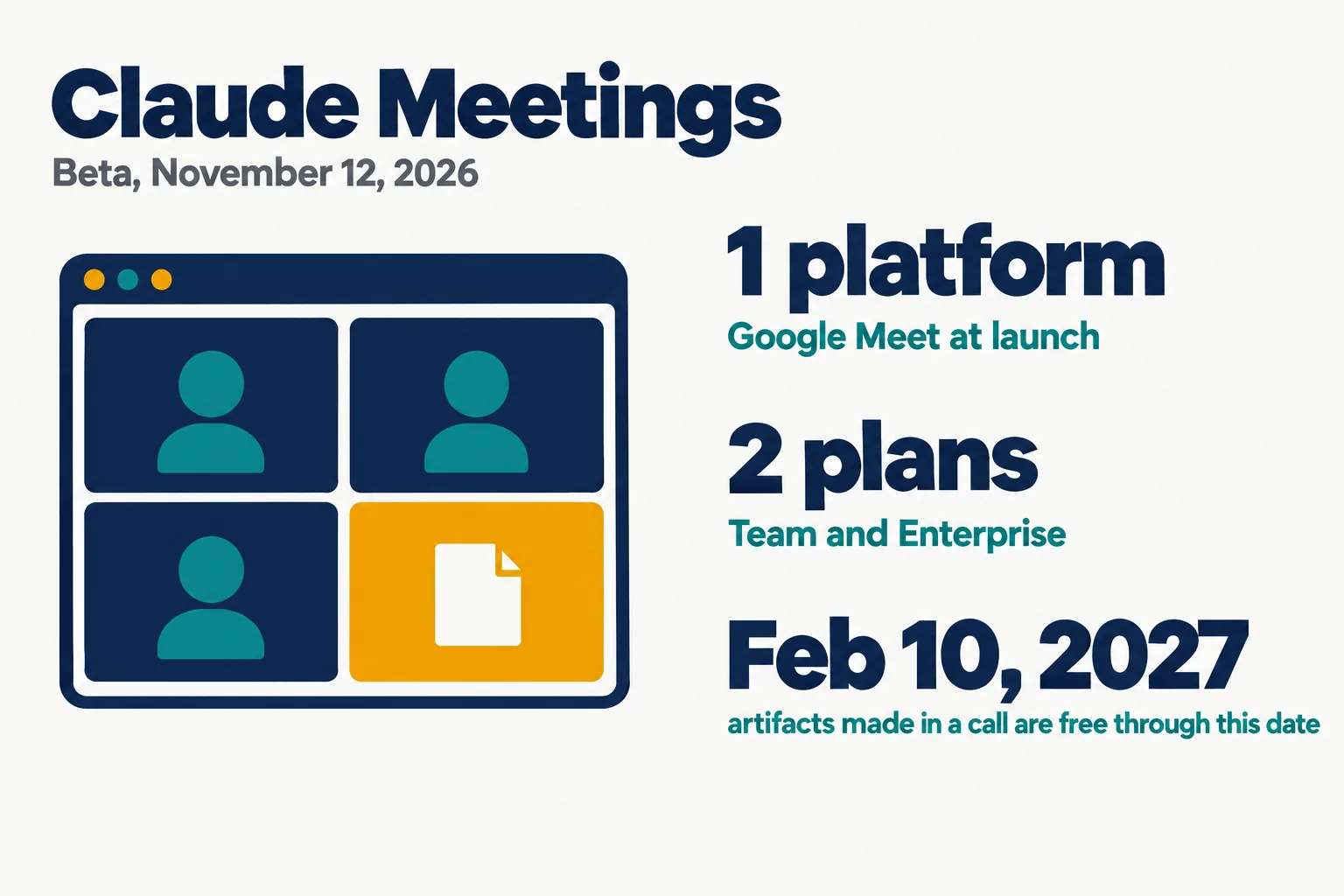
Anthropic announced Claude Meetings on November 12, 2026: Claude joins a team’s video call as a visible participant, answers questions and builds documents while people talk. It is starting to roll out in beta on Team and Enterprise plans, on Google Meet first.
This post is read from Anthropic’s four posts on X and its article, all fetched on November 12, 2026. We have not used Claude Meetings, we did not watch the video, and we did not read the Help Center page with the setup steps. Everything below about what it does is Anthropic’s account.
On this page · 11 sectionsOpen
 Anthropic announced Claude Meetings on November 12, 2026. Claude joins a video call as a visible participant and builds docs, whiteboards and other artifacts during it.
 It is rolling out in beta on Team and Enterprise plans, on Google Meet first. Anthropic says other platforms are coming soon and names none.
 By default Claude answers in writing. People ask it out loud or in chat, and it uses a person’s connected tools only with that person’s permission.
 By default Claude stays out of a call when someone from outside the organization is invited, and leaves if one joins partway. An admin can change that.
 Anthropic says Claude saves a transcript, a summary and screen descriptions, and no audio. It asks teams to check that everyone is OK with being transcribed.
§ 01What was announced
- The post. Anthropic’s Claude account announced it on X at 20:16 UTC on November 12. The post had about 51,000 views when we read it at 20:26 UTC.
- The pitch. The post says: “add Claude to your team’s video call and it builds docs, whiteboards, and other artifacts with you while you’re still talking”.
- In the room. A reply under it says: “Claude joins as a visible participant.”
- After the call. Another reply says the notes, the action items, the transcript and anything Claude built are on the meeting’s page in Claude.
- Where. A third reply says it is “starting with Google Meet, with support for other video conferencing platforms coming soon”. It links Anthropic’s article.
§ 02What Claude does in a call
- Answers. People can ask Claude a question out loud or in the call’s chat. The article says: “By default, Claude answers in writing, and it can use your connected tools with your permission.”
- No word on voice. The article does not say whether Claude can answer by voice.
- Builds. Claude can start a doc, a whiteboard or another artifact during the call, and teammates on the invite can edit it while the call goes on.
- Takes notes. Claude writes the notes and the action items.
- Asks before it looks things up. In Anthropic’s example someone asks what last year’s event cost. Claude asks for that person’s approval, looks it up and posts the figure in the meeting chat.
- Tool permission. Claude uses each person’s connected tools with that person’s permission. The article says: “It asks the first time, and a yes applies going forward.”
- Spoken requests. There is an extra step for now: “when someone asks out loud, Claude asks each time to confirm who’s speaking”.
- The chat is shared. The article notes: “An answer posted in the call’s chat is visible to everyone on the call.”
- After the call. The notes, the action items and anything Claude built sit on a page for that meeting in claude.ai. People can go back to meetings they were part of and ask Claude about them.
- Transcripts to other tools. Anthropic says it is working with Gong, Attention, Granola, Fireflies.ai and Otter so that a meeting’s transcript can soon be sent to those tools. It gives no date.
§ 03Outside guests

- The default. The article says “Claude is set to stay out of calls when someone from outside your organization is invited”. It is also set to leave if someone from outside joins partway through.
- Admins can change it. An admin can allow Claude on calls with outside guests.
- What changes on those calls. Claude posts its notice in the call’s chat and does not reply there. The article adds: “what guests say is included in the notes and transcript”.
- Who sees the meeting page. People from the organization who were on the invite can see it and edit what Claude made. It can be shared with others in the organization from the page.
§ 04Who gets it
| Who | Status | Who controls it |
|---|---|---|
| Team plans | Available by default | An admin can turn it off |
| Enterprise plans | Turned on by an admin | An admin, for all or part of the organization |
| Organizations with zero data retention | Not available in the beta | Not stated |
| Organizations with a HIPAA-ready configuration | Not available in the beta | Not stated |
| Organizations with customer-managed encryption keys | Not available in the beta | Not stated |
- Still rolling out. The article says: “Claude Meetings is starting to roll out in beta on Team and Enterprise plans.” A Team or Enterprise account may not have it yet.
- Other plans. The article names Team and Enterprise only. It does not mention the Pro or Max plans.
- How Claude gets into a call. The article says: “Claude joins when someone adds it or has auto-join on.”
- One platform. Support is currently for Google Meet. The article says: “Support for other video conferencing platforms is coming soon.”
§ 05What it keeps
- No audio. The article says: “It saves a transcript, summary, and screen descriptions, not audio.”
- A notice. When Claude joins, it appears as a participant and posts a notice in the call’s chat.
- Consent is the team’s job. Anthropic writes: “Before you add Claude or turn on auto-join, make sure everyone on your calls is OK with being transcribed.”
- Not stated. The article does not say what a screen description contains, or for how long the transcript, the summary and the screen descriptions are kept.
§ 06What it costs during the beta
| Item | On Team and Enterprise plans |
|---|---|
| Claude’s notes and transcripts | Free during the beta |
| Claude’s answers in a call | Free during the beta |
| An answer that uses a connected tool | Counts toward the plan’s usage |
| Docs, whiteboards and other artifacts made in a call | Free through February 10, 2027 |
- After the beta. The article gives no price for after the beta, and none for artifacts after February 10, 2027.
- No end date. It does not say when the beta ends.
§ 07Other meeting tools we have covered
- OpenAI’s Meetings plugin. When we wrote about it on October 6, 2026, it took notes from a Mac’s microphone and system audio with no bot in the call. Our post on it has the details. We did not re-read OpenAI’s pages for this post.
- Claude’s whiteboards. The whiteboards Claude builds in a call are the ones Anthropic introduced on November 10. Our post on that launch covers them.
§ 08What we did not check
- The product. We have not used Claude Meetings. Nothing here is a test.
- The video. We did not watch the video attached to the announcement.
- The Help Center. The article links a Help Center page for setup steps. We did not read it.
- Voice. We do not know whether Claude can speak in a call. The article says only that it answers in writing by default.
- Retention. We found no retention period in the article and did not look for one elsewhere.
- The partners. We did not check what Gong, Attention, Granola, Fireflies.ai or Otter have said.
- Anthropic. We did not ask Anthropic about anything on this page.
§ 09Where CellCog sits
Our conflict, declared: CellCog sells AI employees that attend meetings, and builds them on Anthropic’s Claude models (Claude Opus 5.5 on most tiers; Claude Fable 5.2 on Agent Max and Creative Max since November 11, 2026) with our own agent harness. Anthropic is our supplier, and with this launch it has a meeting participant of its own.
The two are built differently. Claude Meetings belongs to a team’s Claude plan and answers in writing by default. A CellCog AI employee is invited by its own email address. It joins Google Meet, Zoom and Microsoft Teams calls under its own name, marked as an AI, with its camera off, and speaks when it is addressed. Recording is off by default, and it keeps a transcript and its notes. Our post on AI employees in meetings has the details. We have not put the two side by side in a call.
§ 10What we are watching
- Other platforms. Which video platform comes after Google Meet, and when.
- Price. What Anthropic charges after the beta, and for artifacts after February 10, 2027.
- Other plans. Whether the Pro and Max plans get it.
- Outside guests. How many organizations allow Claude on calls with people from outside.
- Voice. Whether Claude speaks in a call.
§ 11Sources
- Anthropic’s announcement on X and the three replies under it, November 12, 2026
- Anthropic: Introducing Claude Meetings, November 12, 2026
- Anthropic’s Help Center page on Claude Meetings, linked from the article and not read by us
Q1What is Claude Meetings?
A beta feature Anthropic announced on November 12, 2026. Claude joins a video call as a visible participant, answers questions, builds docs and whiteboards while people talk, and writes the notes and action items.
Q2Which plans get Claude Meetings?
Team and Enterprise plans. On Team it is available by default and an admin can turn it off. On Enterprise an admin turns it on for all or part of the organization. Anthropic’s article names no other plan.
Q3Does Claude Meetings work with Zoom or Microsoft Teams?
Not at launch. Anthropic’s article says support is currently available for Google Meet and that other video conferencing platforms are coming soon. It names no platform and no date.
Q4Does Claude record the call?
Anthropic says Claude saves a transcript, a summary and screen descriptions, and does not save audio. It asks teams to make sure everyone on a call is OK with being transcribed.
Q5What does Claude Meetings cost?
During the beta, notes, transcripts and answers are free on Team and Enterprise plans, except answers that use a connected tool. Artifacts made in a call are free through February 10, 2027. No later price is given.
Q6Can a CellCog AI employee join meetings?
Yes. A CellCog AI employee joins Google Meet, Zoom and Microsoft Teams calls under its own name, marked as an AI, with its camera off. It speaks when addressed and files the notes and action items after the call.