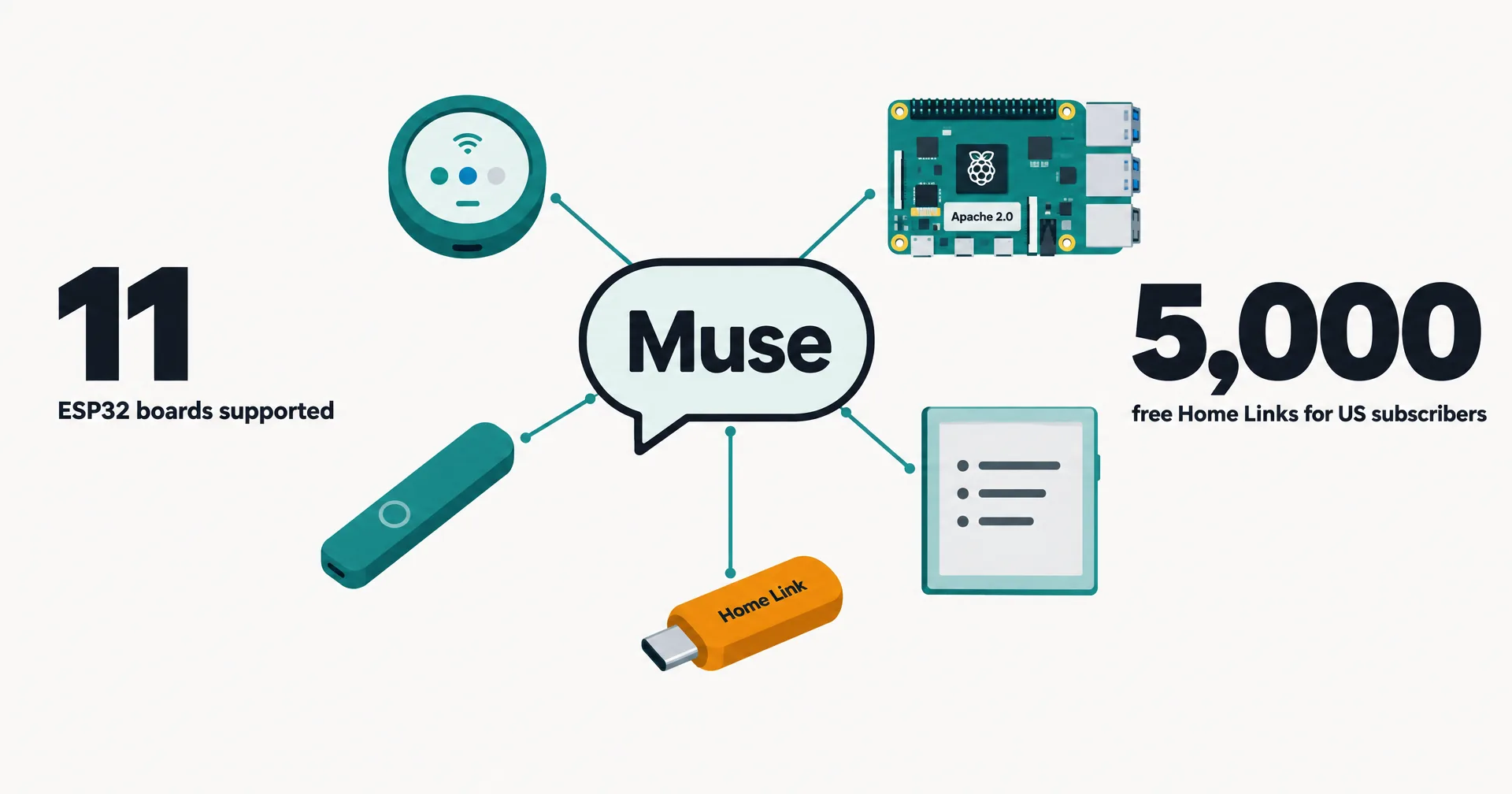
Meta published an open-source kit on October 2, 2026 for building hardware that talks to its Muse assistant. Muse Gadgets is ESP32 firmware plus a Linux SDK, released under Apache 2.0 in a new GitHub repository, and Meta added a device of its own, Muse Home Link, free to 5,000 US subscribers. Nat Friedman announced it at 19:09 UTC as a “side project alert”; Alexandr Wang followed at 20:07 UTC calling it a “MUSE ECOSYSTEM ALERT”. Here is what each piece does, what it lets Muse touch, and what Meta says about the risks.
On this page · 8 sectionsOpen
- Meta announced Muse Gadgets on October 2, 2026: open-source ESP32 firmware and a Linux SDK, under the Apache 2.0 license, for building hardware devices that work with its Muse assistant.
- The ESP32 SDK lists 11 supported boards; six run a full on-screen interface with an animated avatar and push-to-talk, the rest show status on a light, a ring or a small screen.
- The Linux SDK turns a Raspberry Pi or other Linux box into a gadget and gives Muse four commands: run a shell command, read a file, write a file and report health.
- Muse runs those commands with the installing account’s exact permissions; Meta’s README says plainly that if the account can use sudo, so can Muse.
- Every gadget needs an SDK token from gadgets.muse.ai and pairs through the Muse app with Developer mode on; Meta warns that community pairing cannot prevent an active man-in-the-middle attack.
- Meta also built Muse Home Link, a USB-C device that lets Muse reach devices on a home network; a batch of 5,000 is free to US Muse subscribers, one each, shipping in October.
§ 01What Meta released
| Piece | What it is | Where it runs | Price |
|---|---|---|---|
| ESP32 Device SDK | Open-source firmware that connects an ESP32 board to Muse, with optional screen, audio, sensors | 11 listed boards, more by porting | Free (Apache 2.0); you buy the board |
| Linux Device SDK | A service that makes a Linux machine a Muse gadget Muse can command | Raspberry Pi 3B+, 4, 5, Zero 2 W, or any Linux box with Bluetooth LE | Free (Apache 2.0) |
| SDK token | Required to pair every gadget, including ones you build for yourself | Issued at gadgets.muse.ai, Account > SDK tokens | Needs a Muse account |
| Muse Home Link | Meta’s own USB-C gadget connecting Muse to your home Wi-Fi network | Your home network | Free to active US subscribers, one each, 5,000 made |
| Project ideas | Featured builds with parts lists and source, plus a Discord | Various boards; an HDMI TV stick is listed as coming soon | Boards from third parties |
The repository was created at 18:21 UTC on October 2, about 50 minutes before Friedman’s post, and had 238 stars and 30 forks when we read it at 01:33 UTC on October 3. Both SDK folders carry an AGENTS.md for coding agents, and the ESP32 README’s quickest path is to let Meta’s Muse Code agent do the build from the cloned repository. Friedman’s own instruction was the same idea: “point your favorite coding agent at the github repo to build your own”.
§ 02The 11 ESP32 boards
The ESP32 README lists every board that already works. “The last six run the full on-screen UI: an animated avatar, push-to-talk and settings.”
| Board | What you get |
|---|---|
| ESP32-C5 DevKitC-1 | Status light and button (the quickest start) |
| ideaspark ESP32 with 1.9” display | Status on screen, images |
| Seeed SenseCAP Indicator | Status on a 4” screen, images |
| Seeed reTerminal E1001 | Status on a 7.5” e-paper, black and white images |
| Home Assistant Voice Preview Edition | Status on the LED ring, push-to-talk, volume dial |
| Waveshare ESP32-S3-Touch-AMOLED-1.75C | Full UI, push-to-talk, settings, images |
| AIPI Lite | Full UI, push-to-talk, two-button menu, images |
| Waveshare ESP32-C6-Touch-AMOLED-1.8 | Full UI, push-to-talk with text replies |
| Seeed SenseCAP Watcher | Full UI, push-to-talk, settings, images |
| M5Stack StickS3 | Full UI, push-to-talk, two-button menu, images |
| M5Stack StickC Plus2 | Full UI, push-to-talk, two-button menu, images |
On boards with enough memory, the firmware also runs a home-network tunnel, so Muse “can reach the devices you already own and anything you build with a local HTTP API”. Boards without PSRAM, like the classic ESP32 and the ESP32-C6, run without the tunnel; Muse can still reach and control the device itself. A desktop simulator renders the production interface in a 412 by 412 window, so you can work on the UI before a board arrives.
§ 03What Muse can do on a Linux gadget
The Linux README is the part to read closely, because it gives Muse a real machine.
| Command | What it does |
|---|---|
| system.run | Runs a shell command and returns its output and exit code |
| file.read | Reads a file, 64 KB at a time |
| file.write | Writes a file, 64 KB at a time, replacing it only when complete |
| device.health | Reports uptime, load, memory, disk and temperature |
Meta does not soften it: “Commands run as the account you installed for, with exactly that account’s permissions. If it can use sudo, so can Muse.” The installer asks before it hands Muse your account and tells you if that account can use sudo, and install.sh --run-as someone gives Muse a different, unprivileged account instead. Programs on the machine can also message Muse with no credentials of their own, through musegadget send-user-msg; Meta’s example bridges a Pebble ring’s notes into their own Muse chat. Meta’s suggested prompts include asking Muse to install Home Assistant on the Pi, and to check every morning at 7 whether backups ran.
§ 04What Meta says about the risks
| Topic | What Meta says |
|---|---|
| Permissions | Muse gets the installing account’s access, sudo included if the account has it |
| Pairing | Community pairing “has no manufacturer verification and can’t prevent an active man-in-the-middle attack”; set it up on a network you trust |
| Pairing window | Opens only when you run the installer or the pair command on the machine, for 10 minutes |
| SDK token | Ships inside the firmware, so treat it as an identifier, not a password; revoke and rebuild if it leaks |
| Stored secrets | Wi-Fi credentials and device tokens sit in flash; Meta strongly recommends turning on NVS encryption |
| Boot security | Builds are signed with an included development key and never turn on Secure Boot |
| Warranty | Provided as-is; “Side effects of tinkering may include bricked boards, voided warranties, brownouts, or bankruptcies” |
That is an unusually frank set of warnings for a big-company launch, and it fits the framing: this is a kit for people who flash boards, not a consumer product. The Muse app adds its own check, warning that a paired gadget is a community device before you continue.
§ 05Muse Home Link
Home Link is the one finished product in the launch. Friedman described it as “a little usb-c powered device that allows Muse to connect to your home network to talk to smart home devices like TVs and speakers and anything else that exposes https.” Meta’s page says it is free with an active Muse subscription in the United States only, limit one per subscriber, and ships in October, first come, first served; claiming “holds your place in line; it isn’t an order.” Its code is open source too.
The SDK posts drew roughly ten times the views of the free-device replies under them, which says who the launch reached first: builders. It is the third Muse surface in two weeks, after the connectors and computer use at Connect and the connector platform for third-party tools.
§ 06What it means for an AI agent
Gadgets give an assistant a physical edge: a screen on the desk, a button in a pocket, a shell on a Pi that runs the house. The interesting design choice is how directly Meta hands over the Linux machine. Muse’s reach equals the installing account, and the safety lever is which account you pick. That is the same question every agent with a real computer has to answer: what can it touch, and who approves the moves that matter. An AI employee on CellCog works in its own secure VM and file system with its own browser identity and logins, so its work starts away from your personal machine, and every command that reaches your world passes an approval rail you set.
§ 07What we are watching for
- Muse Home Link shipping dates, and whether the 5,000 run out before it ships.
- The HDMI “Muse on your TV” stick Meta lists as coming soon.
- Boards added by the community, and whether Meta features them on the page.
- Home Link or Gadgets reaching countries beyond the US.
- Whether Meta ever adds manufacturer-verified pairing for community devices.
§ 08The record
As of October 3, 2026, 01:40 UTC: page opened. We read gadgets.muse.ai, the repository README, and the ESP32 and Linux READMEs directly at 01:32 to 01:34 UTC on October 3, and the GitHub API for the repository’s creation time and counts. Friedman’s and Wang’s posts were read on X the same hour; times come from each post’s timestamp.
Q1Is Muse Gadgets an official Meta product?
It is published by Meta: the repository sits under facebookincubator, the code is copyright Meta Platforms, and Alexandr Wang announced it. Meta frames it as a hacker project, ‘built by hackers, for hackers, just for fun’, provided as-is without warranty.
Q2Do I need a Muse subscription?
Building a gadget needs a Muse account to get an SDK token and to pair through the Muse app. The free Muse Home Link is for active Muse subscribers in the United States, limited to one per subscriber.
Q3Is it safe to give Muse a shell on my Raspberry Pi?
Meta is direct about the risk: Muse gets the same access as the installing account, sudo included, and community pairing has no manufacturer verification. Its README suggests installing with an account that has no sudo and pairing on a network you trust.
Q4When does Muse Home Link ship?
Meta’s page says it ships in October, first come, first served, and that claiming holds your place in line rather than placing an order. Nat Friedman wrote that the 5,000 units should be ready in a few weeks.
Q5Can a coding agent build the gadget for me?
That is the intended path. Each SDK folder carries an AGENTS.md for coding agents, and the ESP32 README’s fastest route is Meta’s Muse Code agent, started from the cloned repository with the board plugged in.