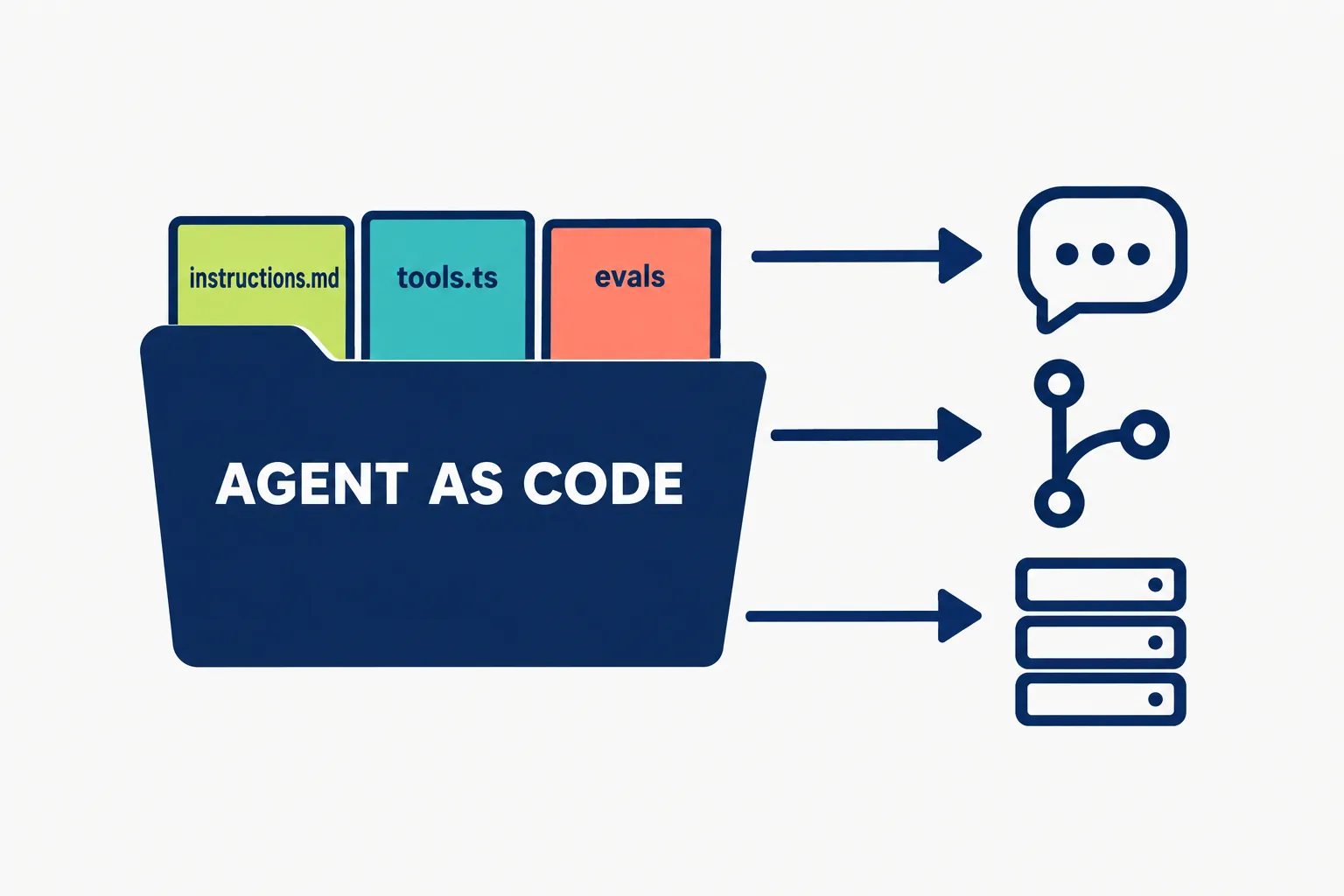
Cursor made its Agent SDK available on October 26, 2026, a way to “define agents as code, with prompts in Markdown and tools in TypeScript.” Agents deploy on Cursor’s hosted infrastructure or run on your own servers, and built-in evals test every change.
The pitch is control. Where Grok Bot and Cursor Automations are set up in an app or a dashboard, an Agent SDK agent is a folder of files your team reviews, versions and tests like any other code.
On this page · 8 sectionsOpen
 Cursor made its Agent SDK available on October 26, 2026: agents defined as code, with prompts in Markdown and tools in TypeScript, deployed on Cursor’s hosting or your own.
 It runs on the same Cursor SDK harness that powers Bugbot, Security Review, Approval Bot and Rollouts, Cursor’s own agents.
 Evals are built in: each test sends a fixed input to the real agent and checks which tools ran and what the answer looks like.
 The package is @grok/agent-sdk on npm, renamed from @cursor/bdk, which first appeared on September 22; version 0.3.0 is marked GA.
 Cursor’s docs list no separate price for the SDK or for hosted deployments; only running a turn and running evals need a Cursor login.
§ 01What Cursor shipped
Cursor’s docs say the SDK “uses the Cursor SDK harness that powers Bugbot, Security Review, Approval Bot, and Rollouts”, the agents Cursor already runs for its own customers. You write the instructions and tools; Cursor runs the model loop that calls them.
- Agents as code. A project keeps the agent under
bot/:instructions.mdis the always-on system prompt, each file intools/is one typed TypeScript tool, and skills, subagents, MCP connections, channels and hooks each get a folder. - Where people reach it. Cursor lists Slack, pull requests, issue trackers and Cursor itself.
- Where it runs. Cursor-managed hosting with deploy, rollback, logs and per-deployment secrets, or your own infrastructure through the CLI’s
servecommand. - Who can touch it. Deployed agents carry three roles: Viewer opens the agent, Editor deploys, stops and restarts, Owner adds secrets and access.
- Getting started. Node 22.13 or newer,
npm install --global @grok/agent-sdk,agent-sdk login, thenagent-sdk initandagent-sdk dev. Cursor also ships a prompt you paste into a coding agent to scaffold the first project for you.
§ 02Agent SDK, Grok Bot or Automations

Cursor publishes its own comparison of the three ways to run an agent on its platform.
| Cursor Automations | Grok Bot | Agent SDK | |
|---|---|---|---|
| You define | A prompt, model and trigger in the dashboard | Instructions, skills and connected tools in the app | A versioned Markdown and TypeScript project |
| Where it runs | Cursor-managed | Cursor-managed | Cursor-managed hosting or your infrastructure |
| Choose it when | The job fits a schedule or event trigger | You want to configure and talk to an agent without code | You want code around model judgment your team can review, test and improve |
The third column is the news: Cursor now offers the same agent machinery behind Bugbot to any team willing to write the code.
§ 03Evals are the point
An eval sends a fixed input to the real agent and checks what it did. Cursor’s example passes only if the agent calls its inspection tool and does not approve a pull request. Evals can also check the shape of an answer against a schema, run in parallel, and get tagged so a quick smoke set runs on every change.
Cursor calls the loop “hillclimbing”: improve the agent, then lock each win with an eval so a later prompt change cannot quietly undo it. That is what separates this from a prompt pasted into a dashboard.
§ 04The package history
| Date | Event |
|---|---|
| September 22, 2026 | First version published as @cursor/bdk |
| October 22, 2026 | Version 0.2.27 |
| October 23, 2026 | Changelog marks 0.3.0 the GA release; 0.2.29 published |
| October 25, 2026 | 0.3.0 published to npm under @grok/agent-sdk |
| October 26, 2026 | Cursor announces the Agent SDK on X |
The @grok scope fits the company’s ownership: Cursor is sold inside The X Subscription alongside Grok and Grok Bot.
§ 05What Cursor left out
- Price. The docs list no separate price for the SDK or for hosted deployments. Cursor’s plans page says paid plans share a weekly usage pool for Cursor models, and Premium at $30 a month adds Cloud Agents, Automations and Grok Bot; it does not yet name the Agent SDK.
- License. The npm package points to its own LICENSE.md, not a standard open-source license.
- Limits. Nothing on how many hosted agents a team can run or how hosted turns are metered.
§ 06Our conflict, and who this is for
Our conflict, declared: CellCog sells AI employees, a different answer to the same question of how a team puts agents to work, so treat our read with that in mind.
The Agent SDK is built for engineering teams that want an agent’s every instruction and tool in source control, with tests in front of each change, running in Slack and on pull requests. If that describes your team, it is the most serious offer Cursor has made to people building agents rather than using them. If you want an agent that holds a whole role without writing its code, that is a different product.
§ 07What we are watching
- Pricing for hosted agents. How Cursor meters deployed turns and whether plans name the SDK.
- The templates. Which review and triage agents teams publish on top of it.
- Grok Bot overlap. Whether Grok Bot gains a path to export a configured agent into an Agent SDK project.
§ 08Sources
- Cursor, Agent SDK announcement on X, October 26, 2026, 18:58 UTC.
- Cursor, Agent SDK docs, read October 26, 2026.
- Cursor, Agent SDK changelog and project layout.
- Cursor, Evals and Access.
- Cursor, Models and pricing, read October 26, 2026.
- npm, @grok/agent-sdk, registry read October 26, 2026.
Q1When did Cursor release the Agent SDK?
Cursor announced it on X on October 26, 2026. Its changelog marks version 0.3.0 as the GA release, dated October 23, and npm shows 0.3.0 published on October 25.
Q2How do I install the Cursor Agent SDK?
With Node 22.13 or newer, run npm install –global @grok/agent-sdk, then agent-sdk login, agent-sdk init to scaffold a project and agent-sdk dev to run it locally.
Q3Can I self-host Cursor Agent SDK agents?
Yes. Cursor says agents deploy on its hosted infrastructure or run on your own, and the CLI includes a serve command for running an agent server yourself.
Q4What can an Agent SDK agent connect to?
Cursor lists Slack, pull requests, issue trackers and Cursor itself, plus MCP connections, subagents, skills, hooks and secrets managed per deployment.
Q5Is the Cursor Agent SDK open source?
The npm package points to its own LICENSE.md rather than a standard open-source license, and Cursor does not describe it as open source.