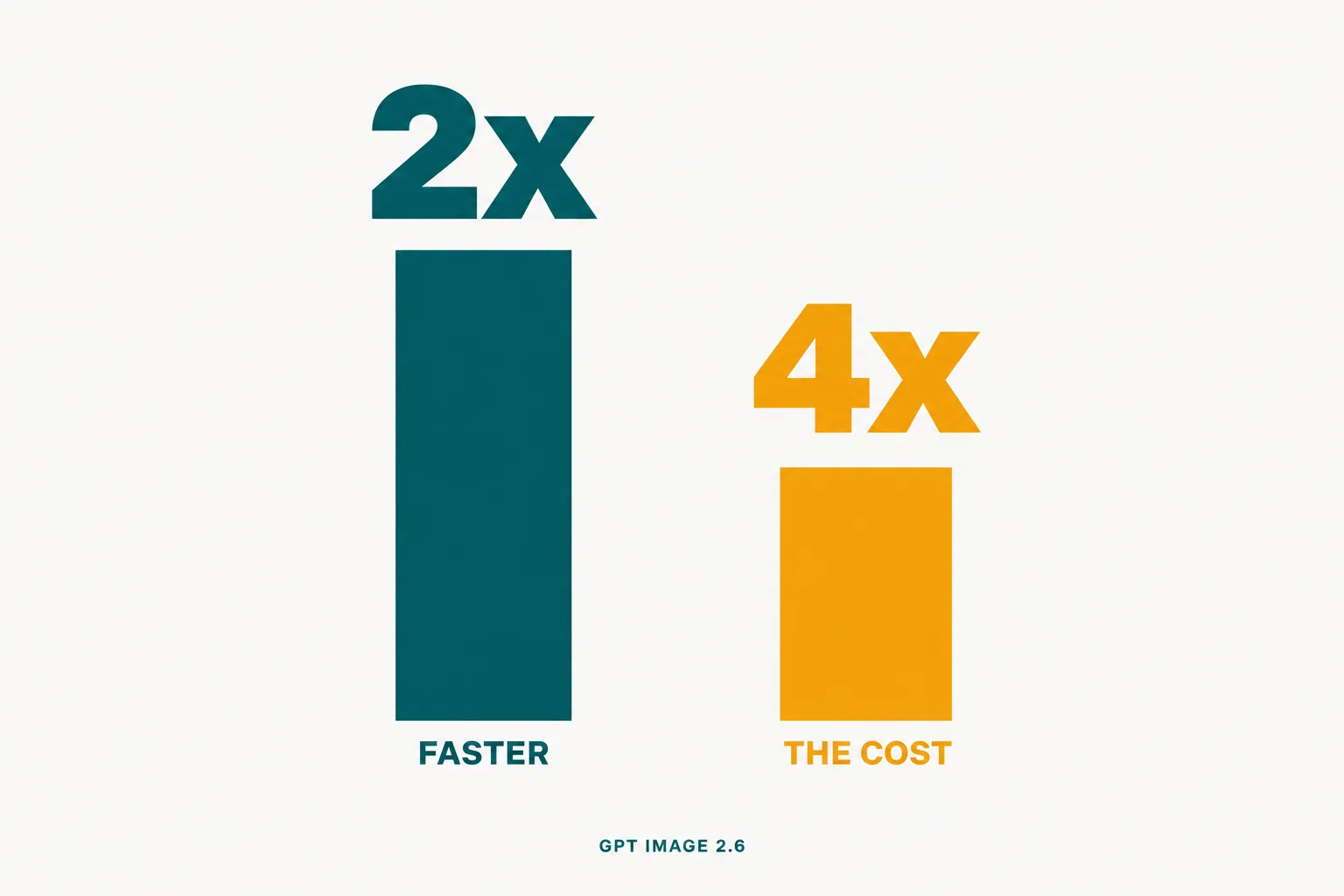
OpenAI shipped Images 2.6 on November 4, 2026, and the pitch is speed: images “50% faster than before”, with Flare returning one “in as little as six seconds” at low quality. Two new API models, gpt-image-2.6-flare and gpt-image-2.6-sunburst, at exactly the same published token rates as 2.5.
We ran 80 generations across both model families the night it launched, on matched prompts, sizes and quality settings, and paid for them on our own key. The speed is real and bigger than advertised at the top end: an identical render that took 2.5 Flare 45.1 seconds took 2.6 Flare 18.0. But there is a second finding nobody is printing, and it decides whether you should switch.
At high quality and above, 2.6 bills the exact same tokens as 2.5. At low and medium, it bills three to four times more. 2.6 did not raise prices. It deleted the cheap tier.
Everything below is our own run. Every image in this post came out of it.
On this page · 9 sectionsOpen
 GPT Image 2.6 launched November 4, 2026 as gpt-image-2.6-flare and gpt-image-2.6-sunburst, with animated GIF output, SVG output, a complexity setting and markup-guided editing.
 In our test 2.6 Flare was about twice as fast as 2.5 Flare at every quality, and 2.5 times faster at max: 18.0 seconds against 45.1.
 Tokens are identical from high quality upward (1,758, 3,122 and 7,024), but 2.6 bills 4.2x more at low and 3.3x at medium: the cheap tier is gone.
 Animated GIFs come from a single prompt and hold character identity well, but frame_count maxes at 16, not the 64 the documentation claims.
 Markup-guided editing, where you circle a region on a transparent layer, also works on GPT Image 2.5, so it costs nothing extra to adopt today.
§ 01What we ran
One harness, one prompt per test, sent to both model families back to back so network conditions matched. Four matched raster prompts (a data hero with large numerals, a text-heavy poster, a flat pictogram, a 3D mascot), a full five-step quality ladder, a three-step edit chain on one base image, nine GIFs, SVG attempts on both models, a complexity sweep and markup-guided edits. Latency is wall time from request to bytes; cost is computed from the usage block OpenAI returns, at the published rates.
Two caveats. Latency measured from one laptop on one evening is not a benchmark of OpenAI’s fleet, and launch night is the worst possible time to measure anyone’s capacity. The token counts are the durable finding, because those are billed, and they repeated exactly across reruns.
§ 02The quality ladder is where the story is
Same prompt, same 1024 by 1024 output, every quality setting, both models.
| Quality | 2.5 Flare tokens | 2.6 Flare tokens | 2.5 cost | 2.6 cost | 2.5 time | 2.6 time |
|---|---|---|---|---|---|---|
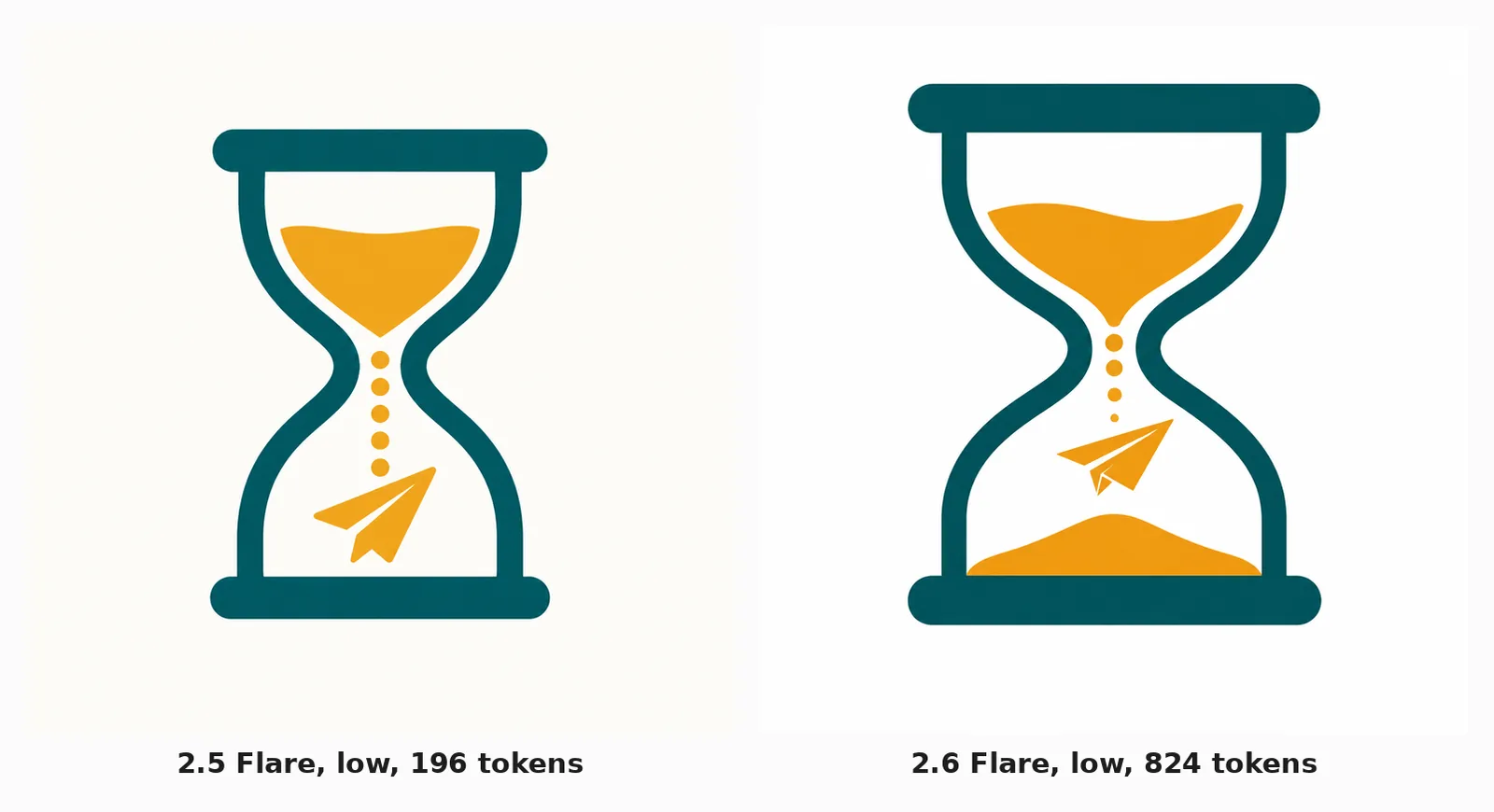
| low | 196 | 824 | $0.0061 | $0.0250 | 11.8s | 5.9s |
| medium | 439 | 1,449 | $0.0134 | $0.0437 | 8.3s | 5.9s |
| high | 1,758 | 1,758 | $0.0529 | $0.0530 | 17.2s | 7.9s |
| xhigh | 3,122 | 3,122 | $0.0939 | $0.0939 | 25.3s | 11.8s |
| max | 7,024 | 7,024 | $0.2110 | $0.2110 | 45.1s | 18.0s |
From high upward the two models are token-for-token identical: 1,758, 3,122, 7,024, matching to the single token across every tier. The price per image is the same to within a tenth of a cent, and 2.6 renders it in 40% of the time. That is a free upgrade.
Below high, 2.6 spends 4.2x the tokens at low and 3.3x at medium. We reran every one of those cells and the counts repeated exactly: 196 and 196 on 2.5 low, 824 and 824 on 2.6 low. We checked the obvious explanation and it is not that. Every PNG came back at the dimensions we asked for on both models, so 2.6 is not quietly rendering larger.
What it looks like is that 2.6’s ladder starts higher. Its “low” does roughly the work 2.5 did between medium and high, and charges accordingly. If your workload is small assets at low quality, which is most icon, thumbnail, tile and bulk work, there is no longer a cheap setting to buy.

One more line on the pricing page worth knowing: GPT Image 2.5, GPT Image 2 and GPT Image 1.5 each carry a half-price Batch API row. The two 2.6 models do not. Until that appears, bulk work through Batch on 2.5 is a quarter the price of the same work on 2.6.
§ 03Speed, and the one place 2.6 is slower
| Prompt | Size, quality | 2.5 Flare | 2.6 Flare | 2.5 Sunburst | 2.6 Sunburst |
|---|---|---|---|---|---|
| Data hero | 1536x1024, high | 13.8s | 6.8s | 20.4s | 23.8s |
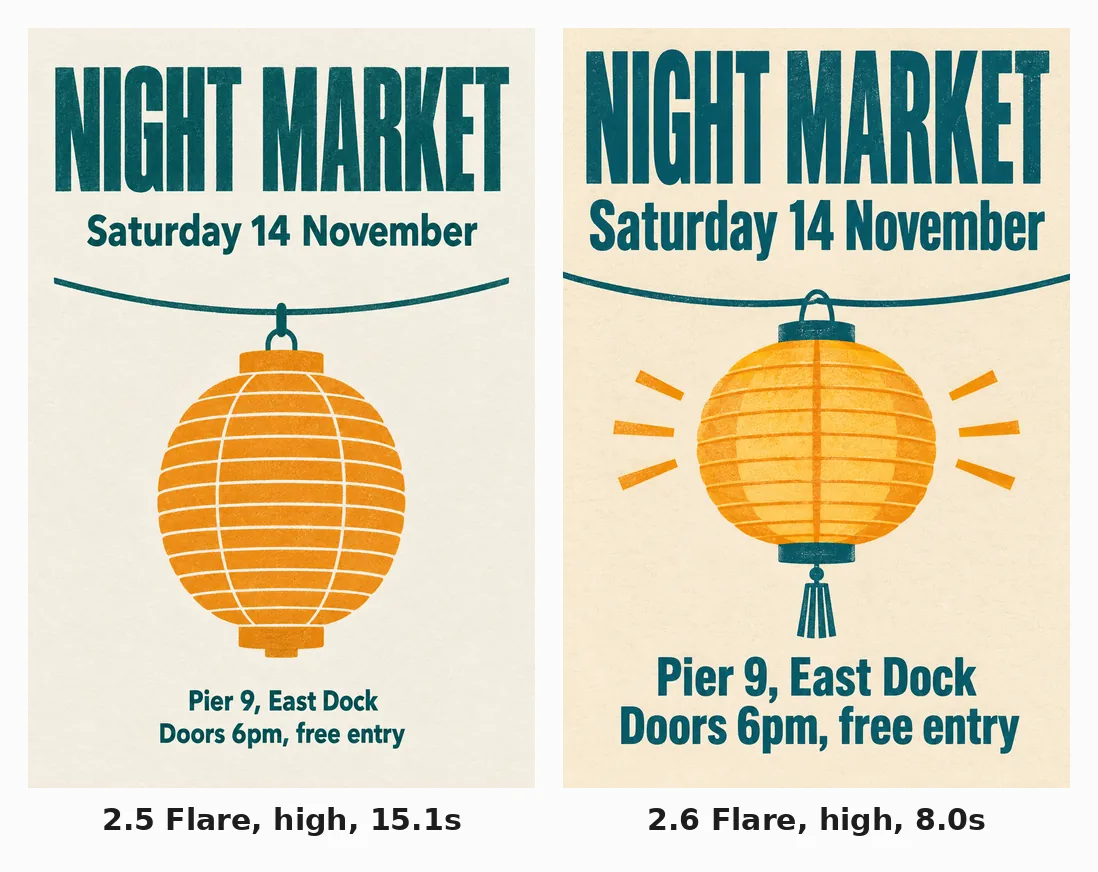
| Event poster | 1024x1536, high | 15.1s | 8.0s | 25.3s | 25.4s |
| Mascot | 1024x1024, medium | 10.2s | 6.2s | 13.3s | 16.9s |
| Pictogram | 1024x1024, low | 7.5s | 5.6s | 9.5s | 14.5s |
Flare is about twice as fast on every prompt, matching OpenAI’s claim, and the gap widens as quality climbs: 2.5x at max. The column OpenAI does not mention is the other one. 2.6 Sunburst is slower than 2.5 Sunburst, by 17% on the hero and 27% on the mascot. If your pipeline runs Sunburst for edit precision, 2.6 is a latency regression.
§ 04Animated GIFs, from one prompt
The GIF path has no equivalent in 2.5, and it is the capability that surprised us. Set output_format: "gif", describe the subject and the motion, and the API returns a finished looping animation. No video model, no frame-by-frame authoring, no editor.
Eleven seconds and 5.6 cents. The character holds its proportions, glasses and hoodie across all twelve frames, and the last frame returns close enough to the first that the loop reads as continuous. For a brand mascot, a reaction or a product loop, that is a finished asset out of one prompt.
It also handles text, which we expected to fail. Asked for three labelled boxes with a dot travelling between them, it spelled SCOUT, ANALYSE and PATCH correctly and kept the boxes geometrically fixed across all sixteen frames.
The limitation is in that clip too. The dot steps from box to box rather than travelling, and the loop jumps back to the start rather than closing. That is a frame-budget problem, and here the documentation is simply wrong.
| Field | What the docs say | What the API accepts |
|---|---|---|
frame_count |
“2-64 frames”, default 9 | 2-16; 17 is rejected |
frame_duration_ms |
20-2000, rounded to 10ms | as documented |
| Streaming, partial images, compression | not supported | as documented |
| Edits endpoint | no GIF output | as documented |
Asking for 32 frames returns a 400: “Use an integer from 2 to 16, or omit frame_count to use 9.” We confirmed the boundary at 16 and 17. Sixteen frames at 120ms is 1.9 seconds of animation: enough for a wave or a blink, not enough for smooth travel across a diagram. Treat 16 as the design constraint, not the documented 64.

Cost scales with frames, and GIFs are the most expensive thing 2.6 makes.
| Frames | Quality | Time | Output tokens | Cost |
|---|---|---|---|---|
| 4 | low | 8.1s | 555 | $0.017 |
| 12 | medium | 10.9s | 1,835 | $0.056 |
| 16 | low | 12.6s | 1,668 | $0.050 |
| 16 | high | 12.4s | 3,569 | $0.108 |
Sunburst makes GIFs at the same price and twice the wait (22.0s against 11.0s for the same mascot prompt), and we could not see a difference worth the extra twelve seconds.
§ 05SVG needs a parameter the docs never mention
The guide says set output_format: "svg" and you get vector output. Do exactly that and the API refuses:
SVG generation requires ‘svg.model’.
There is a second, undocumented object in the request. You must also pass svg: {"model": "<a text model>"}, naming the model that will author the vector code. We passed gpt-5.6 and it worked. The one line in the cost section is consistent with this (“you pay the image model’s rate for the reference image and the authoring model’s rate for the tokens it uses”), but the parameter itself appears nowhere in the generation guide.
So SVG is a two-model operation: the image model renders a hidden reference raster, a text model traces it into vector code, and you are billed for both. The output is genuinely clean vector, not a traced mess:
xml
<circle cx="512" cy="548" r="340" fill="#FAFAF7" stroke="#005A64" stroke-width="72" />
<path d="M733 188 L588 478 L739 478 L300 890 L476 605 L311 611 Z" fill="#F6A800" />
That is from a stopwatch pictogram: a real circle element, a real path, named hex colours, a <title> and <desc>, editable in any vector editor. It took 22.5 seconds and cost 2.5 cents.
The honest caveat is availability. That one early call is the only SVG we got. Across the rest of the evening, 14 of 15 SVG requests returned a bare 502, spread over an hour and retried three times, while raster and GIF calls on the same key in the same minutes all succeeded. Launch-night capacity is not a verdict on the feature, but anyone planning to build on SVG output this week should expect to retry.
§ 06Markup editing is the sleeper, and it works on 2.5
Markup-guided editing lets you point at a region instead of describing it. Send the image, plus a transparent PNG with a shape drawn where the change goes, and a prompt describing the change. We drew a ring around the mascot’s glasses programmatically and asked for amber sunglasses.
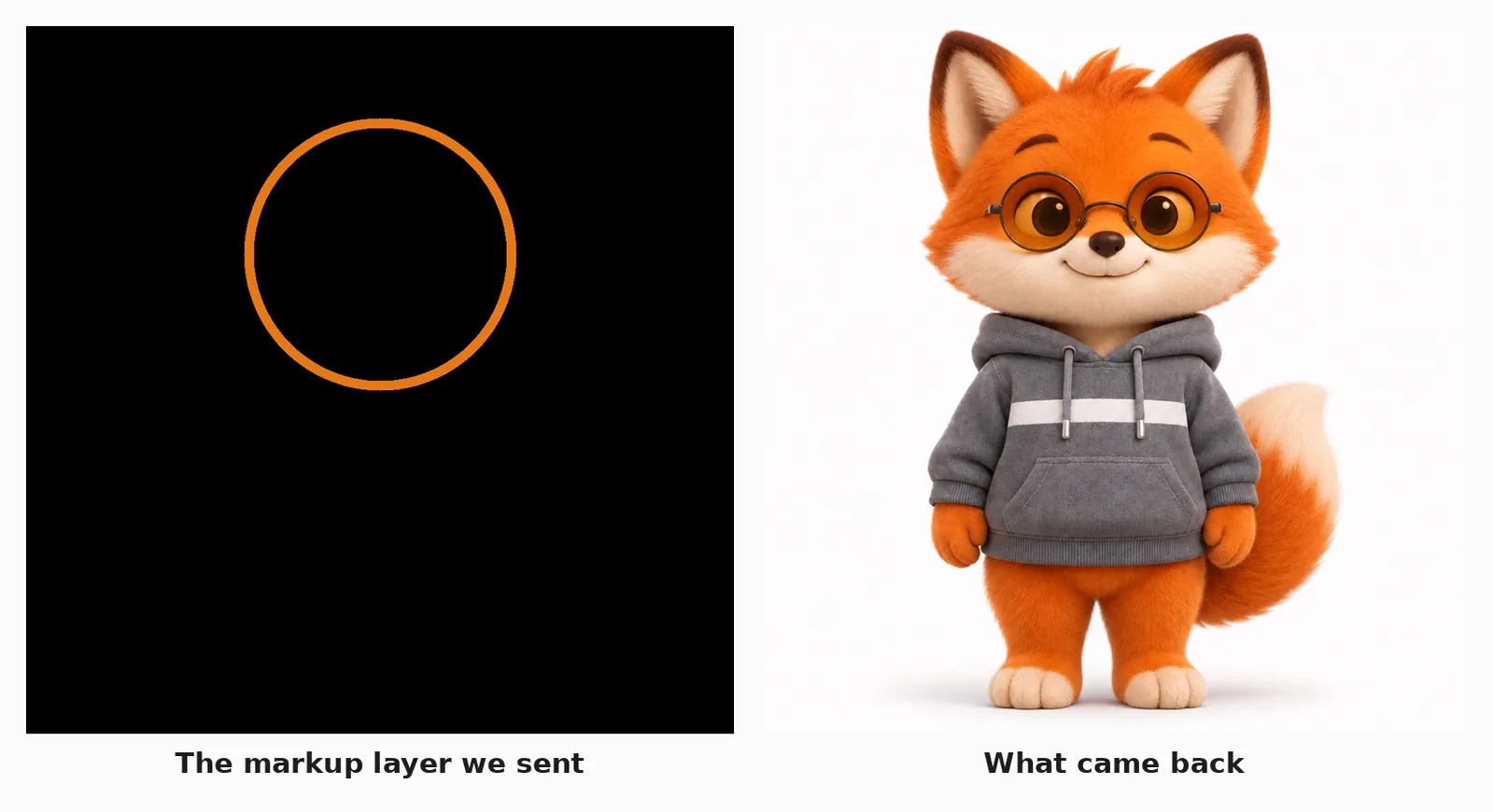
Both models got it right, changing only the lenses. The important detail is that this is back-ported to GPT Image 2.5, so it is available today without changing model ids or paying the 2.6 premium. Our 2.5 markup edit cost 2.2 cents; the same edit on 2.6 cost 5.2 cents.
The multi-turn edit chain told the same story. Three sequential edits on one base image, adding a scarf, then a skateboard, then a raised arm, held character identity on both models.
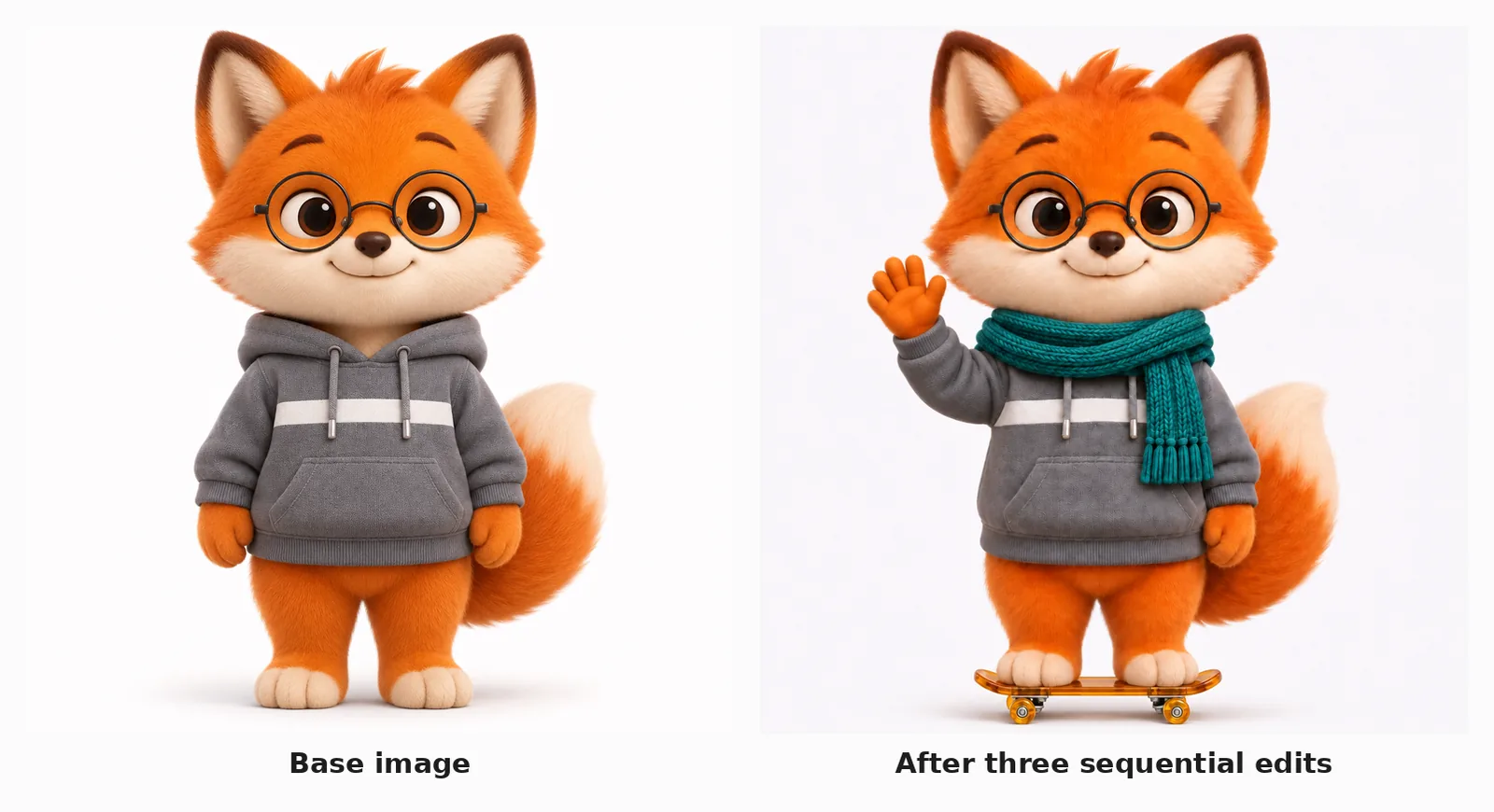
2.6 preserved the hoodie’s white stripe slightly more faithfully across the chain; 2.5 did the same job for 42% of the cost.
§ 07Complexity: a knob we could not make matter
The new complexity field controls how much the model plans before rendering, separately from quality. We swept low, medium and high on the data hero at medium quality. All three cost exactly the same, 1,132 output tokens and $0.0347, and OpenAI confirms “adjusting complexity has no separate fee”. Latency moved between 6.0 and 8.1 seconds with no consistent direction.
So complexity is free to try and it did not change our bill. OpenAI’s guidance is to drop it to low for edits and reserve high for “dense text, complex layouts, and relationships between objects”, with the warning that higher complexity “can increase latency and introduce unwanted changes”. On our prompts, we could not have told you which output was which.
§ 08What we are doing
Every illustration on this blog, including the one at the top of this page, is made by our own image agent running GPT Image 2.5. Here is our read, with our money behind it.
Heroes and anything at high quality or above move to 2.6 Flare. Identical tokens, identical price, 2 to 2.5 times faster. There is no argument against it.
Small assets stay on 2.5. Our pictograms and key-point tiles render at low, where 2.6 costs 4.2x more for a difference we have to look hard to see. When the cheap tier disappears, the right move is to keep the model that still has one.
Markup editing we adopt immediately, on 2.5. Pointing at a region beats describing it, and it costs nothing extra on the model we already run.
Sunburst work stays on 2.5 until the latency regression goes away.
GIFs we will use, carefully. The mascot and reaction loops are good enough to ship as they came out. Our animated explainer figures are built by a coding agent writing SVG by hand and frame-reviewed before they go live, because a figure that explains a mechanism has to have every label matching a number in the table beside it. A 16-frame ceiling and a loop that jumps will not replace that. For a character, a product or a reaction, it already has.
The general lesson outlives this release. A model launch gives you a price per token, and a price per token is not a price. We only found the missing cheap tier by running the same prompt through both models at every quality setting and reading the usage block. If you generate at scale below high quality, run that test on your own prompts before you upgrade.
§ 09Sources
- OpenAI, Introducing Images 2.6, November 4, 2026, read in full.
- OpenAI, image generation guide, read November 5, 2026.
- OpenAI, API pricing, read November 5, 2026.
- OpenAI, API changelog, November 4, 2026 entry.
- OpenAI Developers, post on X, November 4, 2026, 23:34 UTC.
- CellCog test run, 80 generations on gpt-image-2.5 and gpt-image-2.6, November 5, 2026, 00:50 to 02:30 UTC.
Q1Do GIFs really come from a single prompt?
Yes. Set output_format to gif and describe the subject and motion; the API returns a finished looping animation. No video model and no frame-by-frame authoring are involved.
Q2How many frames can a GIF have?
Sixteen. The documentation says 2 to 64, but the API rejects 17 with an error naming 2 to 16 as the valid range. We confirmed the boundary at both values.
Q3Why did my SVG request fail?
SVG generation needs an undocumented svg.model parameter naming the text model that authors the vector code. Without it the API returns a missing-parameter error.
Q4Is GPT Image 2.6 Sunburst worth it?
Not for latency. In our test 2.6 Sunburst was slower than 2.5 Sunburst on every prompt, by 17 to 27 percent, at the same token cost.
Q5Does the complexity setting cost extra?
No. OpenAI states there is no separate fee, and our low, medium and high runs each used exactly 1,132 output tokens for the same price.