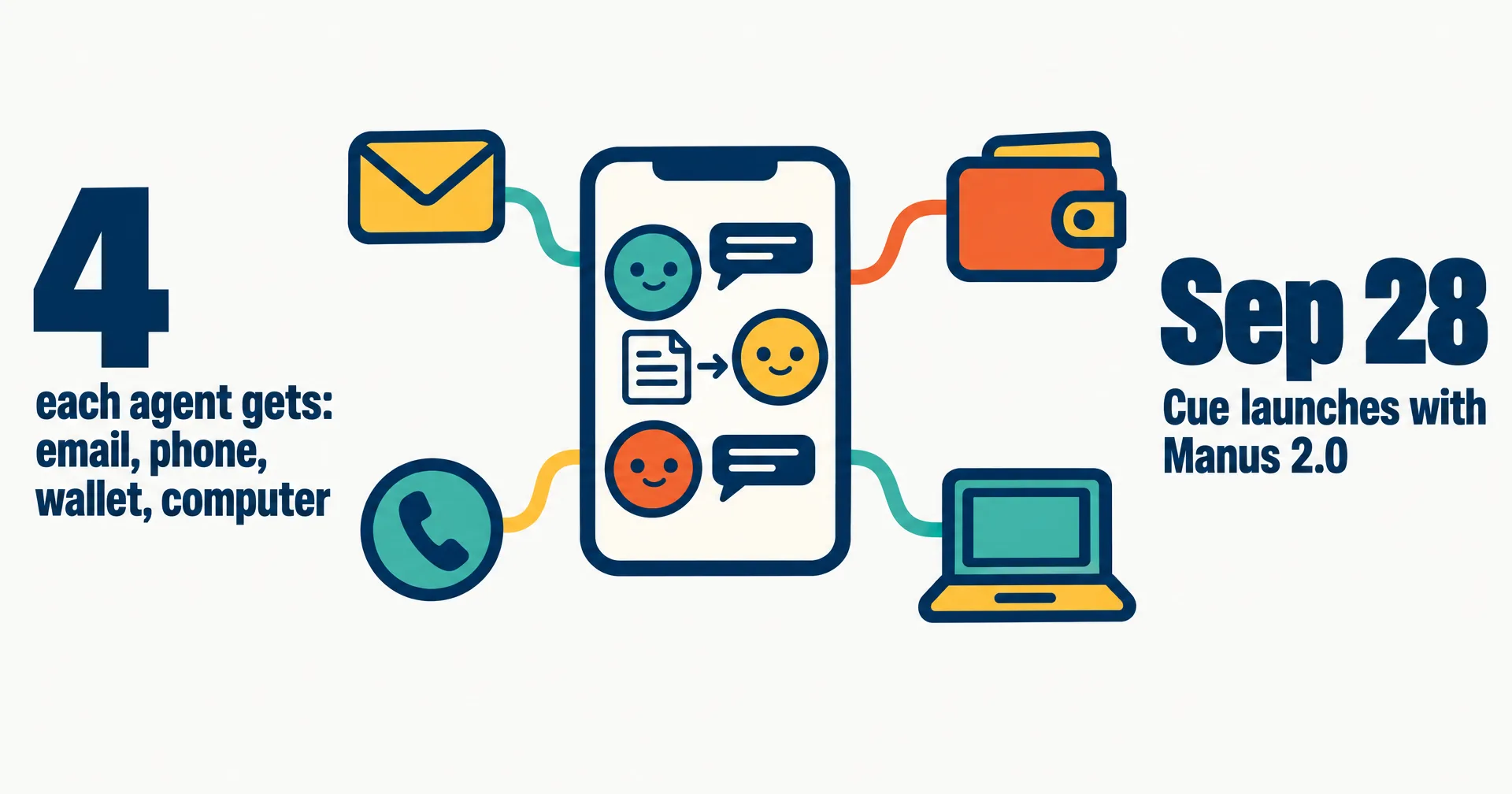
Manus introduced Cue on September 28, 2026 at 15:27 UTC, five minutes after Manus 2.0. In Manus’s launch post, Cue is “a new standalone app for your personal agents, on your phone and desktop, built on the same infrastructure as Manus.” Eleven days later it has listings on Google Play and the App Store, desktop downloads on cue.im, and still no published price.
This page covers what Manus has said about Cue, what it has not said yet, and how Cue compares with the other always-on agent products: Grok Bot, OpenAI’s dots and CellCog. Our record of the whole release is Manus 2.0 and Cue.
On this page · 7 sectionsOpen
 Manus launched Cue on September 28, 2026, alongside Manus 2.0: a standalone app for personal agents on web, desktop and mobile, built on the same infrastructure as Manus.
 Each Cue agent gets its own email, phone number, wallet and computer; Manus’s Google Play listing adds that a dedicated computer comes depending on availability.
 Several agents can share a goal in a group chat and hand work to each other, each with its own conversation and memory, while you make the final call.
 Cue requires an invitation code; Manus opened with MEETCUE for a limited number of early users, and everyone who gets in receives codes to share.
 Cue is free in early access. A Cue phone-number subscription is bought separately from a Manus membership, and Manus has not published its price.
§ 01What Cue gives each agent
Manus sells Cue on identity. “In Cue, each agent has its own email, phone number, wallet, and computer, so it can send messages, pay within the budget you set, and see a task through on its own machine.” Cue’s own site puts the same idea in one line: “It takes the calls you forward to it, emails from its own address, pays with its own card, and keeps working after you log off.”
| Piece | What Manus says | Where it says it |
|---|---|---|
| Sends and receives email from its own address | cue.im | |
| Phone number | Makes and takes calls and sends messages from its own number; the number is a separate subscription | cue.im, Manus help center |
| Wallet | Pays within a budget you set, with purchases on your approval | Manus launch post, App Store |
| Computer | Its own computer; a dedicated computer “depending on availability” | Manus launch post, Google Play |
| Memory | Each agent has its own conversation and its own memory | Google Play, App Store |
| Messaging apps | iMessage, Telegram, LINE and Slack, several at once | Manus help center |
| Connected apps | Gmail, Slack, Notion, Trip, Oura, MyFitnessPal and more, with your permission | Google Play |
The one line that differs between Manus’s pages is the computer. The launch post says every agent has its own. The Google Play listing, updated October 8, says “Depending on availability, an agent can have its own phone number, email address, wallet, and dedicated computer.” Manus has not said how often an agent goes without one.
§ 02Teams of agents
Cue is built for more than one agent. Manus’s example: “Put several agents in a group chat with a shared goal, and they hand work to each other: one researches venues for your New York launch, another makes a shortlist, a third drafts the deck.” You “set the direction and make the final call.”
The other pieces sit around that group chat. Agents can run automations on a schedule or on events, and Manus’s help center lists four messaging integrations per agent. At supported cafes and restaurants, you can “scan a business QR code to create an agent for that service” and order through it, confirming the payment yourself.
§ 03How to get in: the invite code
Cue is gated. “Cue is in early access and free to use with an invite code.” Manus opened with the code MEETCUE, “available to a limited number of early users on a first-come, first-served basis”, and “Everyone who gets access also receives extra invite codes to share.” Existing Manus users find Cue under the Agents tab in the Manus sidebar, per the help center, and scan a QR code to download it.
Platforms have filled in since launch. The launch post promised web, desktop and mobile, with iOS after App Store review. On October 9 the App Store listing was live (free with in-app purchases, #180 in Productivity), the Google Play listing showed 10K+ downloads and a 4.7 rating from 1.83K reviews, and cue.im offered macOS and Windows downloads.
§ 04What Cue costs
Cue is free during early access, and Manus has published no price for after it. The one paid piece Manus names is the phone number. “A Cue phone-number subscription is purchased separately from your Manus membership.” And: “Phone usage counts toward your Cue weekly allowance rather than consuming Manus credits.” Neither the subscription price nor the size of the weekly allowance is on Manus’s pricing help page.
For context, Manus’s own memberships are Free, Pro from $20 or $40 a month, and Team from $20 per seat a month. Those buy Manus, not Cue.
§ 05Cue vs Grok Bot vs dots vs CellCog
Four products now give an AI agent a standing life of its own. Each maker’s own docs describe them like this.
| Cue (Manus) | Grok Bot (SpaceXAI) | dots (OpenAI) | CellCog AI employees | |
|---|---|---|---|---|
| Built for | Personal life, errands and small projects | Always-on teammates for Cursor and SuperGrok subscribers | Personal and work tasks from ChatGPT | Business roles, hired as AI employees |
| Agents per person | Several, working in group chats | Several named Bots | One primary dot today; teams of dots are planned | As many as the work needs, in teams with managers |
| Computer | Its own computer, depending on availability | One cloud computer shared by all of a user’s Bots | Its own cloud computer and browser | Its own secure VM and file system, plus its own browser identity and logins |
| Email and phone | Its own email address and phone number | Signs into your apps and sites | Reached in ChatGPT, Slack, Teams or by voice call | Its own inbox; can hold its own phone number |
| Access and price | Invite code; free in early access; phone number billed separately | Bundled into Cursor and SuperGrok plans, from $20 a month | ChatGPT Pro and Business Premium, first dot included | Pay for the work, not the hire; try it free |
The Grok Bot row carries the sharpest difference. xAI’s Grok Bot FAQ says a user’s Bots share one computer and warns: “Do not use separate Bots as a security boundary.” Cue goes the other way and gives each agent its own machine, at least when one is available. OpenAI’s dots also give each dot its own computer, but today a person starts with one dot, not a team. More on each: what Grok Bot is and OpenAI dots.
Our conflict, declared: we build CellCog, where a business hires AI employees that each own a role, keep memory between tasks, work on their own secure VM with their own browser identity, inbox and, when you give them one, a phone number, and manage or report to each other in teams. Cue makes the same bet from the personal side: an agent does more when it has an identity of its own. The difference is the job. Cue is pitched at your weekend; an AI employee is hired for a role at your company. Our Manus alternatives page compares the rest of the field.
§ 06What we are watching for
- Cue’s price once early access ends, and the price of the phone-number subscription.
- The dedicated computer, and how often “depending on availability” means an agent goes without one.
- Cue for teams. Manus’s Team plan does not mention Cue today.
§ 07Sources
- Manus, Introducing Manus 2.0, September 28, 2026, read October 9.
- Manus on X, Cue announcement, September 28, 2026, 15:27 UTC.
- Cue, cue.im, read October 9, 2026.
- Manus help center, What is new in Manus 2.0?, membership pricing and Cue phone numbers and messaging agents in Cue, read October 9, 2026.
- Cue by Manus on Google Play (updated October 8, 2026) and on the App Store, read October 9, 2026.
- xAI, Grok Bot FAQ, read October 9, 2026.
- OpenAI, Introducing dots, September 29, 2026.
Q1What is Cue by Manus?
Cue is a standalone app from Manus for a personal team of AI agents. Each agent has its own email, phone number, wallet and computer, can keep working after you log off, and can work with other agents in a group chat.
Q2How do I get a Cue invitation code?
Cue requires an invitation code. Manus launched with the code MEETCUE for a limited number of early users on a first-come, first-served basis, and everyone who gets access receives extra codes to share.
Q3How much does Cue cost?
Cue is free during early access. A Cue phone-number subscription is purchased separately from a Manus membership and phone use counts toward a Cue weekly allowance; Manus has not published either price.
Q4Does every Cue agent get its own computer?
Manus’s launch post says each agent has its own computer. Its Google Play listing says an agent can have a dedicated computer depending on availability, so not every agent may have one at every moment.
Q5How is Cue different from Grok Bot and CellCog?
Grok Bot’s Bots share one cloud computer per user, while Cue gives each agent its own. Cue is built for personal life; a CellCog AI employee is hired for a business role, with its own secure VM, inbox and optional phone number, and works in teams with managers.