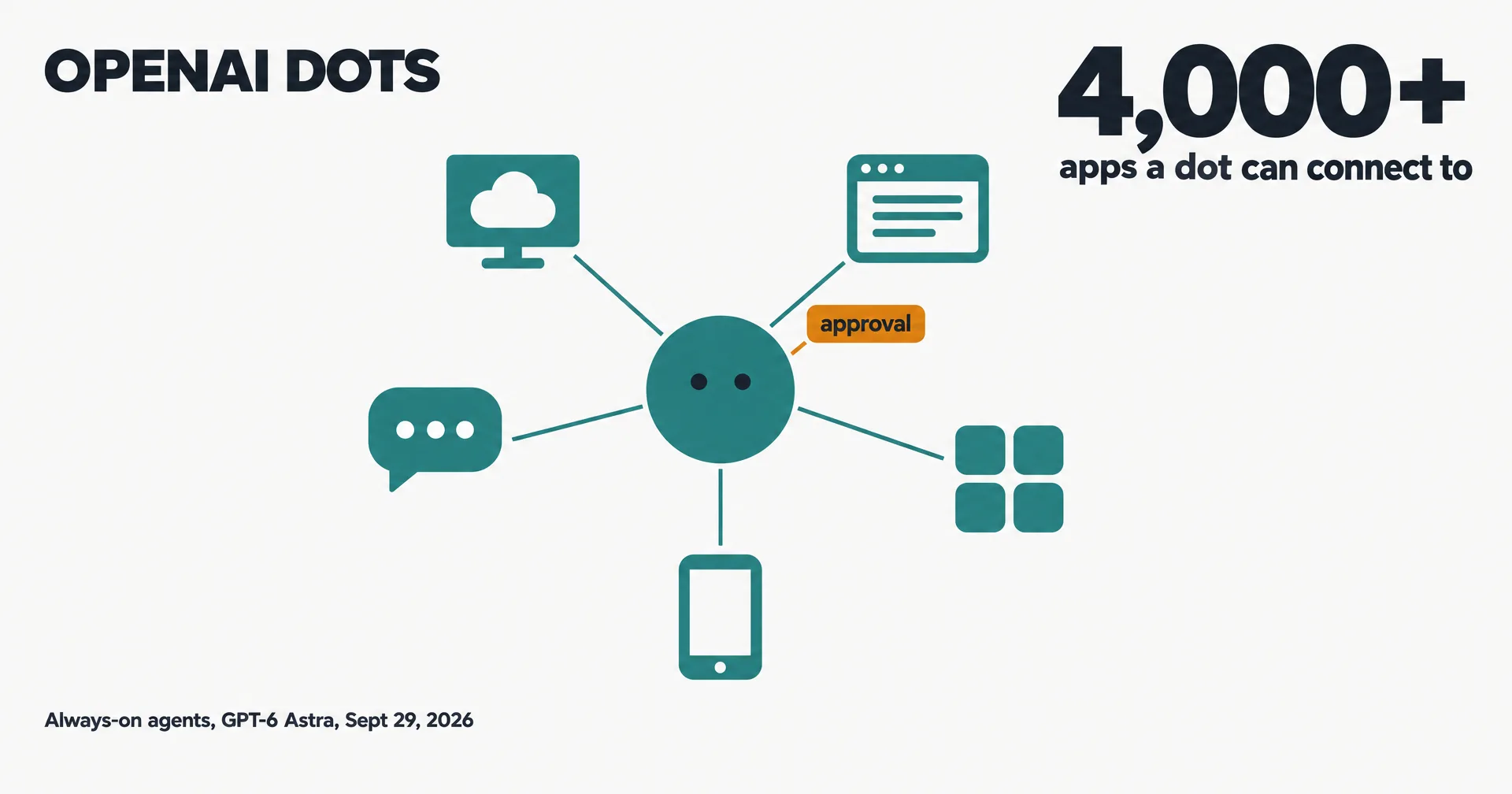
OpenAI has entered the always-on agent race. At DevDay on September 29, 2026, it introduced dots: “Dots are remarkably capable, always-on agents built to handle everything.” OpenAI’s announcement post went up on X at 17:19 UTC, sixteen minutes after a teaser that read “Your dot is ready to meet you.”
Dots arrive three weeks after Meta’s Muse and a day after SpaceXAI opened Team Bots for Grok Bot. This page is read from OpenAI’s own announcement and DevDay recap.
On this page · 16 sectionsOpen
- What OpenAI says a dot does
- Where you reach it, and who controls it
- Who gets dots, and what they cost
- One dot today, teams later
- How dots compare
- What changed on October 9
- What changed on October 27
- What changed on October 28
- What changed on November 3
- What changed on November 9
- What changed on November 12
- What is not established yet
- What we are watching
- Where CellCog sits
- Update log
- Sources
 OpenAI launched dots at DevDay on September 29, 2026: always-on agents powered by GPT-6 Astra that OpenAI says are built to handle everything.
 Each dot has its own cloud computer and browser, learns from feedback over time, can work toward your goals around the clock, and connects to over 4,000 apps through OpenAI’s plugins.
 You reach a dot in ChatGPT on desktop, web and mobile, in Slack and Teams, or by voice call; texting is coming soon. Since October 9 you can also create your dot in the ChatGPT app on iOS and Android, and hand it work in Codex.
 Dots start with built-in rules for when to act and when to ask. Custom Rules let you allow, require approval for, or block specific actions, and some tasks, such as changing a password, always stay with you.
 Dots are rolling out to ChatGPT Pro and Business Premium users in eligible markets, with the first dot included at no extra cost. Enterprise, Edu and Healthcare get a beta that admins must turn on.
 Today each person starts with one primary dot. Teams of dots are something OpenAI says it envisions over time, and specialist dots with their own identity are in focused enterprise pilots.
§ 01What OpenAI says a dot does
In OpenAI’s words: “Dots can do nearly anything using their own cloud computer, their own browser, and the apps you’ve connected.” Each dot runs on GPT-6 Astra, learns from feedback, can work toward your goals around the clock, and connects to over 4,000 apps through OpenAI’s plugins.
You can open a dot’s computer at any time to see its work, and give it permission to use your own laptop. A dot can run several projects at once, and when you are not working with it, it does what OpenAI calls “proactive research” using read-only tools on the apps you have connected.
OpenAI’s examples range from a developer’s dot that turns customer feedback into tested pull requests, to a content creator’s dot that cuts clips and drafts social posts from a new transcript for approval.
§ 02Where you reach it, and who controls it
You message or call a dot in ChatGPT on desktop, web and mobile, or message it in Slack and Teams, with texting coming soon. Dots keep context across all of those channels.
Control runs through rules. Dots start with built-in rules for when to act and when to ask; Custom Rules let you allow, require approval for, or block specific actions; and an auto-review step checks actions that could affect your accounts. Some things never move: “Certain sensitive tasks, such as changing a password, always stay with you.” Saved passwords can sign a dot into supported sites without exposing them to the model.
OpenAI’s own caveat is plain: “Dots can still make mistakes, so always review consequential work.”
§ 03Who gets dots, and what they cost
“Your first dot is included in your Pro or Business Premium plan at no extra cost,” OpenAI says. Dots are rolling out in ChatGPT to Pro and Business Premium users in eligible markets; Enterprise, Edu and Healthcare workspaces get a beta that an admin has to turn on. Conversations with a dot do not count toward ChatGPT usage limits, but tasks it starts in Codex or ChatGPT Work do.
At launch, setup started in the ChatGPT desktop app or a desktop browser; since October 9 you can create a dot straight from the ChatGPT app on iOS and Android. OpenAI says you will later be able to add more dots and pay for more speed or more work per dot.
§ 04One dot today, teams later
Today each person starts with one primary dot and names it. Teams are a plan: “Over time, we envision teams of dots working together on your behalf.” Separately, OpenAI is piloting specialist dots with enterprises, each with its own identity and credentials for a defined job, and is working with Microsoft to bring them into Agent 365.
§ 05How dots compare
| OpenAI dots | Grok Bot | Meta Muse | CellCog AI employees | |
|---|---|---|---|---|
| Computer | Its own cloud computer per dot | One cloud computer per user, shared by all their Bots | Its own Secure VM | Its own secure VM and file system, plus its own browser identity and logins, per employee |
| Where you reach it | ChatGPT, Slack, Teams, voice; texting soon | Grok Bot apps on desktop and mobile | Muse apps, muse.ai, WhatsApp | Chat, its own email inbox, its own phone number, meetings |
| Approvals | Built-in rules, Custom Rules, auto-review | Asks when something needs approval | Checks before sensitive actions | Anything above the level you set waits for you |
| Teams | One primary dot; teams planned | Team Bots in public beta since Sept 28 | Personal agent | Employees form teams and manage each other |
| Who can get it | ChatGPT Pro and Business Premium | Bundled into Cursor and SuperGrok plans | Free with limits, plus paid plans | Anyone; try it free, no credit card needed |
If you already live in ChatGPT and pay for Pro, a dot is the natural place to start: it sits next to your chats, runs on OpenAI’s strongest model and reaches OpenAI’s plugin catalog. The difference to weigh is shape. A dot is one agent that works on your behalf today, while CellCog is built around several AI employees that each own a role and report to each other.
§ 06What changed on October 9
Ten days after launch, OpenAI posted its first batch of dot updates on the developer forum at 19:40 UTC.
| Update | What it means |
|---|---|
| Create on mobile | You can set up your dot in the ChatGPT app on iOS and Android, not only on desktop |
| Delegate in Codex | “Your dot can now start work in Codex and follow up on existing threads,” drawing on your ChatGPT conversations, Codex threads and automations |
| Scheduled Tasks | Your dot can review and edit Scheduled Tasks in ChatGPT Work, so you can ask what is scheduled or change a recurring task |
| Fixes | Faster browsing, fewer unnecessary notifications, cleaner code blocks, easier Outlook setup, more reliable Enterprise access on web and voice |
The Codex link matters most. A dot that can open and continue Codex threads turns from an assistant that talks about work into one that hands coding work to OpenAI’s coding agent and follows it up. Teams of dots are still not shipped.
§ 07What changed on October 27
OpenAI added iCloud Mail and iCloud Calendar plugins to ChatGPT. “Much requested, and now yours to connect: iCloud Mail and Calendar plugins are available in ChatGPT,” the ChatGPT account posted at 17:51 UTC, adding: “Available on all ChatGPT plans on web, desktop, and iOS.” Each plugin connects with an Apple app-specific password, per OpenAI’s connected-apps guide.
For dots, this opens Apple users’ mail and calendars for the first time. 9to5Mac updated its report: “Yes, both plugins enable ChatGPT Dot compatibility for the first time.” MacRumors reports the Mail plugin can search, read, draft and send email. OpenAI’s own launch note does not mention dots, and dots themselves remain limited to eligible Pro and Business Premium plans.
§ 08What changed on October 28
You can now text your dot. “By popular request, you can now text your dot,” the ChatGPT account posted at 17:30 UTC. Tasks and things to keep an eye on can go in as texts, photos or voice notes, and the dot texts back on its own with updates, over iMessage or RCS. It is “Rolling out now as a preview for Pro users in the US.”
OpenAI set the limits in the same post: “You’re the only one who can text your dot, and your dot can only text you.” Setup sits on the dot’s profile under Texting. The follow-up post says the dot keeps “the same context and plugins, wherever you reach it,” and that texting “doesn’t give your dot or OpenAI access to your other text conversations.”
That puts a second agent inside the phone’s message threads this week: Instinct opened iMessage group chats to everyone on October 27 (our Instinct explainer).
§ 09What changed on November 3
OpenAI added a second model behind dots. Its note on the launch page: “We’re expanding the family of frontier models that power dots to include GPT-6.1 Terra.” A dot “can draw on different models for different parts of its work”, and OpenAI says Terra “uses safeguards developed for GPT-6 Astra.” OpenAI did not say which tasks go to which model or whether the change affects usage limits. Terra is OpenAI’s $1/$5 per million token model, released October 26 (our Terra record).
§ 10What changed on November 9
A dot can now use more than one of your computers. OpenAI’s developer account announced: “You can now connect multiple local computers to the same dot and choose which one it uses for a task.” Its example is a dot that builds and tests an app on a dedicated machine while you keep coding on your laptop. OpenAI did not say how many computers one dot can hold or whether this changes plan limits.
§ 11What changed on November 12
OpenAI says dots got quicker and plainer, and that they now take standing instructions. The ChatGPT account posted on X at 20:04 UTC on November 12, 2026, listing “Faster replies”, “Less jargon” and “Better follow-through”. OpenAI gave no figures for any of the three.
The post adds that dots “they can now follow your custom instructions”, and explains: “Tell your dot in the thread things like how to behave or which actions need your go-ahead.” Its two examples are “always talk in lowercase.” and “Show me a draft before sending any emails.”
So an instruction can cover how a dot writes, and it can also name actions that wait for your approval. You can give one in the conversation with your dot. The post says you can also set custom instructions and rules under “Customize > Behavior” on mobile, or through the dot’s menu on web and desktop.
The post does not say how these instructions relate to the Custom Rules OpenAI described at launch, which plans get them, or what a dot does when an instruction and a built-in rule disagree. We read the post only. We did not watch its video, read the help center or test a dot.
§ 12What is not established yet
- Markets. OpenAI says eligible markets but the list sits on its help center, not the announcement.
- Pricing for more dots. Extra dots and more work per dot are promised, not priced.
- Teams of dots. Envisioned, not shipped.
- Independent tests. No third party has published results on dots yet.
§ 13What we are watching
- Help center and system card details on limits and markets.
- How much Codex work a dot starts counts against plan limits (OpenAI says Codex tasks a dot starts do count).
- The first price for additional dots.
- Whether teams of dots ship, and how they share a computer.
- Texting beyond the US Pro preview, and on Business Premium plans.
§ 14Where CellCog sits
Our conflict, declared: we build CellCog, a platform where businesses hire AI employees, so dots are a direct competitor. The table uses each maker’s own words, and our DevDay record covers the rest of what OpenAI shipped.
§ 15Update log
- November 13, 2026: added OpenAI’s November 12 changes (faster replies, plainer wording, custom instructions).
- November 9, 2026: added connecting several local computers to one dot and choosing which one runs a task.
- October 28, 2026: added texting your dot over iMessage or RCS (preview for Pro users in the US).
- October 28, 2026: added the iCloud Mail and Calendar plugins (October 27), which reports say work with dots.
- October 10, 2026: added OpenAI’s October 9 updates (create on mobile, delegate in Codex, Scheduled Tasks).
- September 29, 2026: page opened on launch day; the CellCog row was corrected the same afternoon.
§ 16Sources
- ChatGPT on X (20:04 UTC, November 12, 2026)
-
OpenAI Developers on X (20:01 UTC, November 9, 2026)
-
OpenAI, Introducing dots, September 29, 2026, read in a browser 17:28 UTC.
- OpenAI Developer Community, Fresh dots updates: create in the mobile app, delegate to Codex, October 9, 2026, 19:40 UTC.
- OpenAI, DevDay 2026 Recap, September 29, 2026.
- OpenAI on X, announcement, September 29, 17:19 UTC and teaser, 17:03 UTC.
- Our records on Grok Bot, Team Bots and Muse, each read from the maker’s own pages.
Q1When did OpenAI launch dots?
At DevDay on September 29, 2026. OpenAI posted a teaser on X at 17:03 UTC and the announcement at 17:19 UTC, alongside its Introducing dots page.
Q2What model do dots run on?
GPT-6 Astra, per OpenAI. The same DevDay also released GPT-6.1 Sol in the API, but OpenAI says dots are powered by Astra.
Q3Do dots cost extra?
Your first dot is included in a Pro or Business Premium plan at no extra cost, with an allowance for deeper work. OpenAI says you will later be able to add more dots and buy more speed or monthly work per dot.
Q4How are dots different from Grok Bot?
Each dot works on its own cloud computer, per OpenAI. SpaceXAI’s Grok Bot docs say one cloud computer is assigned per user and shared by all of that user’s Bots. Both keep approvals for sensitive actions.
Q5Where does CellCog fit?
CellCog is our product: AI employees that each own a role, run on their own secure VM with its own file system and browser identity, have their own inbox and can hold a phone number, and form teams that manage each other. The conflict is declared on this page.