A multimodal AI agent can interpret, transform, and produce more than one type of information while pursuing one goal through tools, state, and an execution loop.
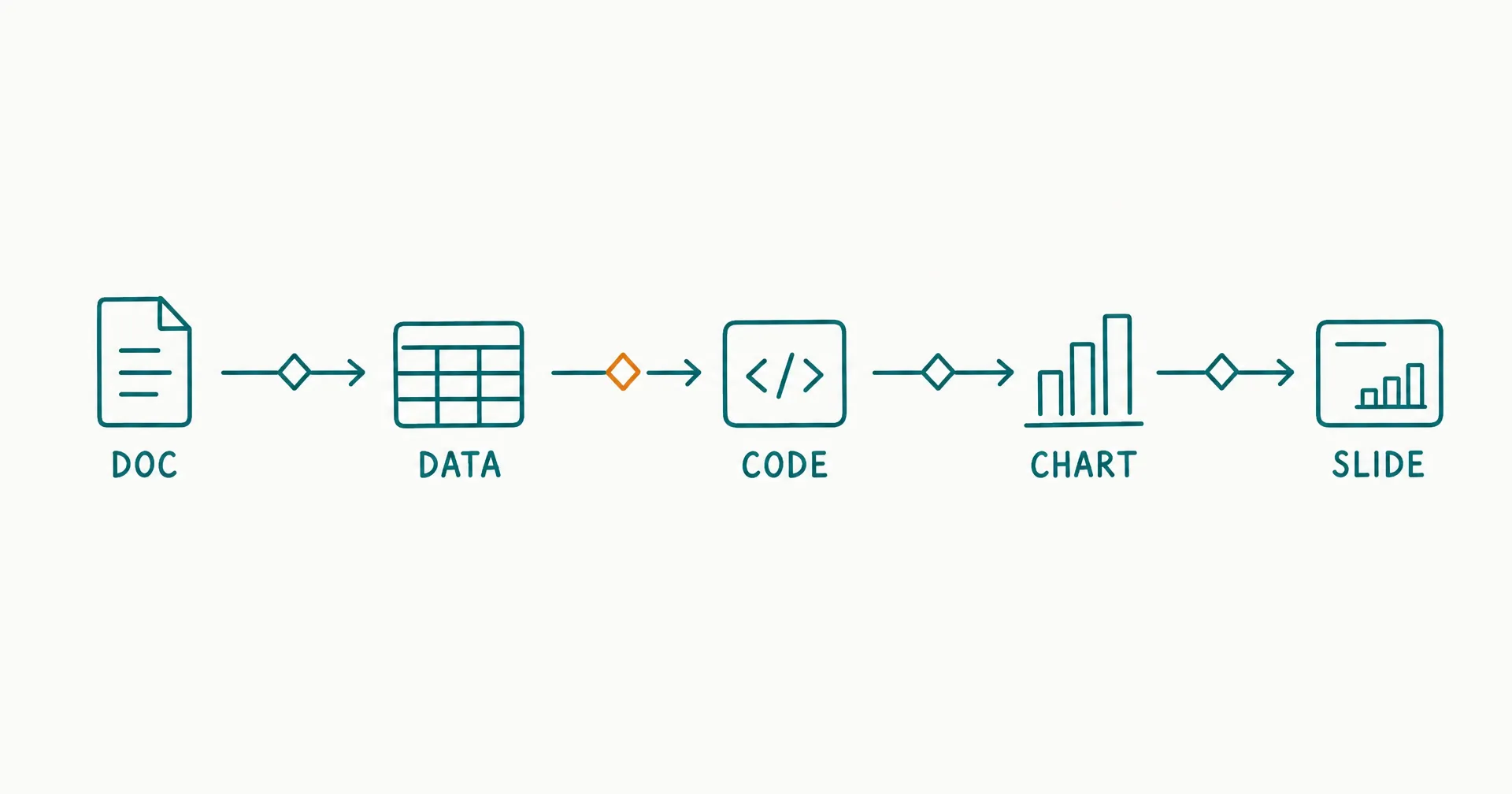
The business value is not the ability to “make text and images.” It is continuity across a real chain of work. A source document becomes structured data, code validates the numbers, a chart communicates the result, and a decision memo or presentation preserves the same facts and caveats.
That breadth also creates a new failure surface. Every transition can lose a unit, date, source, instruction, approval boundary, or material uncertainty. A capable super-agent may coordinate the complete chain, but multimodality earns its place only when fewer handoffs produce a more reliable accepted outcome.
On this page · 14 sectionsOpen
- What Is a Multimodal AI Agent?
- When Does a Workflow Actually Need Multiple Modalities?
- Which Modality Layers Appear in Real Agent Work?
- How Does a Multimodal AI Agent Work End to End?
- How Do You Write an Artifact Contract?
- Why Do Cross-Modal Handoffs Fail?
- How Should Context and Artifacts Be Managed?
- How Should Multimodal AI Agents Be Evaluated?
- When Should a Specialist Handle One Modality?
- What Governance Does Multimodal Work Require?
- What Does a Complete Multimodal Workflow Look Like?
- How Does CellCog Fit Multimodal Agent Work?
- How Should You Pilot a Multimodal AI Agent?
- Make Every Modality Earn Its Place
- Use a multimodal AI agent when one outcome depends on several connected representations - such as PDFs, tables, code, charts, slides, images, audio, or video - not merely because the platform supports them.
- Start with the fewest modalities needed to preserve the task. A text-only output is better than an unnecessary video, and a deterministic spreadsheet pipeline is better than an agent when the path is fixed.
- Give every artifact a contract: source, schema, version, owner, required fields, prohibited changes, evaluator, and acceptance condition.
- Test transitions separately. A correct spreadsheet and an attractive presentation do not prove that the presentation uses the spreadsheet’s correct figures.
- Keep large files as named, versioned artifacts and load only the relevant parts into working context. Do not drag a full PDF, CSV, or media file through every step.
- Add a specialist when one modality repeatedly fails a focused test, needs distinct permissions, or requires domain expertise. Keep one general agent when context continuity is more valuable than separation.
§ 01What Is a Multimodal AI Agent?
A multimodal AI agent is an agentic system that works with multiple data or media types while selecting tools and steps toward a defined outcome. It differs from a multimodal model because the agent also manages workflow state, tool use, verification, recovery, and completion.
| System | What it can do | What it may not do | Practical test |
|---|---|---|---|
| Multimodal model | Interpret or generate multiple media types | Own a workflow or operate tools | Can it answer about an image or create one? |
| Media generator | Produce one or several output formats | Connect those outputs to one governed task | Does each output stand alone? |
| Multimodal AI agent | Use several modalities inside one goal-directed loop | Guarantee equal quality in every modality | Can it preserve requirements across the complete artifact chain? |
| Super-agent | Combine broad planning, tools, modalities, state, recovery, and completion | Prove universal competence or unlimited autonomy | Does one broad execution system complete the whole outcome? |
| General-purpose agent | Handle varied tasks and tools | Work across every media type | Can it adapt across task categories? |
| Specialized agent | Perform one role, domain, or modality deeply | Maintain full cross-workflow context | Does a focused contract improve quality or control? |
| Multi-agent system | Distribute work across multiple agent loops | Reduce handoffs automatically | Can the system govern ownership and coordination edges? |
The boundary matters because each claim requires different evidence. Image input proves perception. Video generation proves an output capability. Neither proves that the agent can use figures from a source-backed workbook in the correct scene, render the file, inspect it, and stop before publication.
Multimodal means more than visual
The common shortcut is to equate multimodality with image understanding. Business work uses a broader set of representations:
- natural-language instructions and documents;
- tables, spreadsheets, and database records;
- code, queries, and formulas;
- images, screenshots, charts, and diagrams;
- audio, speech, and transcripts;
- video, scenes, captions, and timelines;
- interfaces, application state, and actions; and
- files whose layout or rendering is part of correctness.
A PDF can contain text, tables, charts, images, page geometry, and annotations at once. Treating it as plain extracted text can discard the information required to interpret it correctly.
The agent loop is the defining difference
OpenAI’s developer quickstart presents text generation, image analysis, file inputs, tools, and agent building as distinct capabilities. A multimodal agent connects selected capabilities through a loop that can:
- inspect the current goal and state;
- identify the next required operation;
- select an appropriate capability or tool;
- create or update an artifact;
- verify the artifact or resulting state;
- repair, retry, escalate, or continue; and
- stop when the acceptance contract passes.
Without that loop, the user remains the integration layer.
§ 02When Does a Workflow Actually Need Multiple Modalities?
A workflow needs multiple modalities when the accepted outcome depends on information that cannot be preserved, checked, or communicated adequately in one representation.
The test is dependency, not variety.
| Workflow shape | Multimodal need | Better default |
|---|---|---|
| Summarize one clean text document | Low | Text model or document workflow |
| Extract a table from a scanned PDF and reconcile it | High | Document vision + structured data + validation |
| Apply a fixed formula to a stable CSV | Low | Deterministic code or spreadsheet automation |
| Investigate data, create charts, and explain the decision | High | Data + code + visual + narrative workflow |
| Generate an isolated decorative image | Low | Image generator |
| Create a campaign package from approved claims and brand assets | High | Source + copy + visual + layout + approval workflow |
| Convert a written briefing into narrated video | Medium to high | Text + audio + video, if the video has a real distribution job |
| Update a record through a known API | Low | API automation |
| Read an interface, interpret a chart, and prepare a controlled update | High | Vision + interaction + state verification |
Multimodality is justified when removing one representation would make the outcome materially less accurate, less usable, or impossible to validate.
Use the artifact-dependency test
For every proposed modality, ask:
- What information exists only in this representation?
- Which downstream artifact depends on it?
- How will the information be transferred?
- Which evaluator can detect a bad transfer?
- What happens if the capability is unavailable?
If a modality has no unique input, downstream dependency, or acceptance test, it may be decoration rather than workflow infrastructure.
Use the smallest sufficient modality set
More modalities increase:
- tool-selection choices;
- file and rendering failures;
- conversion loss;
- context volume;
- evaluation work;
- permissions and data exposure;
- latency and cost; and
- dependence on external generation services.
The right architecture uses the smallest set that can produce an accepted outcome. This follows the same task-fit principle used to identify the best first tasks for AI employees: begin with a bounded, observable result whose quality can be checked.
Distinguish essential, supporting, and optional outputs
Classify every artifact before execution:
| Class | Definition | Example | Failure effect |
|---|---|---|---|
| Essential | Required for outcome acceptance | Audited workbook | Task fails |
| Supporting | Improves inspection or use | Source-to-claim ledger | Review becomes harder |
| Optional | Valuable only if time and quality permit | Draft social graphic | Core package can still pass |
This prevents a failed optional video render from blocking an otherwise complete decision package. It also prevents an impressive image from hiding a failed essential calculation.
§ 03Which Modality Layers Appear in Real Agent Work?
The same format can play different roles. A spreadsheet may be an input, a working artifact, a final deliverable, or evidence that validates another output.
| Layer | Purpose | Examples | Main control |
|---|---|---|---|
| Input modality | Carries source evidence or instructions | PDF, email, image, recording, CSV | Provenance and access |
| Working modality | Supports transformation or analysis | Code, query, workbook, notes, diagram | Version and reproducibility |
| Output modality | Delivers the requested result | Memo, deck, dashboard, image, video | Acceptance and rendering |
| Action modality | Changes an external state | API call, browser action, file save, message | Permission and postcondition |
| Evidence modality | Proves what happened | Diff, test result, source ledger, approval | Attribution and retention |
Confusing these layers creates avoidable risk. A draft image used to explore a concept should not be treated as an approved campaign asset. A model-generated table should not become a source of record because it appears in a polished spreadsheet.
Text and documents carry claims and constraints
Text is usually where goals, policies, caveats, definitions, and explanations live. Document fidelity requires more than fluent sentences:
- every material claim has support;
- qualifications remain attached to the claim;
- names, dates, units, and versions are correct;
- required sections exist;
- prohibited language is absent; and
- the rendered document preserves headings, tables, footnotes, and page layout.
Data and code carry reproducible transformations
Tables, queries, formulas, and code should preserve types, joins, filters, assumptions, missing values, and calculation logic. Deterministic checks are usually stronger than a model’s verbal confirmation.
Use code or formulas to verify totals. Use schema checks to detect missing columns. Use range and type checks to catch malformed values. Preserve the original data and the exact transformation that created the result.
Images and diagrams carry spatial meaning
Images can encode composition, hierarchy, labels, relationships, color meaning, and brand constraints. Evaluation may require:
- optical character recognition for visible text;
- object and layout checks;
- label-to-data reconciliation;
- dimensions and aspect ratio;
- contrast and accessibility;
- rights and source review; and
- human inspection for visual defects.
An attractive chart is wrong when the scale, labels, or series no longer match the data.
Audio and video add time
Audio and video introduce sequence, timing, pronunciation, captions, scene continuity, and playback integrity. A correct script does not prove a correct render.
The acceptance contract may need transcript matching, duration bounds, caption timing, scene order, audio levels, frame dimensions, brand review, and a complete playback test.
Interfaces add external state
An agent may interpret a screen, click a control, upload a file, or update an application. The screenshot is an input modality; the action is an external effect.
A successful click is not the acceptance condition. Verify the resulting record, status, recipient, amount, file, or system state.
§ 04How Does a Multimodal AI Agent Work End to End?
A reliable workflow moves through seven stages. The exact route can change, but each stage has an explicit artifact and control.
| Stage | Agent responsibility | Artifact | Acceptance gate |
|---|---|---|---|
| 1. Define | Parse outcome, inputs, constraints, and authority | Task contract | Scope and owner approved |
| 2. Inventory | Identify source formats, versions, and missing inputs | Source manifest | Required inputs present or gaps visible |
| 3. Extract | Convert source information into structured objects | Evidence table | Values tied to source locations |
| 4. Transform | Analyze, calculate, code, or generate | Working artifacts | Tests and schemas pass |
| 5. Compose | Build the complete output package | Draft deliverables | Cross-artifact consistency passes |
| 6. Render and inspect | Open files and inspect actual output | Rendered previews | Layout, playback, and file checks pass |
| 7. Close | Deliver, save, propose action, or escalate | Completion record | Human or defined evaluator accepts |
The task is complete only when every essential artifact and transition passes.
End-to-end acceptance = all essential artifact gates pass AND all required transition gates pass
Begin with one completion contract
“Analyze this market and make content” leaves too many choices undefined. A stronger contract specifies:
- source boundary and date range;
- required claims and comparison dimensions;
- raw data and missing-value rules;
- calculations or code that must be reproducible;
- document, spreadsheet, image, or media formats;
- brand and accessibility requirements;
- actions that remain draft-only;
- deadline and cost budget;
- acceptance owner; and
- conditions that require a safe stop.
The agent may adapt the path without redefining the outcome.
Create a source manifest before transformation
The manifest should identify:
| Field | Example |
|---|---|
| Source ID | SRC-07 |
| File or URL | q2-revenue-report.pdf |
| Owner | Finance |
| Version/date | 2026-07-15 |
| Format | Searchable PDF with 2 embedded charts |
| Authority | Approved internal report |
| Sensitivity | Confidential |
| Permitted uses | Analysis and internal deck |
| Extraction status | 3 tables captured; chart 2 pending |
| Known issue | Page 8 total differs from appendix |
The manifest prevents a later chart or slide from citing “the report” when several versions exist.
Preserve intermediate artifacts
Use an evidence table, cleaned dataset, analysis code, calculation workbook, chart data, copy deck, script, and render preview as separate versioned objects. Do not rely on one conversation to preserve the complete state.
Intermediate artifacts support recovery. If the video renderer fails, the approved script and scene plan should remain available. If a chart is wrong, the team should be able to return to its data series without repeating the research.
Close on observable state
Anthropic’s agent-evaluation guidance distinguishes the final response from the outcome in the environment. An agent can claim that a file was created while the file is missing, corrupted, or stored in the wrong location.
Closure should check the actual files, records, messages, and approvals - not the agent’s description of them.
§ 05How Do You Write an Artifact Contract?
An artifact contract defines what an output must contain, where it came from, how it is evaluated, and who may approve or use it.
| Contract field | Question | Example |
|---|---|---|
| Identity | What exact object is this? | launch_deck_v3.pptx |
| Purpose | Which decision or action does it support? | Internal launch approval |
| Source boundary | Which inputs may it use? | SRC-01 through SRC-12 |
| Schema/shape | Which sections, fields, dimensions, or duration? | 10 slides, 16:9 |
| Invariants | What must remain identical across artifacts? | Revenue figures and forecast period |
| Allowed transformation | What may change? | Summarize prose; do not change values |
| Prohibited content | What must not appear? | Unsupported customer or performance claims |
| Evaluator | What checks it? | Formula tests + source review + render inspection |
| Owner | Who accepts it? | Product marketing lead |
| State | Draft, reviewed, approved, published, retired? | Reviewed |
| Version | Which revision is current? | v3 supersedes v2 |
| Recovery | What happens on failure? | Return to workbook and regenerate affected slides |
The contract should be machine-checkable where possible and human-checkable where judgment matters.
Define cross-artifact invariants
An invariant is a fact or constraint that must survive every representation. Examples include:
- reporting period is April 1 to June 30, 2026;
- revenue is shown in U.S. dollars;
- percentages use the same denominator;
- the recommendation remains conditional on an unresolved source gap;
- the product name uses approved capitalization;
- external publication requires named approval; and
- every chart links to its source data.
Store invariants once and test them across the package. Rewriting them independently in each prompt increases drift.
Bind approval to a version
Approval of deck_v2 does not approve deck_v3. A changed chart, script, image, caption, recipient, or destination can invalidate the decision.
For consequential use, the approval record should identify the artifact ID, version, scope, approver, time, and allowed next action.
§ 06Why Do Cross-Modal Handoffs Fail?
Most multimodal failures are not caused by one capability being completely absent. They occur because information changes meaning between capabilities.
| Failure mode | Example | Detection | First repair |
|---|---|---|---|
| Extraction loss | Footnote omitted from PDF table | Source-to-row reconciliation | Capture location and qualification |
| Type loss | “12%” becomes 12 instead of 0.12 | Schema and range test | Normalize types explicitly |
| Unit drift | Thousands become full dollars | Unit invariant | Attach unit to every value |
| Time drift | Q2 figure labeled as June | Period comparison | Store start/end dates |
| Provenance loss | Slide cites a summary, not original source | Claim-source graph | Preserve source IDs |
| Assumption hardening | Scenario becomes stated fact | Assumption register | Label status in every output |
| Visual distortion | Truncated chart axis exaggerates change | Data-to-render inspection | Apply chart policy |
| Layout loss | PDF table overflows or clips | Render and screenshot check | Reflow or resize |
| Script/render mismatch | Narration changes approved claim | Transcript comparison | Regenerate audio from locked script |
| False completion | Tool reports save; file is absent | File existence/open test | Verify postcondition |
| Optional-output capture | Video failure blocks essential memo | Artifact class check | Separate essential and optional states |
| Unbounded repair | One change triggers full package rewrite | Dependency graph | Regenerate only affected descendants |
Extraction can remove meaning before analysis begins
A document parser may capture the visible number but lose its footnote, row label, color legend, page context, or table hierarchy. A screenshot model may interpret the chart but miss the appendix that corrects it.
For material values, retain:
- source ID;
- page, sheet, timestamp, or region;
- original text or cell reference;
- normalized value;
- unit;
- period;
- extraction method; and
- confidence or review state.
Transformation can create silent precision
Code can calculate the wrong metric perfectly. A chart can render bad data beautifully. The agent should not infer that a technically valid file is semantically correct.
Separate:
- schema validity;
- calculation validity;
- business-definition validity;
- source support; and
- presentation quality.
Each needs its own evaluator.
Generation can optimize appearance over truth
Images, slides, and videos can look complete while losing caveats, changing numbers, inventing labels, or using prohibited claims. Polished output raises the need for evidence, because reviewers may lower their guard when the artifact looks professional.
Lock approved facts and required caveats before creative generation. Compare the rendered artifact with the locked claim set afterward.
Repair can propagate unnecessarily
A changed source value should update the derived calculation, chart, memo sentence, and slide - not every unrelated artifact.
Maintain a dependency graph:
source > extracted value > calculation > chart > memo claim > slide > script > rendered media
When one node changes, revalidate its descendants and preserve unaffected approved work.
§ 07How Should Context and Artifacts Be Managed?
Large multimodal payloads should live as named, versioned artifacts rather than being pasted into every model call.
Google’s context-aware agent architecture shows how a 5MB CSV, a massive JSON response, or a full PDF transcript can become a permanent context tax when it remains in chat history. Its artifact pattern keeps the large object outside the prompt, exposes a lightweight reference, loads the content when needed, and removes it from working context after the task.
| Object | Durable location | Working-context representation |
|---|---|---|
| Large PDF | Versioned artifact store | Name, summary, relevant page references |
| Dataset | Data store or file | Schema, sample, query result |
| Image set | Asset store | Contact sheet, labels, selected files |
| Video | Media store | Metadata, transcript, key frames |
| Code repository | Version control | Paths, diffs, targeted files |
| Decision history | Decision log | Current accepted decision and dependencies |
| Task state | Structured state store | Current stage, blockers, next action |
Anthropic’s context-engineering guidance describes a similar just-in-time approach: keep lightweight identifiers such as file paths, stored queries, and links, then retrieve relevant data at runtime.
Separate artifact storage from model context
Storage answers, “What information and files exist?” Working context answers, “What does the agent need for this decision?”
The working set should contain:
- current objective and constraints;
- relevant source excerpts or query results;
- artifact references and versions;
- active invariants;
- unresolved gaps;
- applicable permissions; and
- the next acceptance condition.
It should not contain every prior file, failed render, duplicate message, or unrelated task.
Use summaries as indexes, not new authority
A summary should point back to the source objects it represents. If the summary conflicts with a current source, the source hierarchy should decide which one governs.
Never let a compressed description silently become the only evidence behind a chart, claim, or action.
§ 08How Should Multimodal AI Agents Be Evaluated?
Evaluation should cover each capability, each transition, the complete package, and the final external state.
| Evaluation layer | Question | Example check |
|---|---|---|
| Input interpretation | Did the agent read the source correctly? | PDF value tied to page and row |
| Capability slice | Did one operation work? | Formula test or image dimension check |
| Transition | Did meaning survive conversion? | Workbook figure equals chart series |
| Artifact | Does the deliverable satisfy its contract? | Deck structure and render pass |
| Package | Are all outputs mutually consistent? | Memo, deck, and dashboard use same period |
| Action | Did the correct external state change? | Intended record updated once |
| Recovery | Did failure remain bounded? | Resume from last valid artifact |
| Human acceptance | Is the result useful and safe enough? | Named owner approves current version |
Google’s Agent Development Kit overview pairs multimodal audio and video streaming with evaluation of execution paths and response quality against predefined datasets. The general lesson is broader than one framework: evaluate the path and result, not the format list.
Build a representative test pack
An illustrative 16-case pilot could include:
- 4 ordinary cross-modal tasks;
- 2 incomplete-source tasks;
- 2 conflicting-source tasks;
- 2 malformed or corrupted-file tasks;
- 2 changed-requirement tasks;
- 2 denied-tool or unavailable-capability tasks; and
- 2 prohibited-action or unsafe-publication tasks.
This is a design example, not an industry standard. Increase the sample when the workflow has more variation, rare high-impact failures, or several independent artifact paths.
Grade transitions with explicit denominators
Use measures such as:
Transition integrity rate = correct tested transfers / all tested transfers
Essential artifact acceptance rate = accepted essential artifacts / submitted essential artifacts
Package acceptance rate = accepted complete packages / attempted packages
Recovery success rate = safely resumed or closed failures / recoverable failures
Cost per accepted package = total platform + tool + review + correction cost / accepted packages
Also track unsupported claims, unit errors, render failures, wrong-tool selections, human correction minutes, and approval violations.
Do not average away hard failures
A package with a 95% weighted quality score still fails if it sends an unapproved asset, exposes protected data, corrupts a required workbook, or uses a materially wrong figure.
Keep non-compensating gates separate:
- prohibited action;
- sensitive-data disclosure;
- missing essential artifact;
- invalid or unsupported material claim;
- unreconciled calculation;
- corrupted final file; and
- inability to stop or recover.
Evaluate rendered output
File generation is not file acceptance. Open the workbook, document, presentation, image, audio, or video in a representative environment.
Check:
- file existence and type;
- dimensions, pages, sheets, slides, or duration;
- fonts, overflow, clipping, and broken layout;
- formulas, links, captions, and embedded assets;
- transcript or visible text;
- playback from beginning to end; and
- consistency with source and working artifacts.
§ 09When Should a Specialist Handle One Modality?
Keep one broad agent when shared context and adaptive sequencing improve the outcome. Add a specialist when a focused boundary produces measurable quality, control, latency, or cost gains.
The general-purpose versus specialized AI agent framework provides the complete architecture test. For multimodal work, the split decision should follow observed failures.
| Signal | First repair inside one agent | Add specialist when |
|---|---|---|
| Wrong capability selected | Clarify tool descriptions and active set | Errors persist across representative cases |
| Spreadsheet errors | Add schemas, formulas, and deterministic tests | Domain modeling needs focused expertise |
| Visual defects | Add layout rules and render inspection | Design quality remains below acceptance |
| Media latency or cost | Route only approved scripts to generation | Dedicated pipeline materially lowers cost |
| Context overload | Store artifacts externally and retrieve narrowly | One capability needs incompatible context |
| Permission conflict | Scope credentials by task and operation | Duties require separate identities |
| Correlated self-review | Add deterministic or human evaluator | Independent reviewer catches material errors |
A specialist is a fallback, not a prestige layer
Do not split merely because the task contains several formats. A specialist adds:
- another interface;
- context packaging;
- artifact transfer;
- version reconciliation;
- separate permissions;
- latency;
- cost; and
- another failure boundary.
The split is justified only when those costs are smaller than the measured improvement.
Keep the parent artifact contract intact
Whether the capability is a tool, model, workflow, or specialist agent, the parent owner should preserve the complete outcome and acceptance criteria. The specialist returns a bounded artifact and evidence; it does not silently redefine the final package.
§ 10What Governance Does Multimodal Work Require?
Capability breadth must not become authority breadth. An agent that can create documents, media, code, and application updates should receive only the data and actions needed for the current task.
| Risk boundary | Control |
|---|---|
| Source access | Allowlisted stores, accounts, projects, and files |
| Sensitive data | Purpose limitation, redaction, isolation, retention |
| Generated claims | Approved fact set, citations, claim review |
| Brand assets | Versioned guidelines and rights-cleared inputs |
| Code execution | Sandboxing, dependency control, output validation |
| External messages | Draft mode or parameter-bound approval |
| Publication | Named approver and version-bound release |
| Record updates | Operation-level permission and postcondition check |
| Media rights | Source, license, likeness, and usage review |
| Recovery | Checkpoints, rollback where possible, safe stop |
The AI employee versus workflow automation comparison explains why hybrid systems are often safer. The agent can interpret and compose while deterministic code enforces stable formulas, schemas, policy checks, and consequential state transitions.
Untrusted media is data, not instruction
Documents, images, transcripts, web pages, and files can contain hostile or irrelevant instructions. Their content should not override the task contract, system policy, or permission boundary.
Human review follows consequence
Internal draft artifacts may use sampled review after strong evidence. Public claims, regulated content, financial decisions, hiring decisions, legal or medical material, and irreversible actions require qualified human oversight appropriate to their consequence.
Users set the agent’s goals, permissions, and connected accounts and remain responsible for monitoring work performed on their behalf.
§ 11What Does a Complete Multimodal Workflow Look Like?
Consider an illustrative market-entry decision package. The input contains 8 approved source documents, one 5,000-row CSV, a brand guide, and a request for:
- a source ledger;
- a cleaned analysis workbook;
- a decision memo;
- an 8-slide presentation;
- one draft infographic; and
- one 30-second internal video summary.
The numbers define the example; they are not performance benchmarks.
Stage 1: inventory and extract
The agent records all 9 source objects, their dates, owners, permitted uses, and known gaps. It extracts material claims and table values with page or row references.
Gate:
- every required source is present or marked missing;
- every material extracted value has a location and unit;
- conflicting figures remain visible; and
- unapproved external sources are excluded.
Stage 2: clean and analyze
The agent preserves the raw CSV, creates a cleaned version, records transformations, runs calculations, and reconciles totals. Code or formulas validate row counts, types, missing values, periods, and outliers.
Gate:
- raw data remains unchanged;
- 5,000 input rows reconcile to kept, corrected, and excluded rows;
- formulas or code are available;
- assumptions are labeled; and
- failed checks block downstream claims.
Stage 3: form the decision
The memo combines the source evidence and analysis into one recommendation. Each material claim points to a source or calculated artifact. Unresolved questions remain conditions, not confident conclusions.
Gate:
- required decision dimensions are covered;
- claims have support;
- numbers match the workbook;
- uncertainty is visible; and
- prohibited recommendations are absent.
Stage 4: compose and render the presentation
The presentation uses the memo’s recommendation and the workbook’s chart data. The agent applies the brand guide, renders all 8 slides, and inspects the result.
Gate:
- every slide exists;
- figures and periods match the workbook;
- charts have correct labels and scales;
- text does not overflow;
- required caveats remain visible; and
- the file opens in the target environment.
Stage 5: create optional media
The infographic and video use only the approved claim set. The video script is derived from the accepted memo, then locked before narration and rendering.
Gate:
- visible and spoken claims match the approved script;
- captions match the audio;
- duration is within the 30-second requirement;
- brand and rights checks pass; and
- both assets remain drafts.
If the video fails, the essential workbook, memo, and presentation can still pass. If the workbook fails, every dependent artifact remains blocked.
Stage 6: test recovery
Repeat selected cases with one corrupted PDF, one changed CSV column, one failed render, and one denied media tool.
The agent should preserve valid work, identify the exact affected descendants, avoid prohibited substitutions, and resume from the last accepted artifact after correction.
§ 12How Does CellCog Fit Multimodal Agent Work?
CellCog presents its Super-Agent as a broad execution layer that plans, researches, builds, and delivers finished artifacts across multiple formats.
CellCog’s Super-Agent currently lists deep research, data analysis, code, PDFs, presentations, spreadsheets, images, video, speech, music, dashboards, web apps, diagrams, and 3D models among its output categories.
That is a product capability claim, not evidence that every modality or combination will meet every team’s quality threshold. The right evaluation uses the exact sources, formats, constraints, tools, permissions, and acceptance criteria required by the real workflow.
Match the product path to the artifact
CellCog publishes separate capability pages for tasks such as data analysis and presentation creation, alongside image- and video-generation skills.
Use those pages to identify the supported workflow surface, then test the actual artifact contract. A skill page does not replace a representative file, render, calculation, or review.
Do not transfer benchmark evidence across modalities
A research benchmark can support a scoped research claim under its published task set and evaluator. It does not automatically establish spreadsheet correctness, code quality, visual fidelity, video quality, tool reliability, or cross-modal transition integrity.
CellCog’s DeepResearch Bench standings page is an example of a correctly scoped claim: it names the benchmark, dates the result, and links the live leaderboard rather than extending the evidence to other modalities.
Evaluate platform breadth against one complete job
The AI employee platform selection framework helps score role fit, tools, memory, permissions, evaluation, reliability, cost, and data controls. For multimodal work, add:
- required input and output formats;
- artifact storage and versioning;
- deterministic validation;
- rendering and playback inspection;
- cross-artifact reconciliation;
- specialist fallback;
- model and tool routing;
- and cost per accepted package.
§ 13How Should You Pilot a Multimodal AI Agent?
Start with one bounded artifact chain whose current human workflow is known.
| Phase | Action | Evidence needed to advance |
|---|---|---|
| 1. Map | List inputs, artifacts, dependencies, owners, and permissions | Approved workflow map |
| 2. Baseline | Measure current time, handoffs, corrections, defects, and cost | Comparable human/tool baseline |
| 3. Contract | Define artifact and transition acceptance | Versioned rubric |
| 4. Shadow | Run ordinary and failure cases without external effect | Complete execution records |
| 5. Draft | Produce reviewable files with no independent publication | Accepted essential artifacts |
| 6. Expand | Add one capability, modality, or bounded permission | Relevant regression pack passes |
| 7. Decide | Continue, repair, specialize, narrow, or stop | Documented decision |
Map every artifact to one capability and evaluator
Use a matrix like:
| Artifact | Producing capability | Primary evaluator | Fallback |
|---|---|---|---|
| Source ledger | Document extraction | Source-location reconciliation | Human review |
| Workbook | Data analysis + code | Formula, schema, and total checks | Data specialist |
| Memo | Synthesis | Claim-source and decision rubric | Domain reviewer |
| Presentation | Document/layout generation | Workbook reconciliation + render review | Presentation specialist |
| Infographic | Image/layout generation | Claim, label, dimension, and brand review | Designer |
| Video | Script + audio/video generation | Transcript, timing, playback, and brand review | Media pipeline |
Map each workflow artifact to a capability and evaluator before choosing a platform or adding modalities. This exposes unsupported steps before they become dependencies.
Expand one boundary at a time
Do not change the model, tools, source set, artifact list, and permissions in the same release. A failed result will not reveal which boundary caused the regression.
Add one meaningful capability, rerun affected cases, and preserve the previously accepted package as a comparison.
§ 14Make Every Modality Earn Its Place
A multimodal AI agent is valuable when one accepted outcome genuinely crosses representations and continuity reduces manual handoffs. It is not valuable merely because a platform can create many formats.
Map the source, artifact, dependency, evaluator, owner, and fallback for every step. Keep large objects outside working context until needed. Test each capability, every important transition, the complete package, and the final external state.
If one broad agent preserves the chain reliably, keep the architecture simple. If one modality repeatedly fails, add a focused specialist or deterministic pipeline. The number of formats is not the success metric; the accepted, internally consistent outcome is.
Q1What is the difference between multimodal AI and a multimodal AI agent?
Multimodal AI can interpret or generate more than one information type. A multimodal AI agent also pursues a goal through an execution loop that selects tools, maintains state, creates artifacts, verifies results, recovers from failure, and stops under a completion rule.
Q2Does a multimodal AI agent need to use every modality in one task?
No. It should use the smallest set required for the accepted outcome. A workflow may need PDFs, tables, code, and slides but no audio or video. Unnecessary modalities add cost, latency, evaluation work, and failure surface.
Q3Is a PDF one modality?
Operationally, a PDF can contain several representations: text, tables, charts, images, annotations, and page layout. A text extractor may be enough for a simple document, while a scanned or layout-dependent PDF may require vision, optical character recognition, table extraction, and render inspection.
Q4How do you measure cross-modal accuracy?
Test explicit transitions. Compare source values with extracted rows, rows with calculations, calculations with charts, charts with narrative claims, and approved scripts with rendered audio or video. Track transition integrity, artifact acceptance, complete-package acceptance, correction time, and hard control failures.
Q5When should a multimodal workflow use specialized agents?
Add a specialist when one capability repeatedly fails representative cases, needs domain-specific tools or evaluation, requires separate permissions, or provides a measured latency or cost benefit. Keep one broad agent when shared context and adaptive sequencing matter more than the additional interface.
Q6Are multimodal AI agents safe for autonomous publication?
Capability does not establish publication authority. Keep public claims and consequential actions in draft or approval mode until the exact workflow has passed source, artifact, render, permission, and recovery tests. Bind approval to the artifact version and destination.