OpenAI’s GPT Image 2.6 can now return SVG, and when it works the vectors are lovely: clean shapes, tiny files, and lettering you can still edit in a text editor. We wanted to know whether it could replace Recraft V4.1, the model behind CellCog’s vector and icon tool, so we ran both on the same prompts in the first two nights after launch and paid for every call on our own keys.
Recraft returned a vector for 9 of 9 requests, in about eight seconds each. GPT Image 2.6 returned 9 of 48 valid requests. Every failure was the same bare server error, and almost every prompt with words in it failed. We are keeping Recraft. Below is everything we measured, including what we got wrong the first time.
On this page · 8 sectionsOpen
 Recraft V4.1 returned an SVG for all 9 of our prompts, in a median 8.3 seconds, at a flat $0.08 each.
 GPT Image 2.6 returned 9 SVGs from 48 valid requests (19%); every failure was a bare HTTP 502 after 11 to 91 seconds.
 GPT Image 2.6 makes an SVG with two models: the image model draws a reference picture, then a language model set by svg.model writes the vector code.
 Prompts with lettering went 3 for 41 on GPT Image 2.6, and no reasoning effort, quality or author model fixed it; text-free prompts went 6 for 7.
 GPT Image 2.6 keeps words as live, editable text inside the SVG, while Recraft traces every letter into shapes.
 A returned GPT vector cost $0.03 to $0.23 because both models bill, so simple icons are cheaper than Recraft and detailed work costs the same or more.
§ 01The result
| Recraft V4.1 | GPT Image 2.6 | |
|---|---|---|
| Valid requests | 9 | 48 |
| SVG returned | 9 | 9 |
| Success rate | 100% | 19% |
| Median time, successful calls | 8.3s | 20.9s |
| Wait before a failure | no failures | 11.2s to 91.3s |
| Cost per returned vector | $0.08 flat | $0.03 to $0.23 measured |
| File size | 21 to 77 KB | 0.3 to 14 KB |
| Lettering in the file | outlined into shapes | live, editable text |
“Valid” leaves out four calls the API rejected with a stated reason (a missing parameter, a model name we made up on purpose, an unsupported setting). Those were our probes, not its failures. Recraft was called exactly the way our production tool calls it: the recraftv4_1_vector model, 1024 by 1024, no style. GPT Image 2.6 was called with the fields OpenAI’s API reference lists, described below.
§ 02How GPT Image 2.6 makes an SVG
It is two models in a row. OpenAI’s image guide says it plainly: “The API creates a reference image and uses it to produce the SVG.” The image model draws a picture first, and a separate language model, the SVG author, then writes the vector code from it. You pay both: the image model’s rate for the reference picture and the author model’s rate for every token of code it writes.
| Field | What it controls | Notes |
|---|---|---|
model |
The image model that draws the reference | gpt-image-2.6-flare or gpt-image-2.6-sunburst |
quality |
The reference picture only | Not the SVG author’s work |
output_format |
Must be svg |
n must be 1; no streaming |
svg.model |
The language model that writes the SVG | Required; gpt-5.6 resolved to gpt-5.6-sol |
svg.reasoning.effort |
How hard the author reasons | Optional; gpt-5.6 rejects minimal |
A correction to our own launch-night post: we called svg.model undocumented. It is missing from the image generation guide, but it is in OpenAI’s API reference and its Python SDK, which describe it as “Model used to author the SVG.” A request without it gets a clear 400 error naming the field.
§ 03Where it fails
Here is every valid GPT Image 2.6 SVG request we made, grouped by what the prompt asked for.
| Prompt | Requests | SVG returned | Rate |
|---|---|---|---|
| Our bakery logo with a two-line wordmark | 19 | 1 | 5% |
| OpenAI’s own example prompt for the same logo | 3 | 0 | 0% |
| Flow diagram with three labels | 14 | 1 | 7% |
| Bar chart with printed values | 2 | 0 | 0% |
| Round badge with curved text | 2 | 0 | 0% |
| The single word HELLO | 1 | 1 | 100% |
| Editorial scene, no text | 2 | 1 | 50% |
| App icons and a pictogram, no text | 3 | 3 | 100% |
| Set of four line icons | 1 | 1 | 100% |
| Fox mascot | 1 | 1 | 100% |
Prompts with lettering went 3 for 41. Prompts without it went 6 for 7. The prompt OpenAI uses in its own guide failed all three times we sent it.
Every failure looked the same: an HTTP 502 with no message, after 11 to 91 seconds. That is not a rejection. A malformed request comes back at once with a 400 that says what is wrong, and we saw those when we tested invalid settings. A 502 after half a minute means the request was accepted, work started, and something behind OpenAI’s gateway died before it finished.
We tried to make it pass. None of these changed the picture for prompts with lettering:
- Reference quality at low, medium and high on Flare, and high on Sunburst.
- Author reasoning effort set to none, low and medium.
- Switching the SVG author from
gpt-5.6togpt-5.5, which helped some: it returned the logo, the diagram and the scene once each, and still failed the chart, the badge, a second logo and OpenAI’s example.
| SVG author | Valid requests | SVG returned |
|---|---|---|
gpt-5.6 (ran as gpt-5.6-sol) |
41 | 6 |
gpt-5.5 |
7 | 3 |
Our reading, which we cannot prove from outside: the failures happen in the authoring step, and lettering is where that step does the most work. The author wrote 112 output tokens for HELLO and 6,669 for the editorial scene. Detailed drawings with text need long, careful vector code, and those are the calls that time out. Launch-week load may be part of it. We will know more in a week.
§ 04Side by side
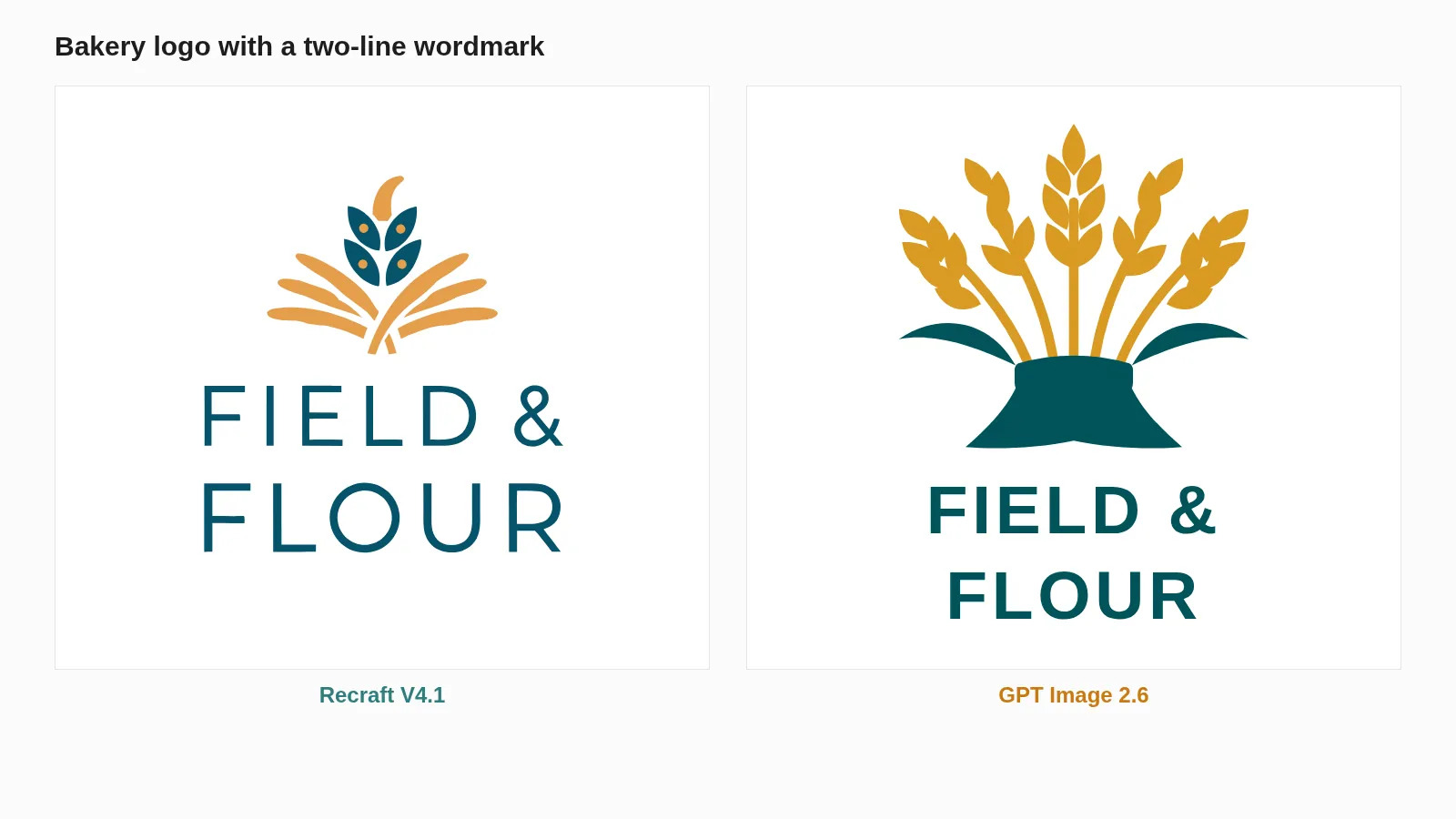
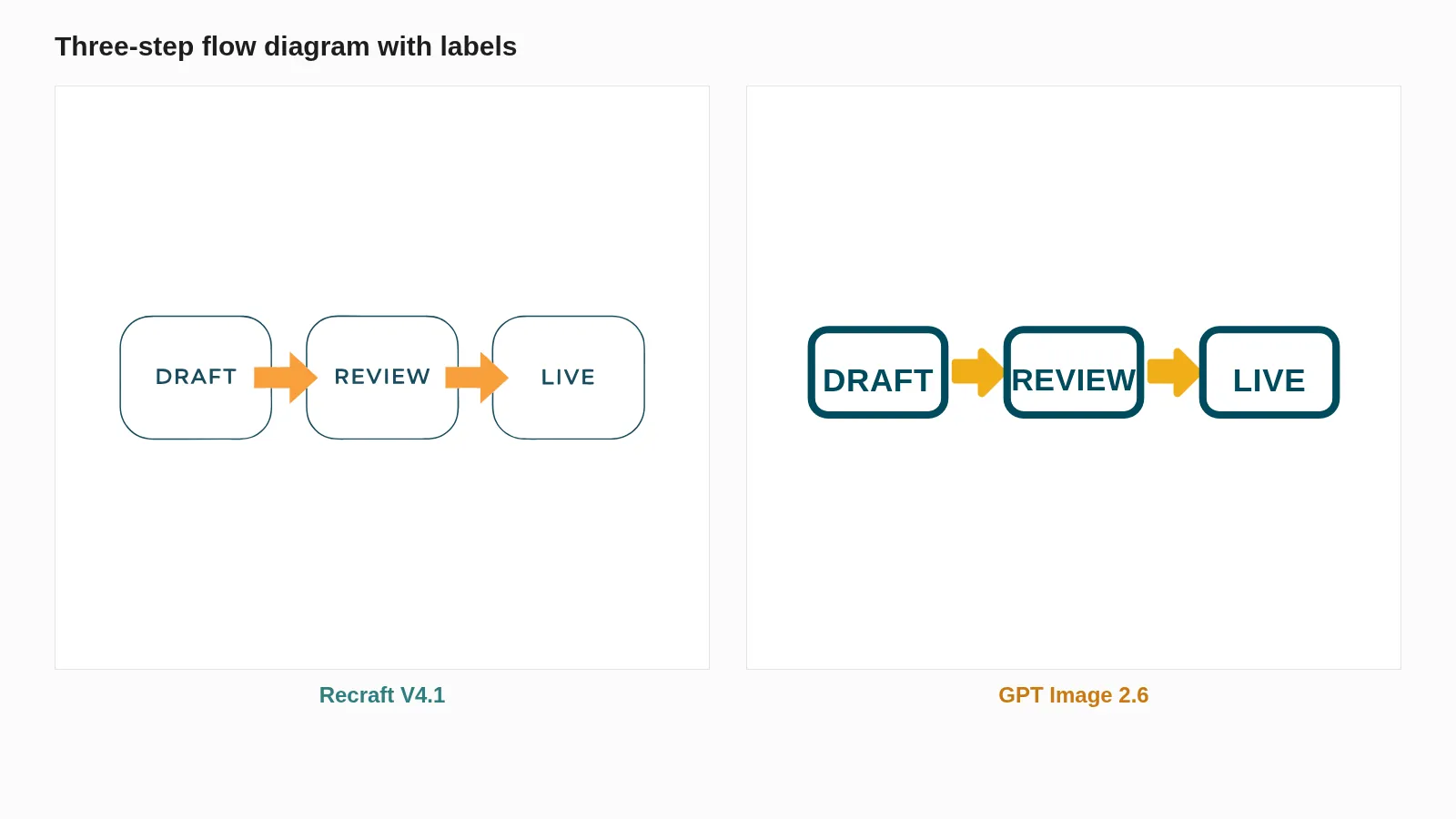
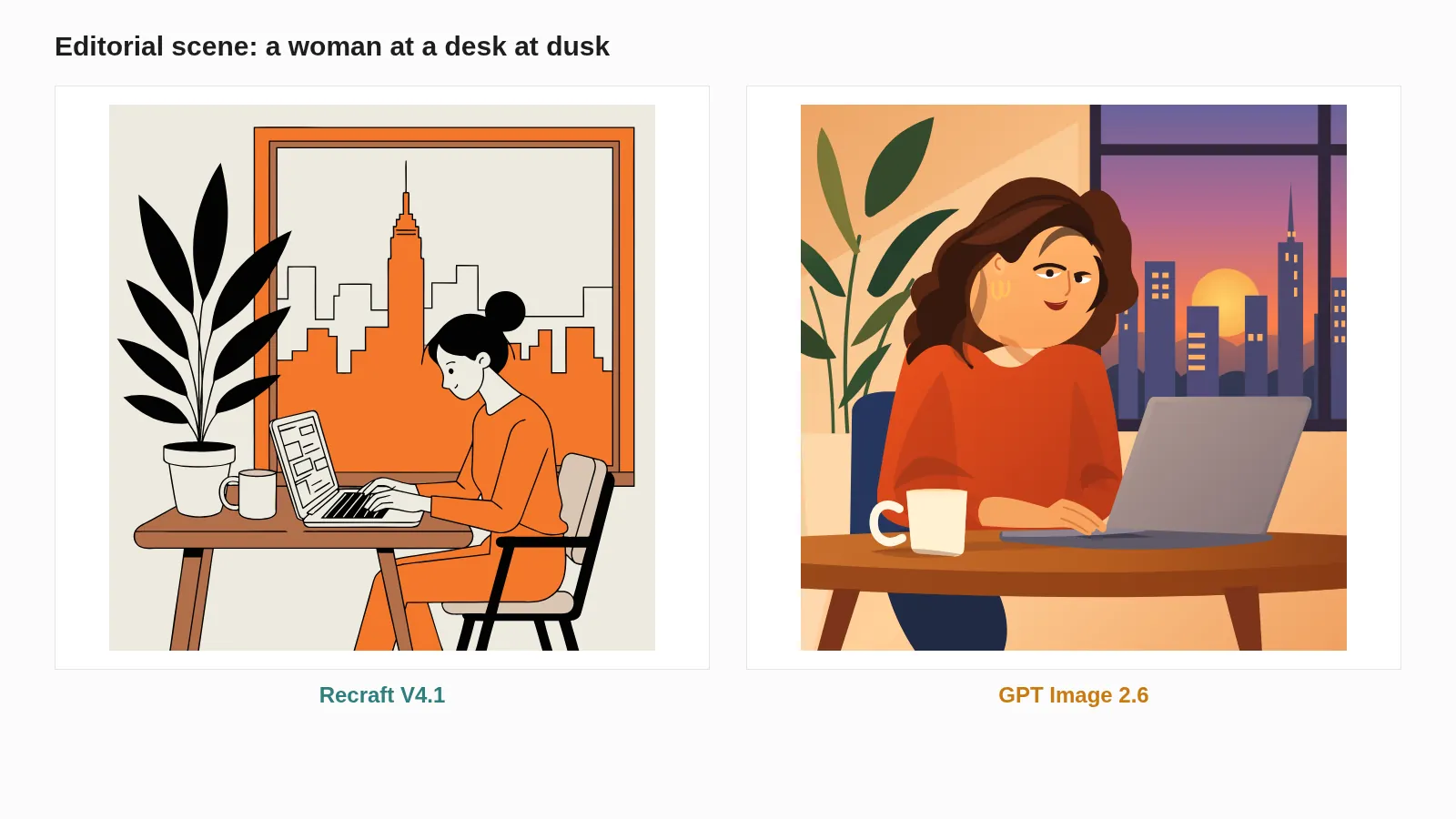
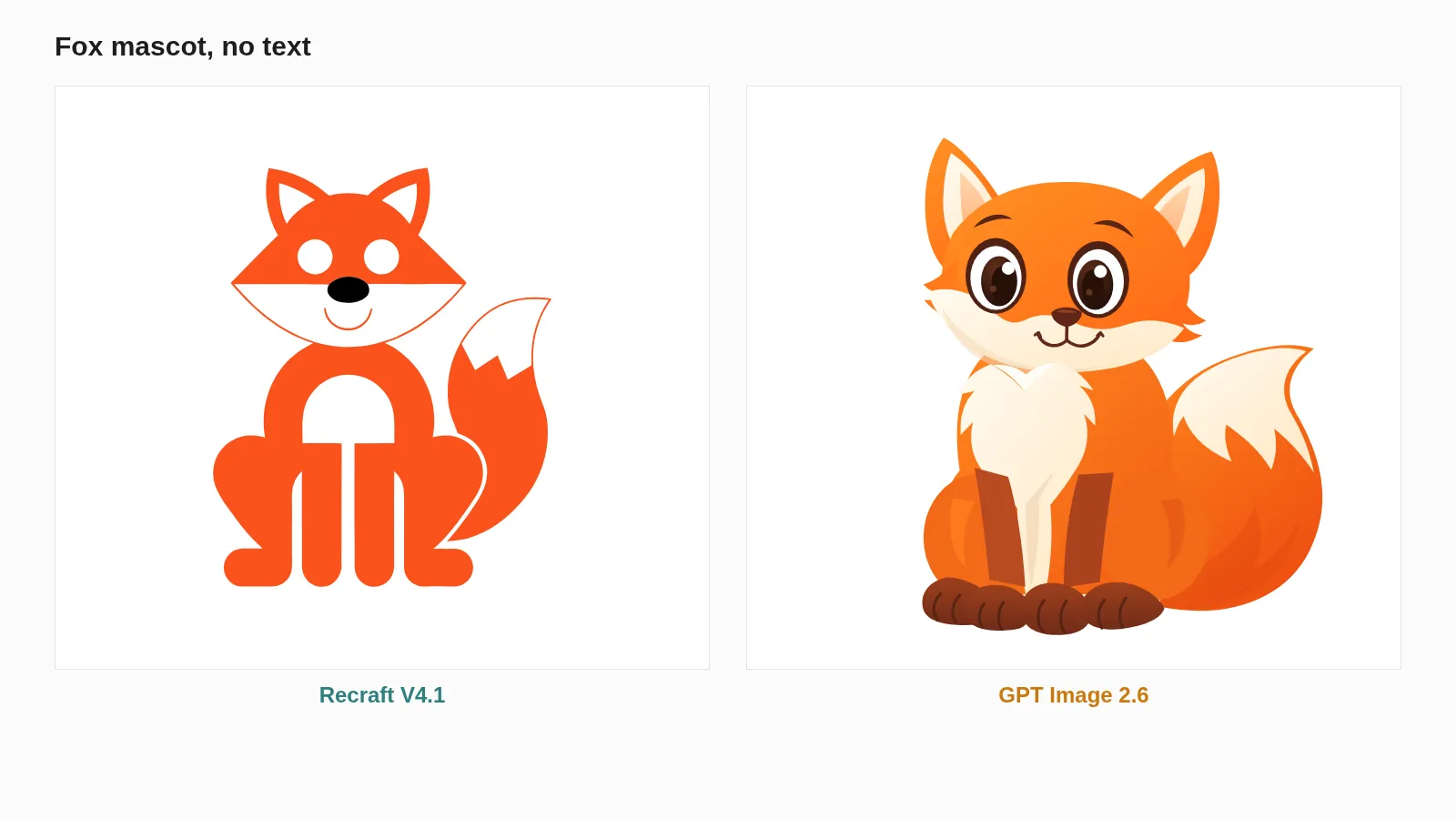
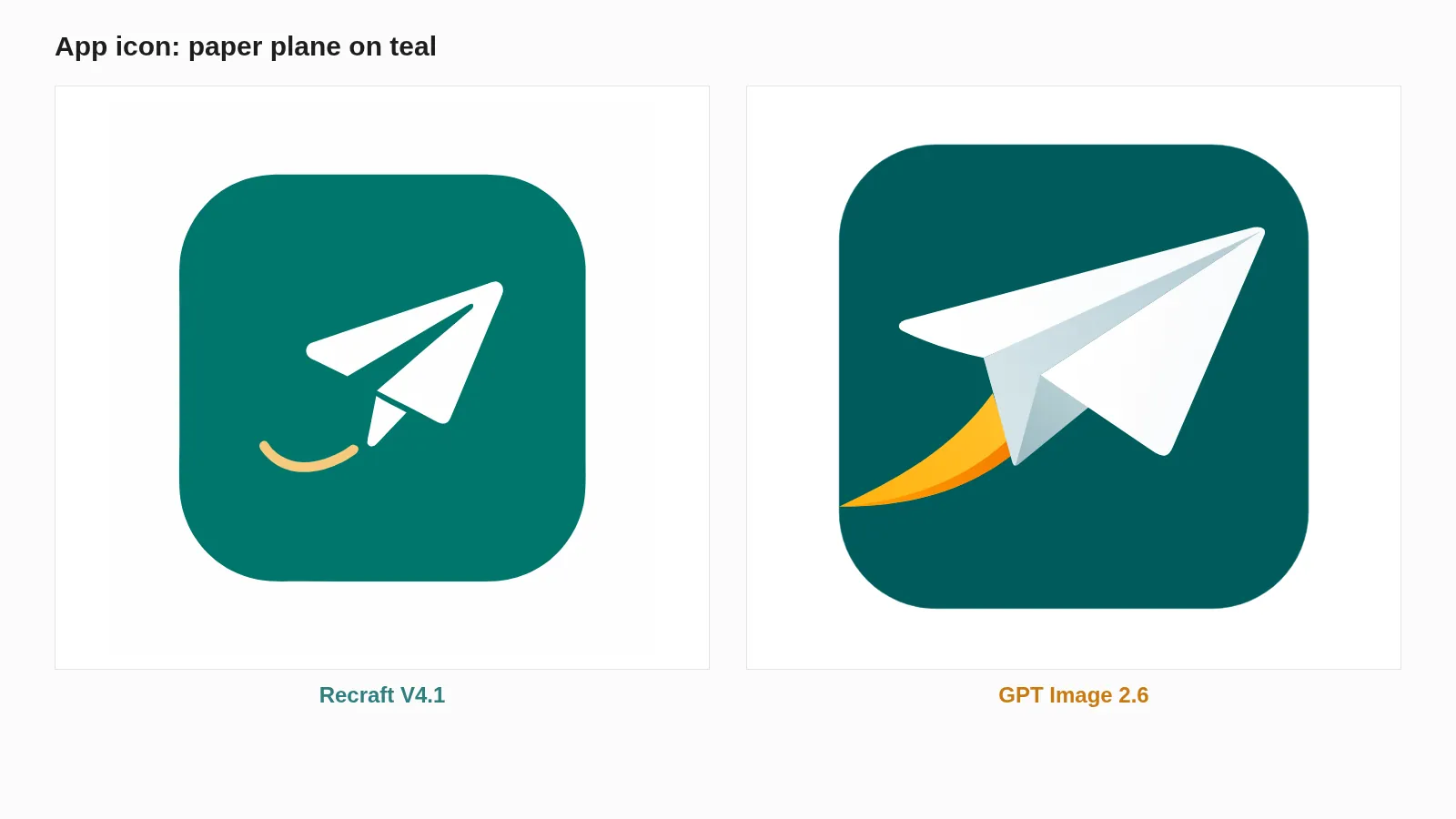
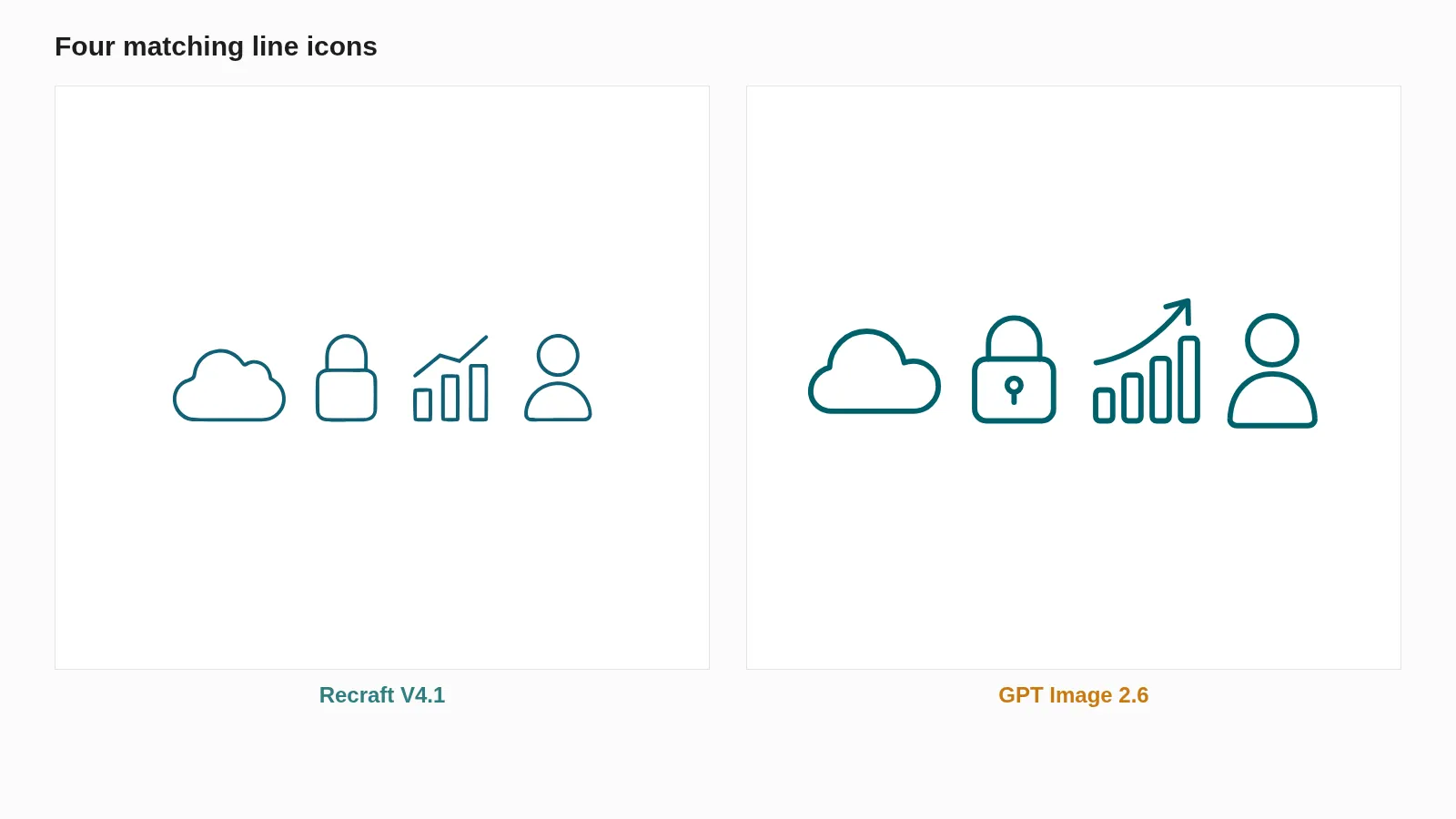
When GPT Image 2.6 does return, the drawing holds up well. It is bolder and fuller, and the scene in particular is a step up. Recraft’s lettering is lighter and better set, its diagram is tidier, and across the set our team preferred Recraft. For brand and interface work, where type matters most, that preference and the reliability gap point the same way.
§ 05What a vector costs
Recraft charges a flat $0.08 per vector image. GPT Image 2.6 charges for two models, so the price moves with how much code the author writes.
| Prompt | Setup | Author tokens in / out | Cost |
|---|---|---|---|
| HELLO | GPT 2.6 + gpt-5.6-sol |
1,563 / 112 | $0.033 |
| App icon | GPT 2.6 + gpt-5.6-sol |
1,574 / 1,031 | $0.052 |
| Flow diagram | GPT 2.6 + gpt-5.5 |
1,593 / 1,231 | $0.070 |
| Bakery logo | GPT 2.6 + gpt-5.5 |
1,596 / 2,295 | $0.102 |
| Editorial scene | GPT 2.6 + gpt-5.5 |
1,589 / 6,669 | $0.233 |
| Any prompt | Recraft V4.1 | none | $0.080 |
Every GPT row includes the low-quality reference picture, 824 output tokens or $0.025, plus the author’s tokens at $4 and $20 per million for gpt-5.6-sol or $5 and $30 for gpt-5.5. Simple icons come out cheaper than Recraft; anything with real detail comes out the same or dearer. We could not tell from outside whether the failed calls were billed, and at a 19% success rate that question matters more than the per-file price.
§ 06The real advantage: text you can edit
The most useful difference is not on the slides. It is inside the files. Every one of Recraft’s nine SVGs had zero text elements: the lettering is traced into shapes. GPT Image 2.6 kept its words as real text, three elements in the diagram, two in the logo, one in HELLO. You can open the file and change LIVE to SHIPPED without generating anything again.
The trade-off is fonts. Live text renders in whatever typeface the viewer’s machine has unless the font is embedded, while Recraft’s outlined letters look the same everywhere. GPT’s files were also 3 to 17 times smaller for the same prompt.
§ 07What we are doing about it
Recraft V4.1 stays the engine behind CellCog’s vector and icon tool. GPT Image 2.6 is not reliable enough to be a default when four requests in five fail and the failures cluster on exactly the work people use vectors for: logos, diagrams, charts and badges.
We are re-running the same prompts every week. When GPT Image 2.6 returns at least 95% of them in a full run, we will compare again, because editable text and small files are worth switching for. The raster side of GPT Image 2.6 is a separate story, measured in our GPT Image 2.6 vs 2.5 test.
§ 08Sources
- OpenAI, Image generation guide, SVG and GIF sections, read November 5, 2026.
- OpenAI, OpenAPI specification for the Images API,
svgandSvgParamschemas, read November 5, 2026. - OpenAI, API pricing,
gpt-5.6-solandgpt-5.5rates, read November 5, 2026. - Recraft, API pricing, V4.1 vector at $0.08 per image, read November 5, 2026.
- CellCog test runs: 61 requests across November 4 and 5, 2026, every request and response saved.
Q1How do I request an SVG from GPT Image 2.6?
Send output_format svg with n set to 1 and an svg object naming the author model in svg.model, for example gpt-5.6. Without svg.model the API returns a 400 error.
Q2Is svg.model documented?
It is in OpenAI’s API reference and Python SDK but not in the image generation guide. We called it undocumented on launch night; that was wrong.
Q3Does reasoning effort or quality fix the 502 errors?
Not in our test. Effort none, low and medium, quality low, medium and high on Flare, and high on Sunburst all failed on prompts with lettering.
Q4Should I switch my vector pipeline to GPT Image 2.6?
Not yet for logos, diagrams, charts or badges. It is worth testing for text-free icons, and worth re-testing for everything as OpenAI’s capacity settles.
Q5Does Recraft keep text editable?
No. In all nine of our Recraft files the lettering was traced into shapes, so it looks the same everywhere but cannot be retyped.