Anthropic said on November 16, 2026 that Claude Code on desktop now supports the iPhone Duo in the iOS Simulator, in public beta. In the company’s words on X, you can “run your app on Duo next to your conversation and Claude can fold and unfold the device to test each layout.” The post from @ClaudeDevs had about 580,000 views by 08:03 UTC on November 17.
On this page · 6 sectionsOpen
 Claude Code Desktop now supports the iPhone Duo in its iOS Simulator pane, in public beta, Anthropic said on November 16, 2026.
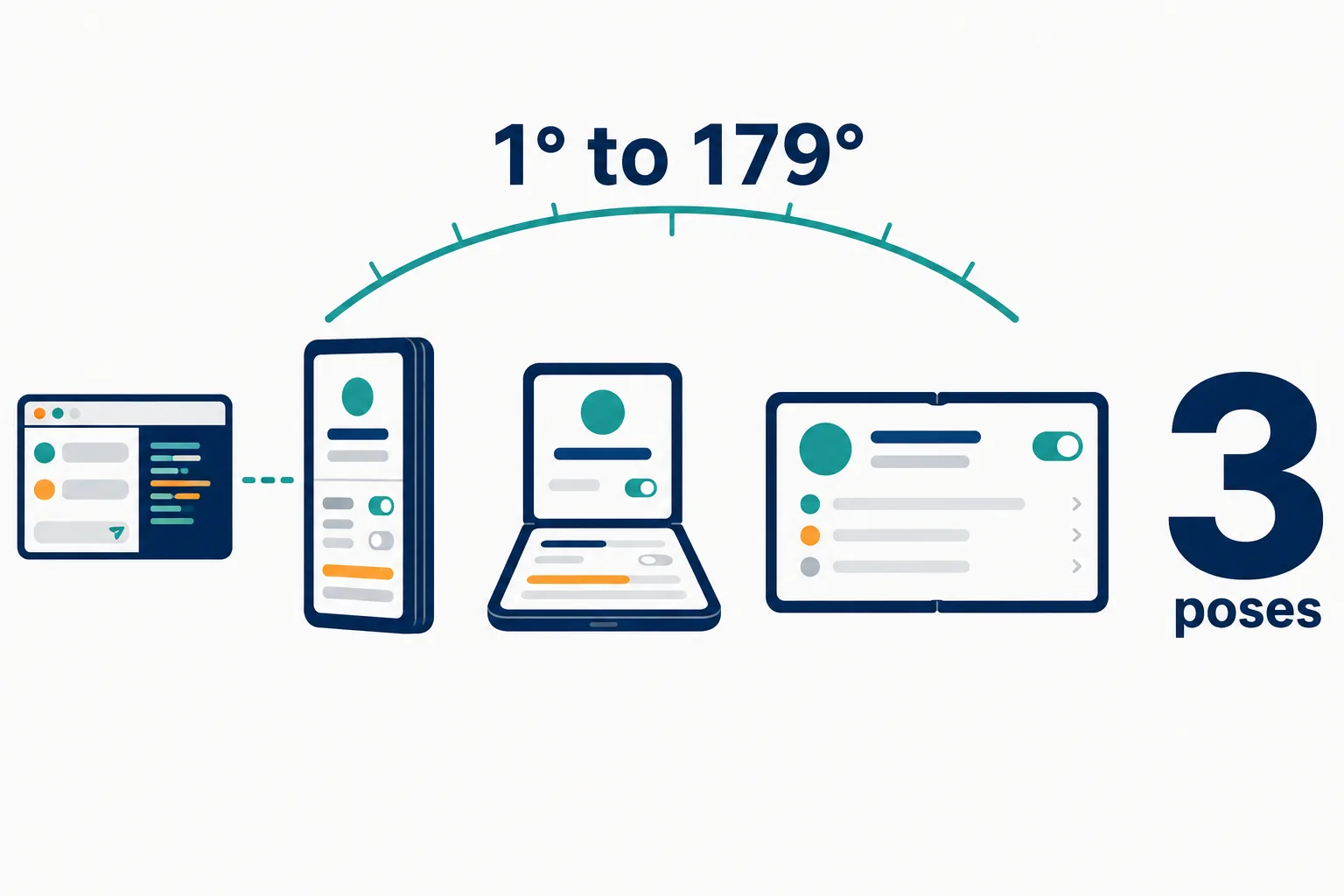
 Claude can fold the simulated device into three poses (closed, half open, open) or to any hinge angle from 1 to 179 degrees.
 It needs a Mac, Claude Desktop v4.29.0 or later, and Xcode 27.1 or later with the iOS 27.1 simulator runtime.
 The pane is on Pro, Max, Ultra, Team and Enterprise plans, not in Enterprise organizations with a HIPAA configuration or through a third-party provider.
 Claude’s screenshots of the simulated device are sent to Anthropic, so the docs say not to sign in to real accounts on it.
 Claude drives simulated devices only. It cannot control a physical iPhone or iPad.
§ 01What the iPhone Duo support does
The iOS Simulator pane already showed an app running in Apple’s simulator beside the chat in Claude Code Desktop. The new part is a folding device. Per Anthropic’s documentation, you can test your app “on an iPhone Duo simulator in the simulator pane and fold the device into each of its poses: closed, half open, and open.”
There are two ways to fold it. You can click one of the three pose buttons next to the rotate button, or drag a slider for an angle in between. Or you can ask Claude for a pose, or for a half-open hinge angle from 1 to 179 degrees. Anthropic’s example prompt: “Run the app on the iPhone Duo simulator and check the settings screen closed, half open, and open.”
Before a layout check on an iPhone Duo, Claude may ask to export Xcode’s agent skills to your personal skills folder. These ship with Xcode to guide coding agents, and one of them gets an app’s layout ready for the iPhone Duo. Once exported, Claude Code loads them in your other projects too.

§ 02Requirements, side by side
The iPhone Duo needs newer software than the simulator pane itself.
| Requirement | iOS Simulator pane | iPhone Duo in the pane |
|---|---|---|
| Computer | A Mac | A Mac |
| Claude Desktop | v1.24012.0 or later | v4.29.0 or later |
| Xcode | Xcode 26.x or 27 recommended | Xcode 27.1 or later |
| Simulator runtime | iOS platform installed | iOS 27.1 runtime |
| Session type | Local only | Local only |
| Plans | Pro, Max, Ultra, Team, Enterprise | Same |
Two groups cannot use the pane at all: Enterprise organizations that have a HIPAA configuration enabled, and anyone using Claude Code through a third-party provider.
§ 03What still asks for permission
Once you allow a device, Claude’s taps, typing and screenshots on it run without prompts. Three actions still follow your session’s permission mode, per the docs:
| Action | Why it still asks |
|---|---|
| Opening a URL on the device | A URL can carry data off the device |
| Building the app | xcodebuild runs your project’s build scripts on your Mac |
| Installing and launching an app | Claude can run any app it names, not only yours |
The docs add a privacy note worth reading twice: “Claude’s screenshots of the device are sent to Anthropic and kept under your normal conversation retention settings, so don’t sign in to real accounts on a device Claude uses.”
Organizations have two switches. The disableMobileSimulatorTools managed setting blocks Claude’s simulator tools while leaving the pane usable for your own taps. The requireCoworkFullVmSandbox policy key disables the pane and the tools entirely.
§ 04Limits and what is not known
Claude drives simulated devices only. The docs say plainly that it “can’t control a physical iPhone or iPad”; to test on real hardware you run the app from Xcode and describe what you see or attach a screenshot.
Not known yet: when the feature leaves public beta, and whether Anthropic will bring folding-device tests to the command line, where Claude reaches the simulator through computer use instead of the pane. For how Apple’s own tools connect to Claude Code, see our post on the Xcode plugin for Claude Code.
§ 05Our conflict, declared
CellCog runs Anthropic’s Claude Opus 5.5 in its own product and writes code with Claude Code. We are an Anthropic customer and have no other relationship with the company.
§ 06Sources
- Anthropic, Test iOS apps in the simulator (Claude Code docs)
- @ClaudeDevs announcement on X, November 16, 2026
- Anthropic, Claude Code Desktop docs
- Apple, Downloading and installing additional Xcode components
Q1What poses can Claude fold the iPhone Duo into?
Closed, half open and open, or a half-open hinge angle from 1 to 179 degrees when you ask for one.
Q2Does the simulator pane need computer use?
No. Per Anthropic’s docs the pane drives the simulator directly, so it never takes over your screen. From the command line, Claude reaches the simulator through computer use instead.
Q3Can my company turn it off?
Yes. The disableMobileSimulatorTools managed setting blocks Claude’s simulator tools, and the requireCoworkFullVmSandbox policy key disables the pane entirely.
Q4Why does Claude ask to export Xcode agent skills?
Before a layout check on an iPhone Duo, Claude may offer to copy the agent skills that ship with Xcode into your personal skills folder. One of them prepares an app’s layout for the iPhone Duo.
Q5Does it work in cloud or SSH sessions?
No. The simulator pane works in local sessions only, because a cloud or SSH machine cannot reach the simulators on your Mac.