On October 26, 2026, Elon Musk posted that Grok Bot “is like hiring an incredibly competent chief of staff.” He was quoting Peter St Onge, who wrote that he had gone “full Grokbot” two days earlier and could not remember how he lived without it.
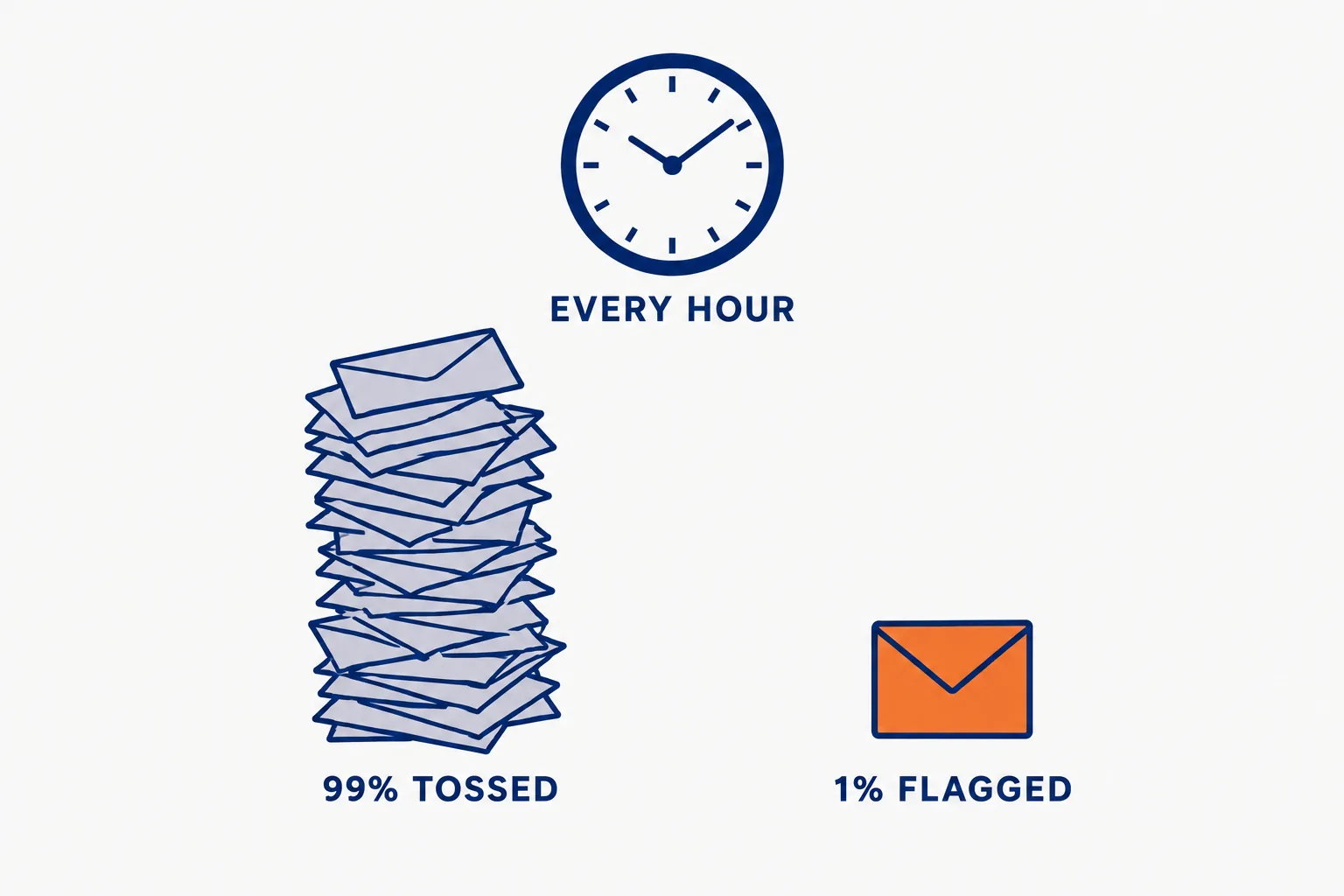
The post spread in hours because it names a job people understand. Underneath it is a specific, documented setup: an hourly sweep of the inbox that flags the few items that matter and drafts the replies.
On this page · 7 sectionsOpen
 On October 26, 2026, Elon Musk posted that Grok Bot “is like hiring an incredibly competent chief of staff”, quoting a user who said he had gone “full Grokbot”.
 The setup behind it: a Bot that checks email, DMs, mentions and LinkedIn every hour, flags what matters, drafts replies and tosses the other 99%.
 Cursor’s own docs list chief of staff as a Grok Bot role: a source-linked digest of what changed and what needs your attention, with a starter prompt that says don’t send messages or change meetings.
 Consequential actions sit behind approvals, and an independent review model called Auto Review checks risky actions before they run.
 Grok Bot comes with Cursor Premium at $30 a month and up; Super is $100 and Ultra $200, with 15x and 50x the usage of Plus.
§ 01What the viral setup does
St Onge’s description, in his words: “It checks email, DMs, mentions, and LinkedIn every hour.” And: “It flags anything interesting, drafts replies, and tosses the other 99%.”

That is three jobs in one routine: triage, drafting and filtering. None of it sends anything on its own, which is the part that makes it work for a busy person.
§ 02What Cursor’s own docs say a chief of staff Bot should do
Grok Bot is sold and documented by Cursor, and its use-case page lists chief of staff as one of eight roles. Cursor describes it as owning “a source-linked digest of what changed and what needs your attention.”
| St Onge’s setup (his post) | Cursor’s starter (Grok Bot docs) | |
|---|---|---|
| Sources | Email, DMs, mentions, LinkedIn | Approved channels, inbox, calendar, meeting notes |
| Cadence | Every hour | A scheduled routine, once the output is reliable |
| Output | Flags plus drafted replies | Items mapped to your priorities document, each with source, why it matters, next step and whether you owe a decision |
| What it never does | Not stated | “Don’t send messages or change meetings.” |
| Tuning | Not stated | Mark what was useful and what was noise before scheduling |
The difference matters. Cursor’s version ties every item to a priorities document and a source link, so the digest can be checked. A flag without a source asks you to trust the Bot.
§ 03The guardrails underneath
- Approvals. When an action needs approval, the conversation shows the operation and its inputs, with Allow once, Always allow and Deny. Cursor recommends keeping sending, publishing, purchasing and production changes behind approval.
- Auto Review. Cursor describes it as “an independent review model that evaluates risky Bot actions before they run.” It also says it “doesn’t review every side effect”: memory writes and most settings changes are examples.
- Sites can push back. Cursor’s overview says a site “can still block automation, expire a session, or require a” fresh sign-in. A LinkedIn sweep that runs through the browser rather than a connector is the kind of step that breaks.
§ 04What it costs
Grok Bot has no price of its own. It comes with Cursor’s paid plans from Premium up, and usage is a weekly pool shared across Grok and Cursor.
| Plan | Monthly | Annual | Included usage |
|---|---|---|---|
| Premium | $30 | $300 | 4x Plus |
| Super | $100 | $1,000 | 15x Plus |
| Ultra | $200 | $2,000 | 50x Plus |
Cursor says Premium suits new Agent users, Super daily Agent users and Ultra power users running several agents or Automations. An hourly sweep of four inboxes is daily use. Third-party models bill at API list price from prepaid credit on top.
§ 05Our conflict, and what to take from it
Our conflict, declared: CellCog sells AI employees, including an AI chief of staff, so we compete for the same job this post describes.
The useful lesson is Cursor’s, not ours: a chief of staff that works starts read-only, cites its sources, maps everything to your priorities and stops before it sends. Whatever you use, set it up that way first, then widen what it may do one approval at a time.
§ 06What we are watching
- The routine numbers. Whether Cursor publishes how many Bots run scheduled digests.
- LinkedIn. Whether LinkedIn objects to Bots sweeping members’ accounts.
- Plans. Whether the chief-of-staff role reaches Plus, which does not include Grok Bot today.
§ 07Sources
- Elon Musk on X, October 26, 2026, 17:35 UTC.
- Peter St Onge on X, October 26, 2026, 16:47 UTC.
- Cursor, Grok Bot use cases, read October 26, 2026.
- Cursor, Grok Bot overview and security and approvals.
- Cursor, Models and pricing, read October 26, 2026.
Q1How do I set up Grok Bot as a chief of staff?
Cursor’s guide: connect Slack, email, calendar and your planning documents, run the chief-of-staff starter prompt once, mark what was useful and what was noise, then schedule the digest as a routine for a time you can review it.
Q2Can Grok Bot send emails for me?
It can take actions in connected apps, but Cursor recommends keeping sending, publishing, purchasing and production changes behind approval, and its chief-of-staff prompt explicitly says not to send messages.
Q3Does Grok Bot read LinkedIn?
The viral setup says it checks LinkedIn every hour. Cursor’s docs warn that a site can still block automation or expire a session, so a sweep of a site without a connector can break.
Q4Is Grok Bot's Auto Review a guarantee?
No. Cursor says Auto Review doesn’t review every side effect, memory writes and most settings changes among them, and should complement explicit boundaries and least privilege.
Q5Which Cursor plan includes Grok Bot?
Premium at $30 a month adds Grok Bot, along with Cloud Agents, Automations and Bugbot. Super at $100 and Ultra at $200 include it with more usage.