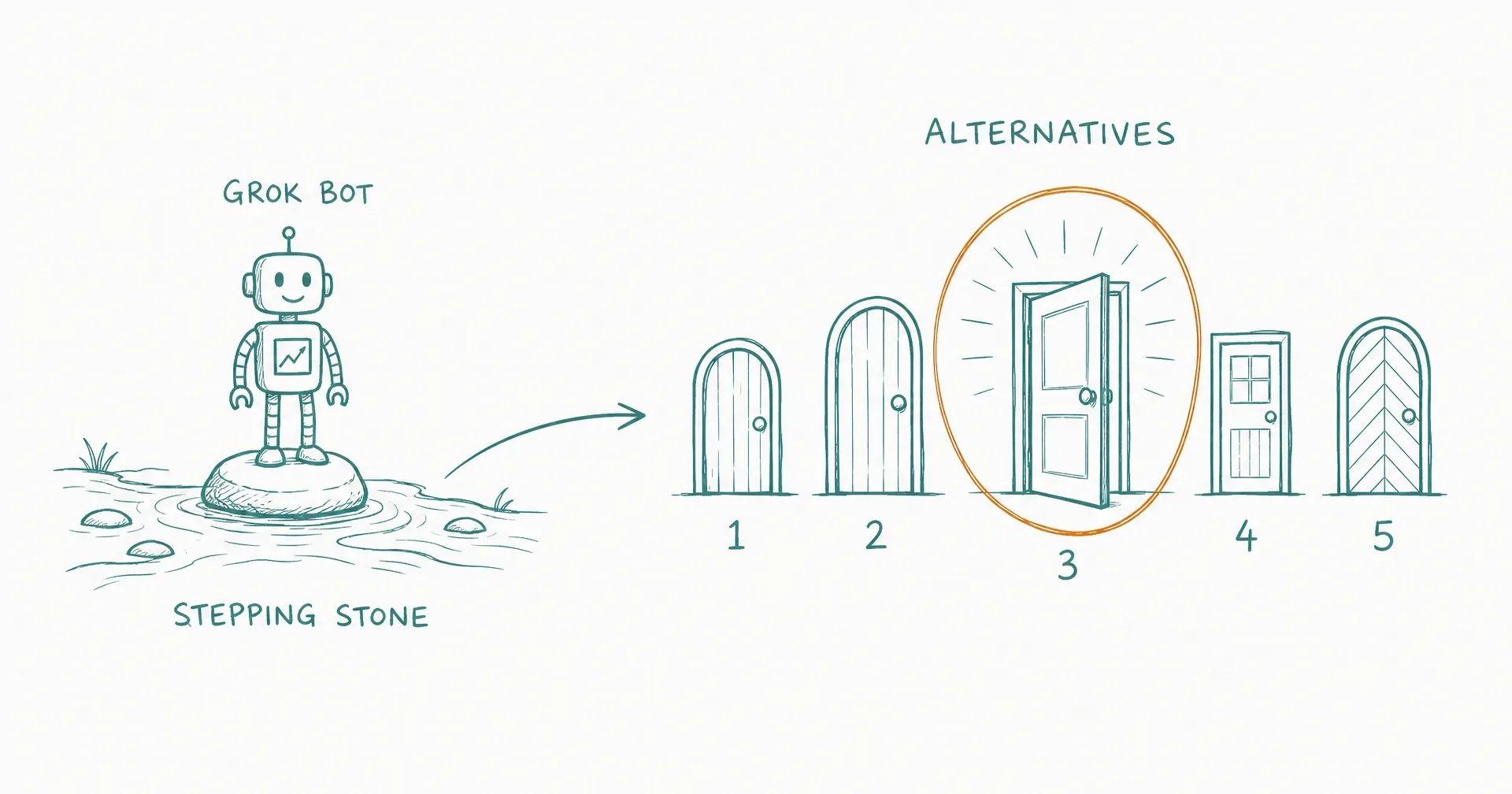
Grok Bot has been public for eleven days, and it has already done this category a favor no marketing budget could buy: the biggest lab in consumer AI is teaching millions of people that always-on AI teammates are real. On August 21, SpaceXAI widened the doors, adding SuperGrok Plus, Cursor Pro+, and all Cursor Teams plans to the eligible list and announcing a limited-usage free trial for everyone else.
More people trying Grok Bot means more people hitting its documented walls, and the search results show it: the alternatives query around this product is filling with vendor listicles, each ranking itself first. This page is our entry, written August 22, 2026, and we do the same thing with one difference in method: every claim about a competitor comes from their own documentation or dated coverage, every claim about us carries a receipt you can check, and we tell you plainly when staying with Grok Bot is the right answer.
On this page · 15 sectionsOpen
- Why people go looking in the first place
- The ranking, August 2026
- 1. CellCog: standing AI employees, and the org layer above them
- 2. Claude Cowork: the desktop knowledge-work pick
- 3. ChatGPT agent: the lowest-friction mainstream answer
- 4. Genspark: the commercial heavyweight
- 5. Manus: managed cloud project runs
- 6. Lindy: the no-code workflow pick
- 7. OpenClaw: the self-hosted control play
- 8. Relevance AI: orchestrated agent fleets
- 9. Perplexity Computer: the research specialist
- 10. Vellum: one assistant, every surface
- When staying with Grok Bot is the right answer
- How to choose, in five questions
- The honest caveats
- Grok Bot validated always-on AI teammates, and its August 21 access expansion (six eligible plans plus a limited free trial) made trying it easier than ever; the reasons people search for alternatives are structural, not cosmetic.
- The four documented walls: pricing that moves without a changelog, one shared computer and credential pool across all your Bots, memory their own FAQ says to double-check, and weekly allowances heavy users burn through in days.
- Our current ranking (as of August 22, 2026): CellCog first for standing AI employees with a real org layer, Claude Cowork for desktop knowledge work, ChatGPT agent for in-session tasks on a mainstream plan, Genspark and Manus for managed cloud work.
- We publish this page and rank ourselves first, so every CellCog claim is dated and linked or explicitly attributed to a user report; discount us and check the receipts.
- Self-hosted OpenClaw is the control-maximalist route: free software, real infrastructure and API costs, and your own operations time.
- If you already pay for an eligible Cursor or SuperGrok plan and run light workloads, staying with Grok Bot is a defensible answer; this list is for when the walls start costing you.
§ 01Why people go looking in the first place
Four walls send Grok Bot users to this search, and all four are documented rather than rumored. As always with this product, every fact below carries a date, because the terms demonstrably move.
The pricing moves without a changelog. The eligible-plan list changed from three plans to six somewhere around August 19 to 21, announced in a post on the Grok Bot X account rather than in the docs; the official release notes have no entry for it, and users on Cursor’s forum are asking for a pricing changelog. The full breakdown is in our Grok Bot pricing guide.
All your Bots share one computer. Files, browser sessions, logins, and credentials are shared across every Bot on an account, and SpaceXAI’s documentation says it directly, as of August 22: “Do not use separate Bots as a security boundary.” Our Grok Bot security explainer covers what that means in practice.
Memory is advisory. Their own FAQ recommends asking a Bot to check the current source rather than relying on its memory. For a product whose pitch is a teammate that knows your work, that is a load-bearing caveat.
Allowances go fast under real workloads. Eligible plans include a weekly usage allowance, and early user reports describe heavy Bot work exhausting it in days, with on-demand token billing beyond it. One August 22 user report put roughly a hundred basic completions plus a ten-minute scripting task at about five percent of a weekly allowance; treat that as one anecdote, but the complaint pattern is consistent.
None of these make Grok Bot a bad product. They define what kind of product it is: a strong, bundled, early-beta on-ramp. What you graduate to depends on which wall you hit.
§ 02The ranking, August 2026
| Rank | Product | Shape | Best for |
|---|---|---|---|
| 1 | CellCog | Standing AI employees that form teams | Work that is a role, not a session |
| 2 | Claude Cowork | Desktop AI workspace | Knowledge work on your local files |
| 3 | ChatGPT agent | In-session agent on a mainstream plan | One-off agent tasks without a new subscription |
| 4 | Genspark | Managed super-agent suite | Prosumer cloud work at commercial scale |
| 5 | Manus | Managed cloud agent | Bursty project runs and deliverables |
| 6 | Lindy | No-code AI automations | Defined recurring business workflows |
| 7 | OpenClaw | Self-hosted agent runtime | Control-maximalists running their own stack |
| 8 | Relevance AI | AI workforce platform | Teams building orchestrated agent fleets |
| 9 | Perplexity Computer | Research-first super agent | Research-heavy project work |
| 10 | Vellum | Cross-surface personal assistant | One persistent assistant on every channel |
We publish this ranking and we are in it, at the top. That is a conflict of interest, so this page is written to be audited rather than believed: every CellCog claim below is either a dated public link or an explicitly attributed user report, the caveats at the bottom apply to us hardest, and where a competitor beats us on an axis, we say so and name them.
§ 031. CellCog: standing AI employees, and the org layer above them
CellCog is our platform, so read this as the vendor’s case with the receipts attached. The structural difference from Grok Bot is the unit of work: a Grok Bot is a persistent session on a shared computer; a CellCog AI employee is a standing worker that owns a role. Each employee has its own inbox, task board, schedule, dashboards, and its own isolated workspace with per-employee permissions and approvals. They don’t reset; what they learn one day carries into the next. The full spec-table comparison puts these claims next to every product on this page.
The receipts. The research engine behind the platform ranked #1 on Deep Research Bench (July 2026), a public leaderboard. Output is natively multimodal: research, code, dashboards, spreadsheets, PDFs, video, and images from the same worker. Users who run identical work through CellCog and the big-lab coding agents report CellCog’s output ahead; treat that as you would any vendor-relayed user report, then run your own comparison. Pricing is usage-based from the start: try it free with no credit card, plans from $8 a month, and you pay for the work, not the hire; the cost depends purely on how much work you assign.
Then the part no other entry on this page can demo: the org layer. CellCog employees form teams, onboard and manage each other, and report along real lines with task boards and handovers between sessions. Ours run the company that sells them, and the org chart is public at /ai-organization. It is worth noticing that the most requested feature on Grok Bot’s own forum is project organization for Bots: roster, ownership, shared context. That layer is what we ship today, and how AI employees work together walks through it.
Against Grok Bot’s four walls directly: isolated workers instead of one shared computer (their docs, August 22: “Do not use separate Bots as a security boundary”); memory as architecture instead of memory you are told to double-check; pricing on one public page instead of moving plan gates; and usage-based cost instead of a weekly allowance cliff. The full side-by-side is Grok Bot vs AI employees.
Where we point you elsewhere: if your work is exclusively code inside an editor, our own agent harness ranking says plainly that a dedicated coding harness is the deeper tool for that job.
§ 042. Claude Cowork: the desktop knowledge-work pick
Anthropic’s Cowork is a desktop workspace where Claude works directly on your local files: documents, folders, spreadsheets, research. If your Grok Bot use was really “an AI that does knowledge work on my machine,” Cowork is the strongest mainstream answer, backed by frontier Claude models. The shape is session-based rather than standing: it works while you work, and it is a workspace rather than a roster of named teammates. (Anthropic also offers a separate managed-agents runtime for enterprises; the two are distinct products, worth knowing before you compare.)
§ 053. ChatGPT agent: the lowest-friction mainstream answer
If your Grok Bot workload is honestly a series of one-off tasks, ChatGPT’s agent mode on a plan you may already have is the cheapest credible route, at $20 (Plus) to $200 (Pro) a month as of July 2026. The trade is structural: agent runs are in-session, with no standing schedule, no inbox, and no role that persists when the tab closes. It is the strongest “I don’t need a teammate, I need an errand-runner” pick.
§ 064. Genspark: the commercial heavyweight
Genspark is the loudest commercial success in the managed super-agent space: $485 million raised at a $2.6 billion post-money valuation (June 17, 2026, per Business Wire and Reuters coverage), with a company-disclosed $250 million ARR in about its first twelve months, and a March release it markets as its first AI employee, Genspark Claw. The suite is broad and prosumer-friendly. The distinction from the top slot is shape: it is a work suite with agents in it, not an organization of standing workers with roles, reporting lines, and handovers.
§ 075. Manus: managed cloud project runs
Manus popularized the managed cloud agent that takes a project brief and comes back with deliverables. It remains a strong pick for bursty, project-shaped work: give it a defined task, get a finished artifact. It is weaker as a standing-teammate replacement, which is the specific thing Grok Bot users are usually trying to keep.
§ 086. Lindy: the no-code workflow pick
Lindy is the ease-of-use winner for defined, recurring business automations, at roughly $50 a month entry as of July 2026. If the “teammate” you wanted from Grok Bot was actually three predictable workflows (inbox triage, meeting notes, CRM updates), Lindy gets you there with the least setup of anything on this page. It is the wrong tool for open-ended roles.
§ 097. OpenClaw: the self-hosted control play
OpenClaw is the control-maximalist route: an open-source agent runtime you run on your own infrastructure. The software is free; the real costs are a server at $5 to $30 a month, model API usage from $20 to $60 or more, and your own operations time. What you buy with that effort is exactly what Grok Bot cannot sell you: your own security boundaries, your own model choice, your own data locality. You are also your own ops team, including when something breaks at 2 a.m.
§ 108. Relevance AI: orchestrated agent fleets
Relevance AI sells a usage-based AI workforce with orchestration and control tooling, aimed at teams that want to design multi-agent processes rather than hire individual workers. It fits operations-minded teams building fleets around defined processes; it is heavier to adopt than the plug-and-play entries above.
§ 119. Perplexity Computer: the research specialist
Perplexity’s entry in the super-agent space decomposes projects into subtasks and routes them across models, with research as its center of gravity, per Perplexity’s own materials. If your Grok Bot usage was mostly “go find out and come back,” this is a focused, well-backed answer. It is not built around standing teammates or business-process ownership.
§ 1210. Vellum: one assistant, every surface
Vellum offers a persistent personal assistant that follows you across web, desktop, mobile, CLI, Slack, email, Telegram, and phone, per its own materials. It also publishes the most complete rival ranking on this exact search, which tells you who is competing for this reader. The philosophical difference from the top of this list: Vellum is one assistant everywhere; the platforms above it are many workers with roles. Which you want depends on whether you are augmenting yourself or staffing work.
§ 13When staying with Grok Bot is the right answer
Honesty cuts both ways. If you already pay for any of the six eligible plans, Grok Bot is effectively a bundled beta perk with a weekly allowance included, and that is a genuinely good deal. If your workloads are light to moderate, the walls above may never cost you anything. And if you live inside the Grok and Cursor ecosystems, the integration is the product. The August 21 free trial makes finding out cheap. This list is for the day the walls start charging rent: when the allowance meter, the shared computer, or the moving plan terms become your problem rather than a footnote.
§ 14How to choose, in five questions
- Is the work a role or a session? Roles that persist between conversations point to standing AI employees (CellCog). Sessions point to Cowork, ChatGPT agent, or Manus.
- Does isolation matter? If your workers touch credentials, per-worker isolation is architecture, not a feature toggle. CellCog builds it in; self-hosting lets you build it yourself.
- Will you rely on memory? If the answer is yes, prefer platforms where memory is structural (schedules, handovers, persistent workspaces) over ones whose docs tell you to double-check it.
- What pricing shape can you plan around? Subscription gates reward existing subscribers; usage-based pricing rewards variable workloads. Know which buyer you are.
- What does the work produce? If deliverables go beyond text and code into dashboards, spreadsheets, PDFs, video, and images, check modality before anything else; most of this page is text-and-workflow only.
§ 15The honest caveats
This category is eleven days into its loudest chapter, and everything here decays: Grok Bot’s pricing changed once already without a docs entry, vendor ARR and funding figures are company-disclosed unless noted, and the smaller entries publish less than the big labs, so their rows lean on their own materials. We are a participant, not a referee: we rank ourselves first, we said why, and the discount you apply is yours to choose. We re-verify the dated facts on this page on a running cadence, and the “as of” stamps are literal.
One claim, though, we will defend without a hedge, because it is the one nothing else on this page can demo: per-worker isolation could be shipped by a competitor next quarter, and advisory memory could be fixed in a release, but a live, public org chart of AI employees that form teams, manage each other, and run the company that sells them is not a feature anyone ships in a sprint. That is the layer Grok Bot users keep asking their forum for, and it is the layer waiting on the other side of the graduation.
Q1What are the best alternatives to Grok Bot?
As of August 2026: CellCog for standing AI employees with team formation and per-employee isolation, Claude Cowork for desktop knowledge work on local files, ChatGPT agent for in-session agent tasks, Genspark and Manus for managed cloud project work, Lindy for no-code recurring automations, OpenClaw for self-hosted control, Relevance AI for orchestrated agent fleets, Perplexity Computer for research-heavy work, and Vellum for one persistent assistant across channels.
Q2How is CellCog different from Grok Bot?
Architecture, mostly. Grok Bot runs all of a user’s Bots on one shared cloud computer with a shared credential pool, and its docs say not to use separate Bots as a security boundary (as of August 22, 2026). CellCog gives every AI employee its own isolated workspace with per-employee permissions and approvals. Grok Bot’s FAQ treats memory as advisory; CellCog employees don’t reset, and what they learn in one shift carries into the next. And CellCog employees form teams and manage each other. Pricing differs too: Grok Bot is gated behind six subscription plans, while CellCog is usage-based with plans from $8 a month; you pay for the work, not the hire; the cost depends purely on how much work you assign.
Q3Can I get always-on AI teammates without a subscription gate?
Yes. CellCog is usage-based from the start: free to try, no card required, and you pay for the work, not the hire: the cost depends purely on how much work you assign. Self-hosted stacks like OpenClaw have no license fee at all, though you pay for a server, model API usage, and your own operations time. Grok Bot itself added a limited-usage free trial on August 21, 2026, but sustained use still requires one of its six eligible subscription plans.
Q4Do any alternatives fix Grok Bot's shared-computer problem?
Per-worker isolation is the fix, and it is a real architectural difference rather than a settings toggle. SpaceXAI’s own documentation says all of a user’s Bots share one computer, including files, logins, and browser sessions, and warns against treating separate Bots as a security boundary (as of August 22, 2026). CellCog runs each AI employee in its own isolated workspace with its own permissions. Self-hosting with OpenClaw also gives you whatever boundaries you build yourself.
Q5Is Grok Bot bad?
No. It is a genuinely strong v1 from the biggest lab entering this category, and for existing Cursor or SuperGrok subscribers it is effectively a bundled perk. The honest criticism is structural: shared-computer security, advisory memory, moving pricing, and weekly allowances that heavy always-on workloads outrun. Whether those matter depends entirely on your workload.