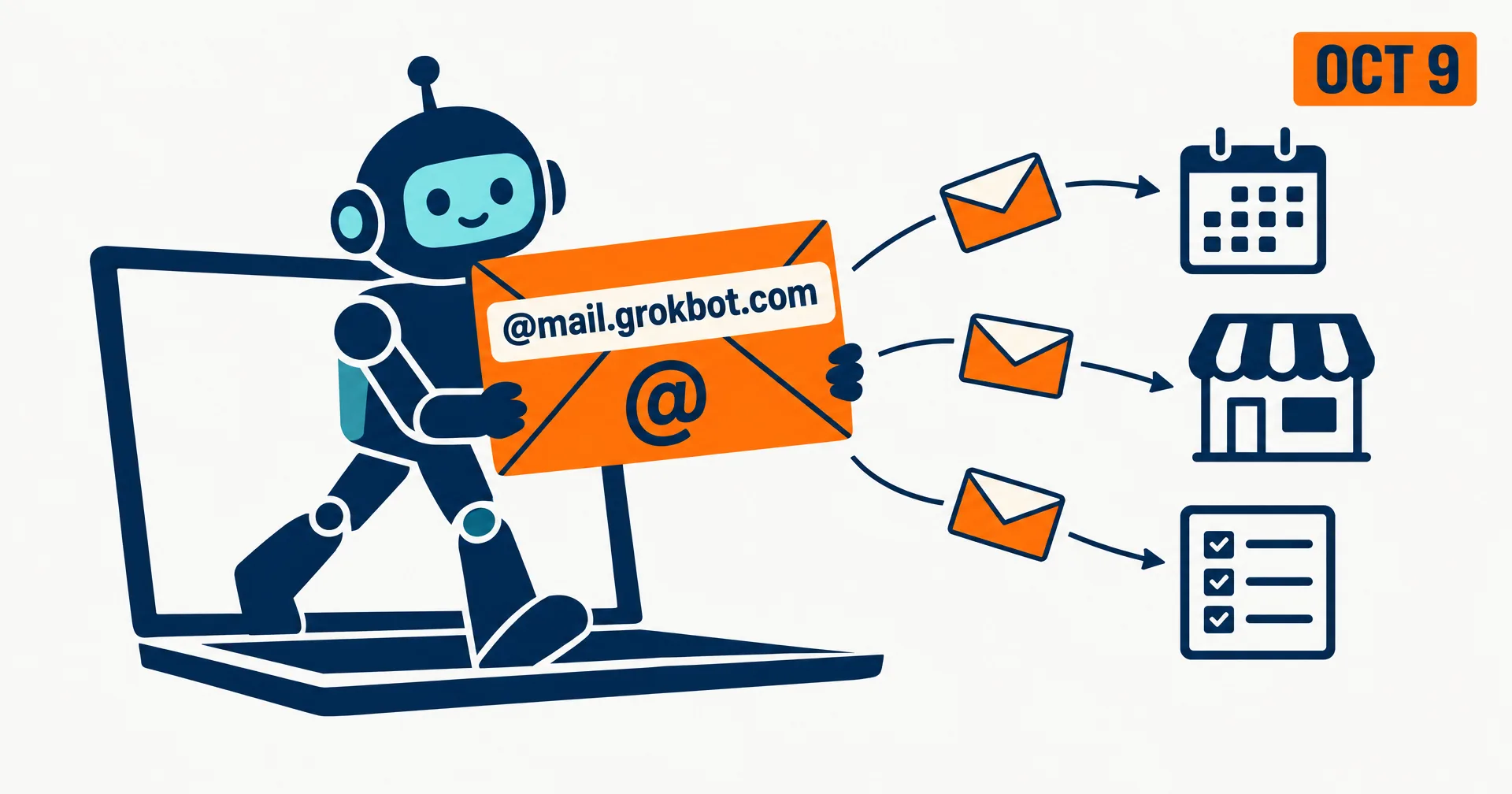
SpaceXAI gave Grok Bot its own email on October 9, 2026. The @bot account put it in one line at 17:25 UTC: “Grok Bot now has its own email.” The Bot can use it to sign up for services, contact businesses for you or schedule time with someone, and the rollout started the same day.
It is the second Grok Bot upgrade this week, after the move to Claude Opus 5.5. It is also the most consequential one for what a Bot can do on its own: an address is how software reaches people and services that have no API.
On this page · 6 sectionsOpen
 SpaceXAI announced on October 9, 2026 that Grok Bot now has its own email, which a Bot can use to sign up for services, contact businesses for you or schedule time with someone.
 Addresses end in @mail.grokbot.com, and you can ask for a custom name, which the Bot checks for availability, per 9to5Mac’s walkthrough.
 You claim the inbox by asking your Bot or tagging @bot on X; on team plans an admin must enable the feature first.
 As of 01:05 UTC on October 10, none of the eight Grok Bot pages we read on docs.x.ai mentions the inbox, and the developer release notes have no entry for it.
 Whether each Bot gets its own address is not stated anywhere official; the docs do say the computer is assigned per user, not per Bot, and that Bots are not a security boundary.
 Email moves Grok Bot closer to the AI employee shape, where each worker has its own address, workspace and memory and reaches people outside your company.
§ 01What SpaceXAI announced
The announcement came as a short thread from @bot. The second post carried the instructions: “Rolling out to users today. To claim your inbox, just ask Bot or tag @bot on X. Admins must enable it for their team.” An earlier version of that post, at 17:16 UTC, left out the X tagging route.
9to5Mac’s walkthrough, published 17:42 UTC, added the details SpaceXAI’s posts did not: addresses end in @mail.grokbot.com, and you can ask for a custom name, which the Bot checks for availability before claiming it.
| Question | Answer | Source |
|---|---|---|
| Launch | October 9, 2026, rolling out to users | @bot posts, 17:16 and 17:25 UTC |
| What the Bot can use it for | Sign up for services, contact businesses, schedule time | @bot post, 17:25 UTC |
| How to claim | Ask your Bot, or tag @bot on X | @bot post, 17:25 UTC |
| Team plans | An admin must enable it first | @bot posts |
| Address format | @mail.grokbot.com, custom name if available | 9to5Mac, 17:42 UTC |
| Price | None announced; Grok Bot is bundled from $20 a month | SpaceXAI plan pages |
| One inbox per Bot or per user | Not stated | No official source |
| In docs.x.ai | No mention in 8 Grok Bot pages or the release notes | Our read, 01:05 UTC October 10 |
§ 02What the docs still do not say
The inbox exists only in posts and press so far. We read the Grok Bot overview, FAQ, Bots, computer and apps, getting started, settings, and teams pages on docs.x.ai, plus the developer release notes, at 01:05 UTC on October 10. The only email references are about Cursor team invitations and redacting email addresses from exports. The teams guide does list external email among the actions it suggests setting to ask first, a rule written before the Bot had an address of its own.
The open question that matters most is the unit. Both posts describe the inbox in the singular. The Grok Bot FAQ is explicit about the computer underneath: “The computer is assigned per user, not per Bot. Do not use separate Bots as a security boundary.” If the inbox follows the computer, a chief-of-staff Bot and a recruiting Bot would read and send from the same mailbox. SpaceXAI has not said either way.
The other gaps are the ones any team would ask about before switching it on: whether sends need approval by default, how long mail is kept, whether admins can read a Bot’s mailbox, and what happens to the address when a seat is removed.
§ 03Why an inbox changes what a Bot can do
Most of the world’s services still assume a person with an email address. Signing up for a tool, confirming an account, booking a table, asking a vendor for a quote: each needs an address that can receive a reply. Until this week a Bot either borrowed yours or stopped and asked. With its own address it can finish those loops itself, and the replies come back to the Bot instead of your inbox.
The same change widens the surface. An address that strangers can write to is an address that receives spam, phishing and messages written to steer the agent. How a Bot treats inbound mail, as data to judge or as instructions to follow, is the design question SpaceXAI has not documented.
§ 04How this compares with an AI employee’s inbox
Our conflict, declared: we build CellCog, where every AI employee works from its own email address, and we keep a Grok Bot vs AI employees comparison. Read this section as the vendor’s case.
| Grok Bot | CellCog AI employee | |
|---|---|---|
| Address | @mail.grokbot.com, custom name if free | Its own address, chosen when it starts |
| Unit | Not stated; computer is per user | One address per employee |
| Computer underneath | One cloud computer per user, shared by all Bots | Its own secure computer, file system and browser identity per employee |
| Memory of threads | Not documented | Reads the full thread across days before replying |
| Outside senders | Not documented | Inbound mail is treated as information to judge, never as an order |
| Sending rules | Team admins enable the feature | The owner sets one approval level for what it may do unasked |
| Price | Bundled in Cursor and SuperGrok plans from $20 a month | Pay for the work you assign; try free |
The fair reading: SpaceXAI just closed one of the clearest gaps between a Bot and an employee. The gap that remains is the unit. A team of Bots on one computer, possibly sharing one address, behaves like one very capable assistant; a team of employees, each with its own address and workspace, behaves like a team.
§ 05What we are watching
- Docs. A docs.x.ai page for the inbox, and whether it says one address per Bot or per user.
- Defaults. Whether outgoing mail asks first by default, and what admins can see.
- Abuse. How SpaceXAI handles inbound phishing and messages written to steer the Bot.
§ 06Sources
- SpaceXAI, @bot announcement and rollout post, October 9, 2026, 17:25 UTC (times from the post IDs); an earlier rollout post at 17:16 UTC.
- Zac Hall, 9to5Mac, Grok Bot just got its own email address, October 9, 2026, 17:42 UTC.
- SpaceXAI, Grok Bot FAQ, teams and enterprises guide and developer release notes, read 01:05 UTC October 10, 2026.
Q1How do I claim a Grok Bot email address?
Ask your Bot something like ‘claim your email address’, or tag @bot on X. 9to5Mac reports you can request a custom name and the Bot checks whether it is free. If you are on a team plan, an admin has to enable the feature for the team first.
Q2What can Grok Bot do with its email?
SpaceXAI’s announcement names three jobs: signing up for services, contacting businesses on your behalf and scheduling time with someone. Anything beyond that is not documented yet.
Q3Does every Bot get its own inbox?
SpaceXAI has not said. The announcement says ‘its own email’ and ‘your inbox’, and the Grok Bot FAQ says the cloud computer is assigned per user, not per Bot. Until the docs cover the inbox, treat it as one address per user.
Q4Is Grok Bot email in the official documentation?
Not yet. We read eight Grok Bot pages on docs.x.ai plus the developer release notes at 01:05 UTC on October 10, 2026, and none mentions the inbox. The sources are SpaceXAI’s posts from the @bot account and press coverage.
Q5How is this different from a CellCog AI employee's email?
Each CellCog AI employee has its own address, its own secure computer and browser identity, and memory of every thread, and an owner sets what it may send without asking. Grok Bot’s inbox is new, and its scope is still undocumented.