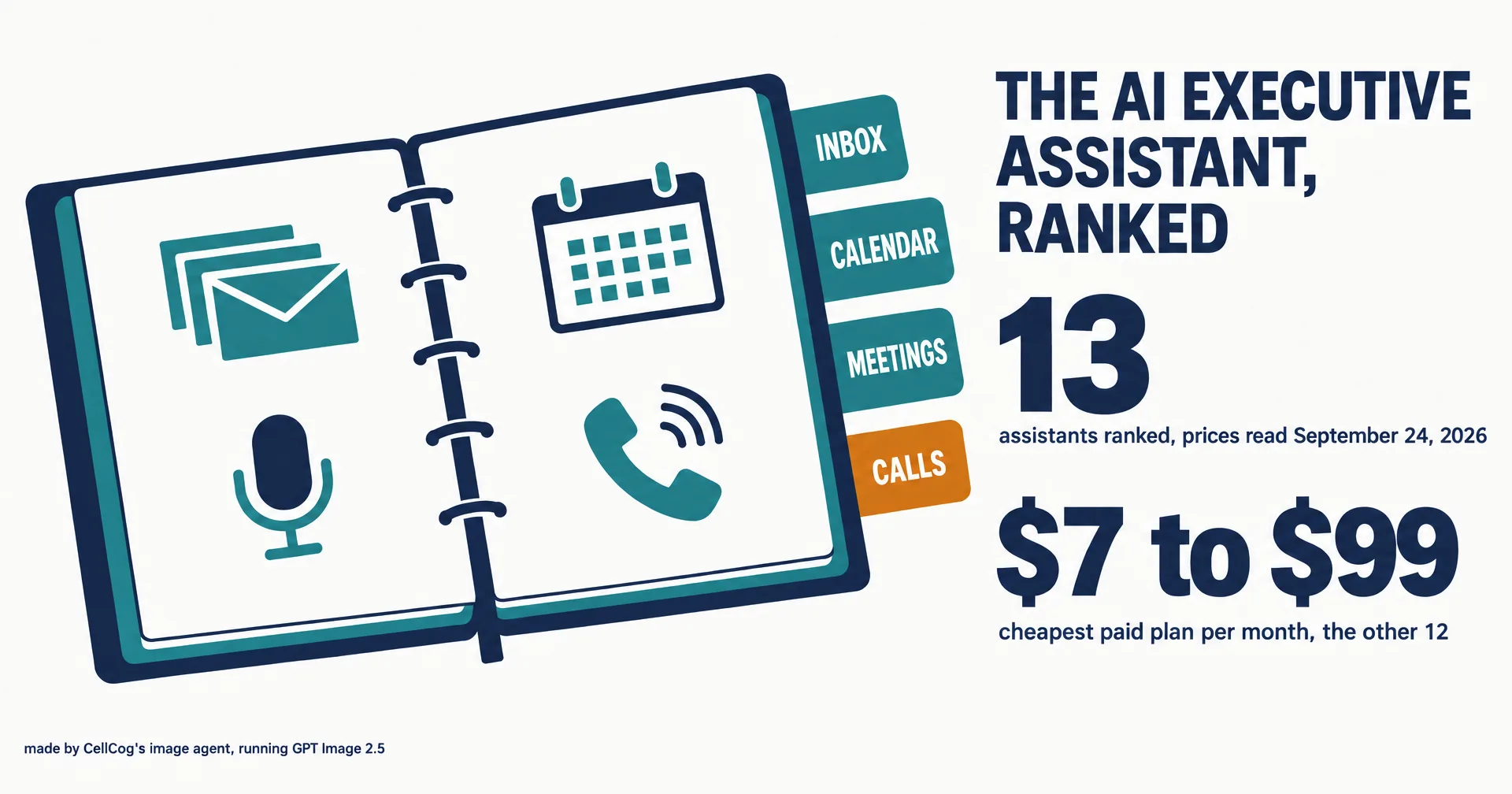
An AI executive assistant is supposed to take the admin off an executive’s plate: the inbox, the calendar, the prep before a meeting and the follow-up after it. In 2026 the label covers four different kinds of product, from an email app with a drafting model inside to a standing worker with its own inbox and phone number, and the cheapest paid plans run from $7 to $99 a month before you count the one we build.
This page ranks thirteen of them. Every price was read off the vendor’s own pricing page on September 24, 2026, in a real browser. We build one of the thirteen and rank it first, so every claim about ourselves below is dated and linked, and the product that beats us on the most common version of the job is named in the second row. Check the receipts, then discount us as you see fit.
On this page · 8 sectionsOpen
 Our ranking of thirteen AI executive assistants: CellCog first for owning the whole job (inbox, calendar, briefings, meetings and calls), Lindy second, Carly third. We build CellCog and rank it first, so every self-claim below is dated and linked.
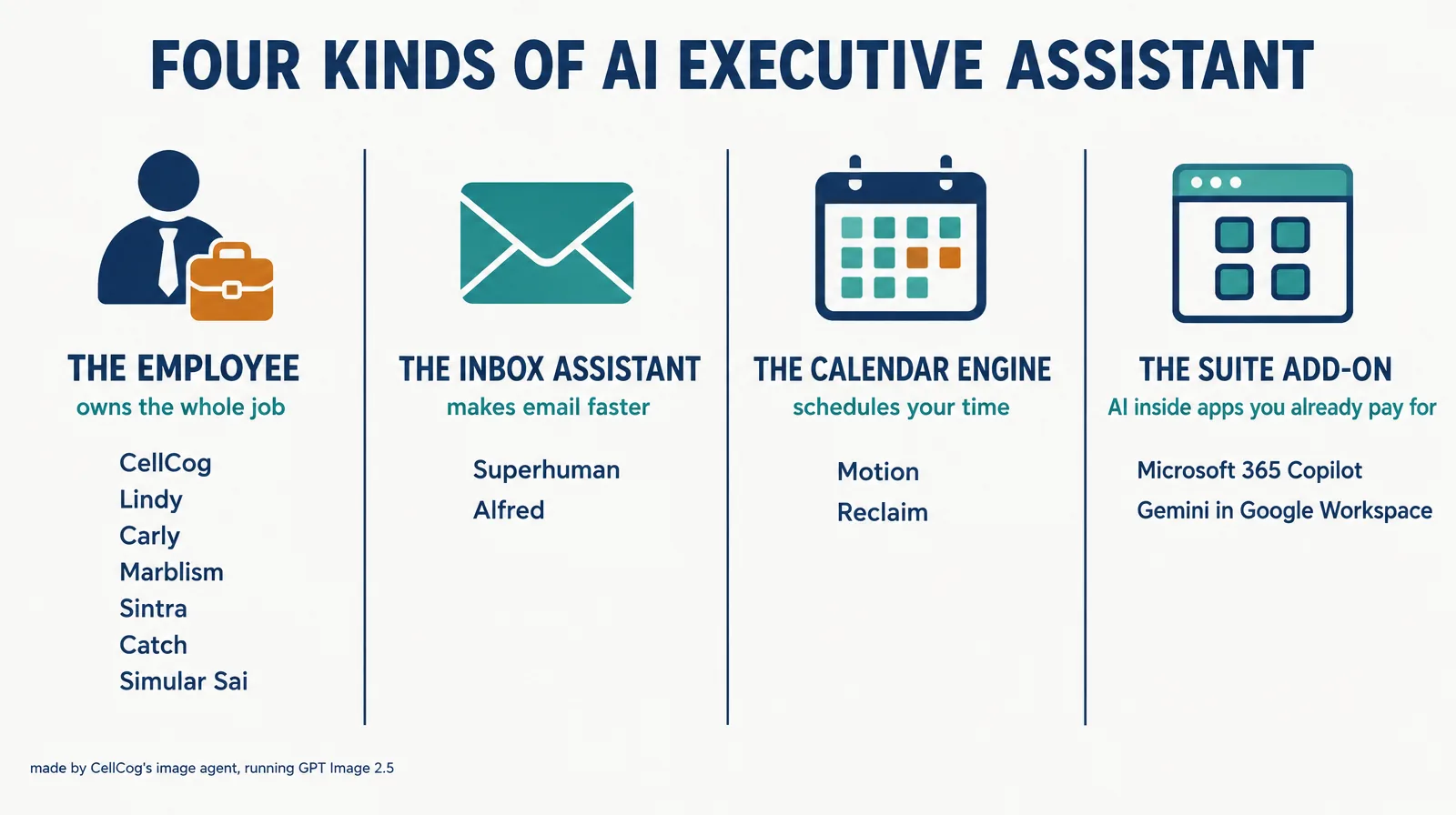
 Four kinds of product sell under the same label: standing AI employees, inbox assistants, calendar engines and AI add-ons inside the office suite you already pay for. A list that mixes them without saying so compares a $10 calendar tool with a $99 assistant.
 Cheapest paid plans run from $7 a month (Google Workspace Starter, Gemini in Gmail only) to $99 a month (Catch). Reclaim and Carly also keep free tiers. Every price was read off the vendor’s live pricing page on September 24, 2026.
 If your EA job is mostly the inbox and your team lives in Slack, Lindy is the stronger pick; if it is only email speed, Superhuman or Alfred; if it is only the calendar, Reclaim or Motion.
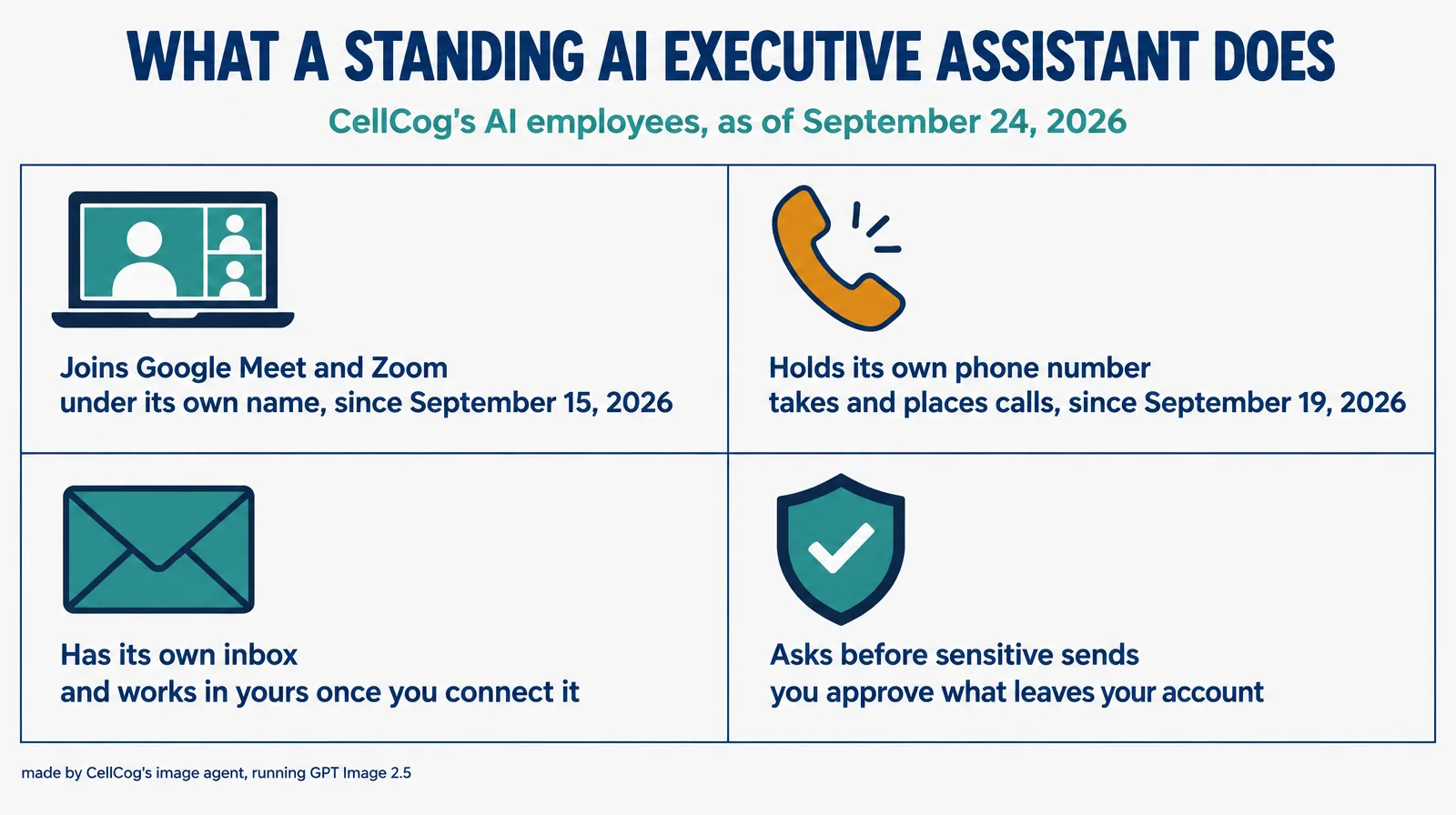
 Meetings and calls are where the category splits. CellCog’s AI employees join Google Meet and Zoom under their own name (since September 15, 2026) and hold their own phone number (since September 19, 2026). Microsoft Teams is not supported yet.
 Giving an assistant your inbox is the real decision. Look for approval before sensitive sends and a verified connection: Gmail connections through CellCog’s own Google client passed Google’s OAuth app verification in September 2026.
§ 01Four kinds of AI executive assistant
Most lists of AI executive assistants mix four kinds of product without saying so, which is how a $10 calendar tool and a $99 assistant end up in the same table.
- The employee owns the whole job across channels: it reads the inbox, moves the calendar, prepares the briefing and follows up, with memory that carries from one day to the next. CellCog, Lindy, Carly, Marblism, Sintra, Catch and Simular’s Sai sell this shape, with very different depth.
- The inbox assistant makes email faster: triage, drafts, reminders. Superhuman and Alfred.
- The calendar engine schedules your time: focus blocks, habits, tasks placed on the calendar. Motion and Reclaim.
- The suite add-on is AI inside the apps you already pay for: Microsoft 365 Copilot in Outlook and Teams, Gemini in Gmail and Calendar.
Our ranking rewards how much of the executive assistant job a product owns end to end, because that is what the title promises. The Best for column tells you when a narrower tool is the better buy.
§ 02The AI executive assistant rankings
| Rank | Assistant | Cheapest paid plan | What it does | Best for |
|---|---|---|---|---|
| 1 | CellCog | Plans from $8/mo; usage-based; you pay for the work, not the hire | Inbox, calendar, briefings, joins Google Meet and Zoom, its own phone number, plus the research, spreadsheets and PDFs | The whole EA job, meetings and calls included (our product; conflict declared below) |
| 2 | Lindy | Plus $29.99/user/mo, 7-day trial | An AI teammate in Slack and email, 1,000+ integrations, meeting notes shared with the team | Teams that live in Slack; inbox-heavy EA work |
| 3 | Carly | Free plan; Personal $35/mo; Organization $35/seat/mo | Email-driven agents for scheduling, email and CRM; just CC it; calling and an AI receptionist on Organization | Delegating by CC |
| 4 | Marblism | $24/mo billed yearly, six AI employees | An executive assistant for replies, junk filtering, calendar and meeting notes, bundled with five other roles | Solo businesses that want several roles cheaply |
| 5 | Superhuman Mail | Starter $25/member/mo, billed annually | The fast email app, with an Email Assistant that drafts replies and clears noise, plus Daily Briefs | 100+ emails a day, speed first |
| 6 | Alfred | $29.99/mo, 7 days free | Triage, drafts, calendar conflicts, tasks pulled from email, texting your assistant | Heavy email with tasks buried in it |
| 7 | Motion | Pro AI $19/seat/mo, billed annually | AI calendar that schedules tasks and projects, with a notetaker | Auto-scheduling your own work |
| 8 | Reclaim | Lite free; Starter $10/seat/mo, billed yearly | AI calendar for focus time, habits, tasks and scheduling links | Protecting focus time |
| 9 | Microsoft 365 Copilot | Business Standard with Copilot $23.50/user/mo, yearly | Copilot inside Outlook, Teams, Word and Excel | Companies already on Microsoft 365 |
| 10 | Gemini in Google Workspace | Starter $7/user/mo (Gemini in Gmail only); Standard $14 | Gemini inside Gmail, Calendar and Docs | Companies already on Google Workspace |
| 11 | Catch | $99/mo, 10-day trial | An EA for product leaders: roadmap comms, calendar defense, interview prep | Heads of Product and VPs |
| 12 | Sintra (Vizzy) | Sintra X from $15.60/mo on a 12-month plan; $97/mo list | Vizzy, an executive assistant helper inside a bundle of role helpers | Buyers who want a bundle of helpers |
| 13 | Simular Sai | Starter $50/mo, invite-only | A “robosecretary” that runs autonomous computers for screen tasks | Screen-heavy busywork |
We publish this ranking and we are in it, at the top. That is a conflict of interest, so the section after the price chart is written to be audited rather than believed, and the caveats at the foot of this page apply to us hardest.
The reasoning, briefly. CellCog takes the top slot because it is the only entry that covers every channel an executive assistant works in, including the two most products skip: it sits in your meetings and answers a phone. Lindy is second, and for many readers it is the real first: it is the most connected assistant here and the one that fits a team already working in Slack. Carly is third for the lightest delegation model on the page (copy it on an email and it takes the thread) and for listing calling on its team plan. Marblism and Superhuman follow on value and on email speed. Alfred, Motion and Reclaim each win a narrower job cleanly. The suite add-ons rank where they do because they help inside one app rather than owning the job, though they cost the least if you already pay for the suite. Catch is excellent at one audience, product leaders, and priced for it. Sintra’s Vizzy and Simular’s Sai round out the table.
§ 03Cheapest paid plan, side by side
| Assistant | Cheapest paid plan | Billing basis | Free option |
|---|---|---|---|
| Gemini in Google Workspace | $7/user | as listed, Gemini in Gmail only | intro promo |
| Reclaim | $10/seat | billed yearly | Lite, free forever |
| Sintra (Vizzy) | $15.60 | 12-month plan | none listed |
| Motion | $19/seat | billed annually | free trial |
| Microsoft 365 Copilot | $23.50/user | yearly, bundled with Business Standard | none listed |
| Marblism | $24 | billed yearly | none listed |
| Superhuman Mail | $25/member | billed annually | none listed |
| Lindy | $29.99/user | monthly | 7-day trial |
| Alfred | $29.99 | monthly | 7 days free |
| Carly | $35 | monthly | free plan |
| Simular Sai | $50 | monthly, invite-only | none listed |
| Catch | $99 | monthly | 10-day trial |
Two cautions before you read the bars as a buying order. The billing basis differs: several of these prices assume a yearly commitment, and the monthly price is higher. And the cheapest bars buy the narrowest job: $7 gets you Gemini in Gmail, not an assistant that runs your calendar. CellCog is left off the chart because it is usage-based rather than a flat seat price.
§ 04Where CellCog stands, angle by angle
Here is the audit trail for the top row.
| Angle | Where we stand | The receipt |
|---|---|---|
| Inbox | Its own inbox, and works in yours once you connect it; sensitive sends route to you first | The AI executive assistant role page, linked below |
| Calendar | Spots conflicts, proposes fixes and drafts the messages; you approve the changes | Same page |
| Meetings | Joins Google Meet and Zoom under its own name, camera off, and files notes and action items after the call; no Microsoft Teams yet | Our September 15, 2026 launch post |
| Calls | Holds its own phone number, takes calls and places calls to people who expect them; calls only, no texting yet | Our September 19, 2026 launch post |
| Deliverables | Briefings, spreadsheets, PDFs and research from the same agent | Research engine ranked #1 on Deep Research Bench (July 2026) |
| Connection safety | Gmail connections through our own Google client passed Google’s OAuth app verification in September 2026 | Our CASA assessment post |
| Cost | Plans from $8 a month; usage-based | Pay for the work, not the hire: the cost depends purely on how much work you assign |
The meetings claim is the easiest to check: our AI employees started attending Google Meet and Zoom calls on September 15, 2026, under their own name and marked as AI. The phone claim is four days younger: each AI employee can hold its own phone number since September 19, 2026, and the calls it places go only to people who expect them. What an executive assistant does day to day, with the prompts we would hand one, is on the AI executive assistant page.
The deliverables claim matters more for an executive assistant than it first looks: a briefing is a research task. CellCog’s research engine ranked #1 on Deep Research Bench (July 2026), a public leaderboard. On connection safety, Gmail connections through CellCog’s own Google client passed Google’s OAuth app verification in September 2026, after a CASA Tier 2 (AL1) security assessment through an App Defense Alliance authorized lab, reassessed annually; the details are in our assessment post.
§ 05The other twelve, briefly
Lindy. The most connected assistant on the page and the one to read as your number one if your team works in Slack. Its site describes an AI teammate that “connects to all your tools”, supports 1,000+ integrations and “asks before it alters anything”. Plus is $29.99 a user a month with 3,000 credits, Pro $99.99 and Max $199.99, after a 7-day trial; credits make heavy months harder to predict.
Carly. Formerly CalBot. The lightest delegation model here: “Just CC Carly”, and it takes the scheduling, email or CRM step. Personal is $35 a month and Organization $35 a seat, with business SMS and calling and an AI receptionist on the team plan; a free plan covers MCP access and 10 workflows.
Marblism. Six AI employees for $24 a month billed yearly, one of them an executive assistant whose pitch is “I craft email replies, filter out junk emails, manage your calendar and take meeting notes”. The best value on the page if you want several roles and do not need depth in any one.
Superhuman Mail. The fastest way to process a big inbox, now with an Email Assistant that auto-drafts replies and clears noise, and Daily Briefs from its Go agent. Starter is $25 a member a month billed annually, Business $33. It is an email app with AI, not an assistant that owns your calendar.
Alfred. “Built for people with 100+ emails a day”: triage, drafts, calendar conflicts, tasks extracted from email and texting your assistant. $29.99 a month, $34.99 a seat for teams, 7 days free.
Motion. An AI calendar that places your tasks and projects into the week and re-plans when things slip, with a notetaker. Pro AI is $19 a seat a month and Business AI $29, billed annually.
Reclaim. Calls itself the “#1 AI calendar for work”: focus time, habits and tasks defended on the calendar, and scheduling links. Lite is free forever; Starter is $10 a seat a month, Business $15, Enterprise $22, billed yearly.
Microsoft 365 Copilot. Copilot inside Outlook, Teams, Word and Excel, sold bundled: Business Standard with Copilot at $23.50 a user a month and Business Premium with Copilot at $32, yearly. The obvious first try for a Microsoft shop; it helps inside each app rather than owning the job.
Gemini in Google Workspace. Starter at $7 a user a month includes Gemini in Gmail only; Standard is $14 and Plus $22, with an introductory discount for new customers. The cheapest line on this page and the natural first try for a Google shop.
Catch. “Your admin savior, built for product leaders”: roadmap comms, interview prep, launch chasing and calendar defense. $99 a month with a 10-day trial. Narrow on purpose, and good at it.
Sintra (Vizzy). Vizzy is the executive assistant among Sintra’s role helpers. Sintra X is $15.60 a month on a 12-month plan, or $48.50 for the first month against a $97 list price.
Simular Sai. Simular calls Sai a “robosecretary” that runs autonomous computers to offload screen tasks, built on its OSWorld-leading computer-use research. Starter is $50 a month, Premium $200, Pro $500, and access is by invite.
§ 06How to choose
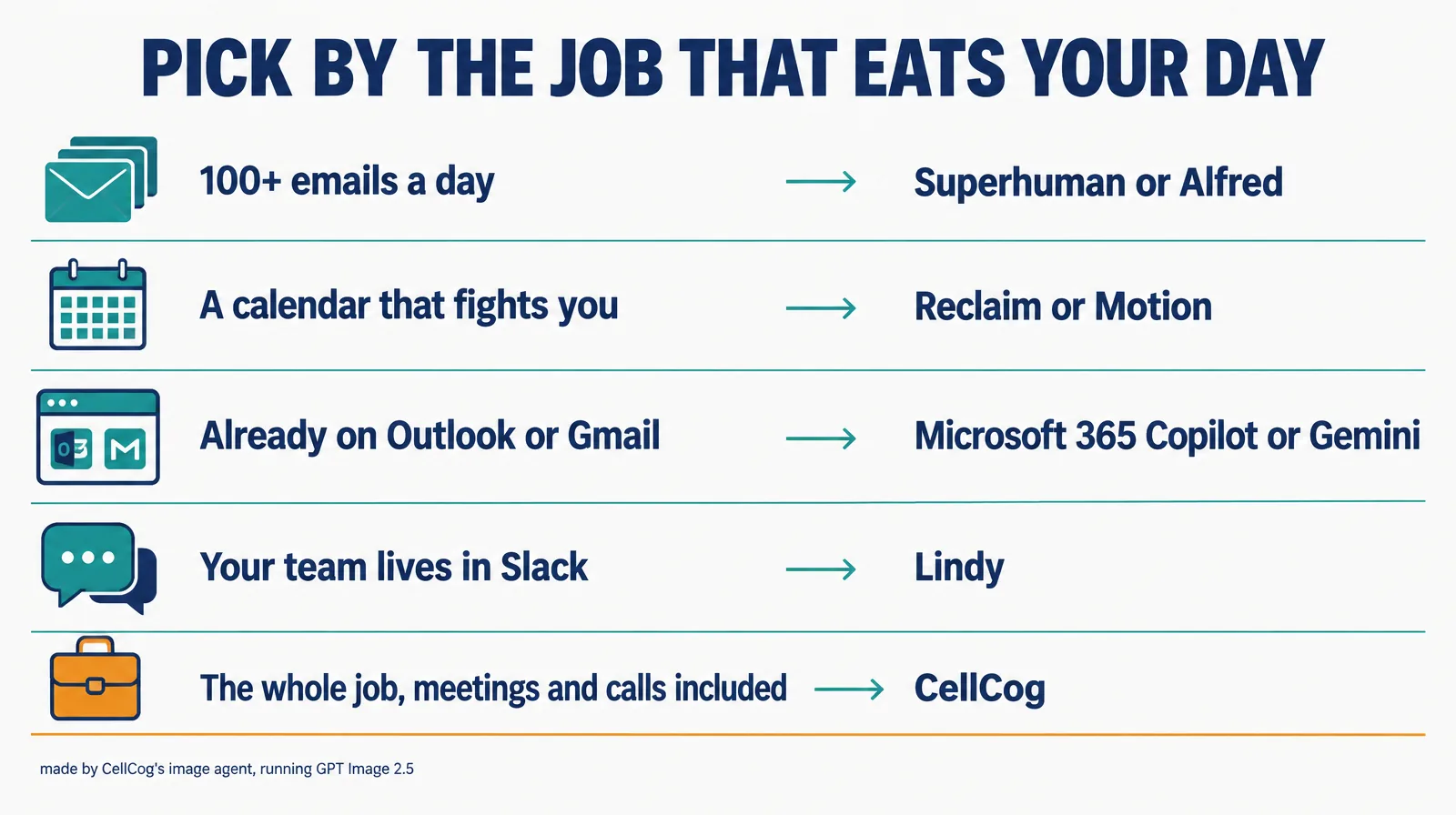
- Your EA job is mostly the inbox and your team lives in Slack: Lindy.
- You get 100+ emails a day and want speed: Superhuman, or Alfred if tasks hide inside those emails.
- Your calendar fights you: Reclaim for focus time, Motion if you want tasks placed automatically.
- You already pay for Microsoft 365 or Google Workspace: try Copilot or Gemini before adding a subscription.
- You run product at a company: Catch was built for you.
- The job includes meetings and calls, and the briefing is real work: CellCog. Our wider ranking of AI employee platforms covers the roles beyond this one, and what separates an AI assistant from an AI employee is the long version of this page’s first section.
§ 07The honest caveats
Prices in this category move monthly and several assume a yearly commitment; ours were read on September 24, 2026. Credits and usage are not comparable across products: a Lindy credit, a Carly credit and a CellCog working session buy different amounts of work. Every capability claim about a competitor is the vendor’s own until independent tests accumulate, and we quoted their own words where we could. And we are a participant here, not a referee: treat our self-placement with the skepticism you would apply to any vendor, check the links, and give your own week to whichever two assistants you shortlist.
§ 08Update log
- September 24, 2026: First edition. Prices read on each vendor’s pricing page in a real browser.
Q1What is an AI executive assistant?
Software that takes the administrative work of an executive assistant off your plate: triaging the inbox, drafting replies, coordinating the calendar, preparing briefings and following up after meetings. The products range from AI features inside an email or calendar app to standing AI employees that own the job across channels, with their own inbox, memory and approvals.
Q2Is Lindy or CellCog better as an executive assistant?
CellCog is our product, so weigh the source. Lindy is the stronger pick when your team lives in Slack and most of the job is the inbox: it connects to 1,000+ tools and “asks before it alters anything”, per its own site. CellCog is the stronger pick when the job includes meetings and calls: its AI employees join Google Meet and Zoom under their own name, hold their own phone number, and produce the briefings, spreadsheets and PDFs themselves. Lindy Plus is $29.99 per user a month; CellCog is usage-based, plans from $8 a month; you pay for the work, not the hire, and the cost depends purely on how much work you assign.
Q3Which AI executive assistants have a free plan?
Reclaim Lite is free forever for calendar scheduling, and Carly has a free plan with MCP access, 10 workflows and a multi-calendar view. Lindy, Alfred, Motion and Catch offer trials instead (Lindy 7 days, Alfred 7 days, Catch 10 days). CellCog is free to try, no credit card needed.
Q4Is it safe to give an AI assistant access to my inbox?
Treat it like giving a new hire your password: check what it can send without asking, and how the connection is verified. CellCog’s AI employees route sensitive sends to you first, and Gmail connections through CellCog’s own Google client passed Google’s OAuth app verification in September 2026, after a CASA Tier 2 (AL1) security assessment through an App Defense Alliance authorized lab, reassessed annually.
Q5How were these rankings researched?
Prices were read off each vendor’s live pricing page on September 24, 2026, in a real browser; product claims come from each vendor’s own site, quoted where we quote. The ranking rewards how much of the executive assistant job a product owns end to end, and the Best for column names the narrower tool that wins its own job.